White label look and feel
Rebranding the whole app: HighLevel custom CSS vs Votel's SaaS Configurator
Clients don't experience your white label as a logo. They experience the sidebar, the colors, and the login page every single day. On HighLevel, those are exactly the parts that need code.
Researched by HighLevel vs Votel Editorial Team · Last verified · Methodology · We may earn a commission if you join Votel through our links. Details
On this pageScreenshots
01 · Comparison
01Side by side
White-label theme: visual evidence from both platforms
Firsthand live-account captures where available, paired with official product documentation when equivalent account access was not available. Every caption identifies the evidence source; HighLevel is on the left and Votel is on the right.
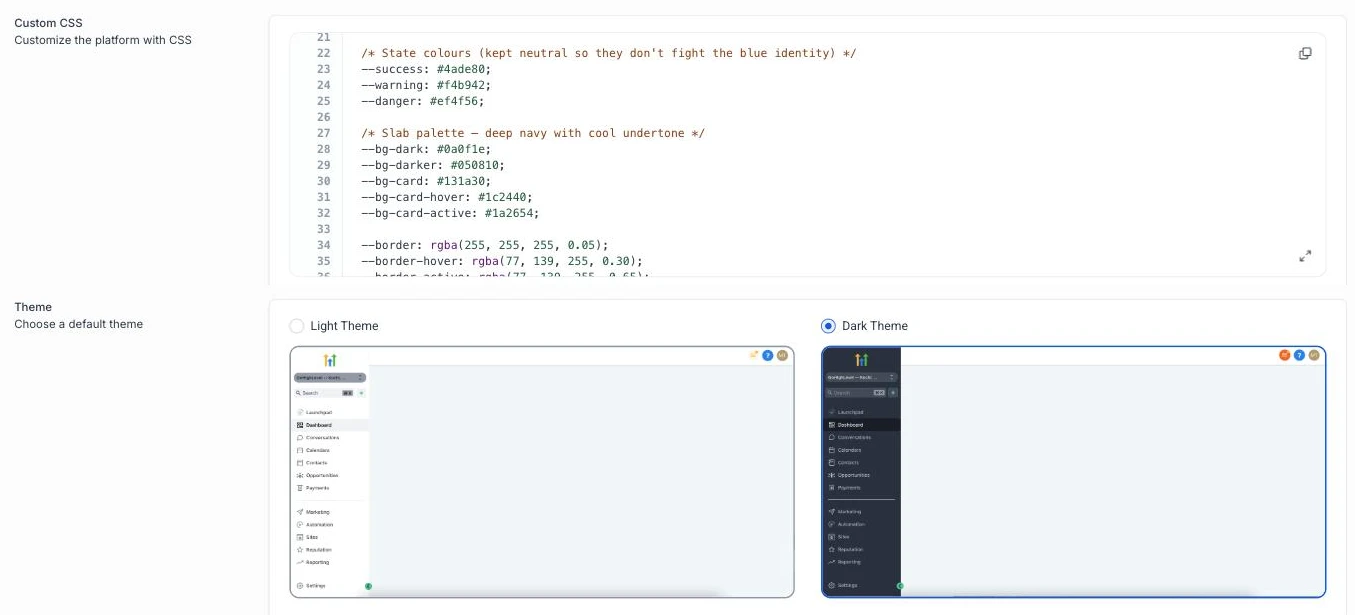
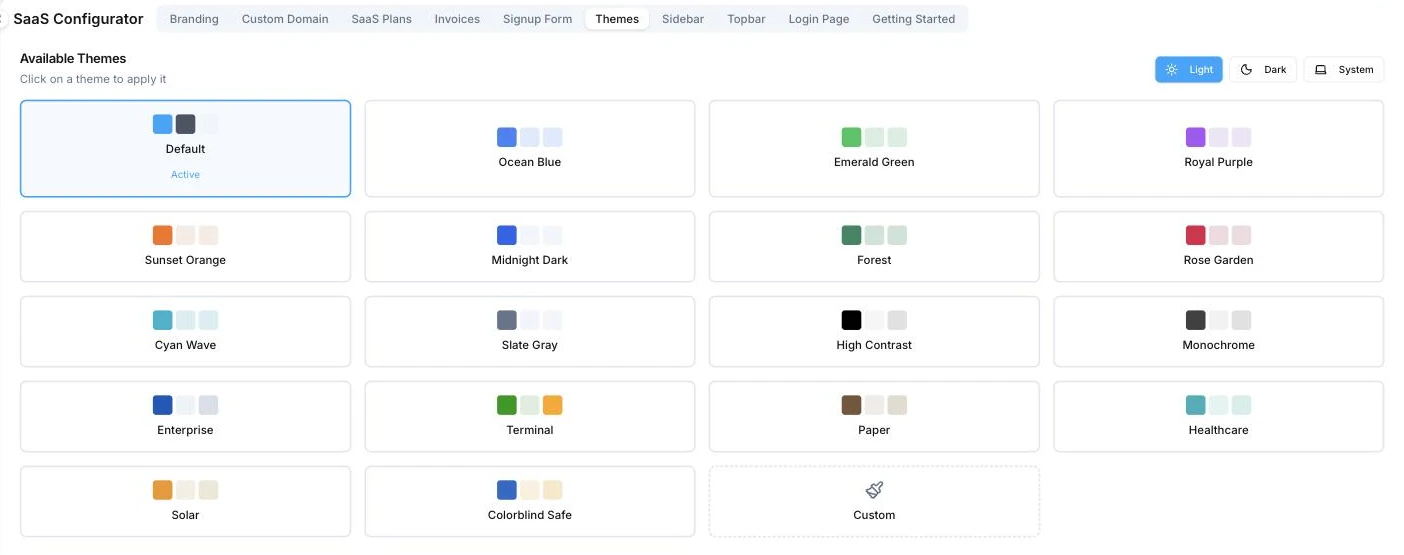
Where you change the app's colors
HighLevel's Custom CSS box and light/dark switch vs Votel's Themes tab. The dark sidebar in our HighLevel screenshots is itself a custom CSS theme pasted into that box.
 Open full size ↗
 Open full size ↗
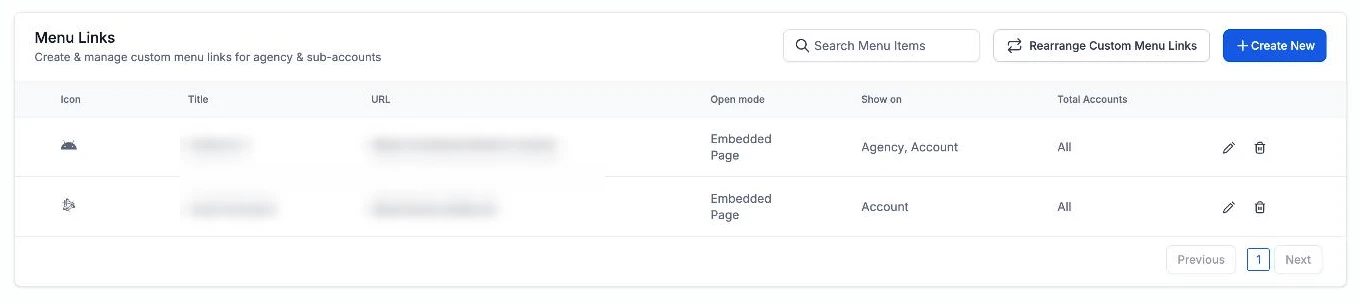
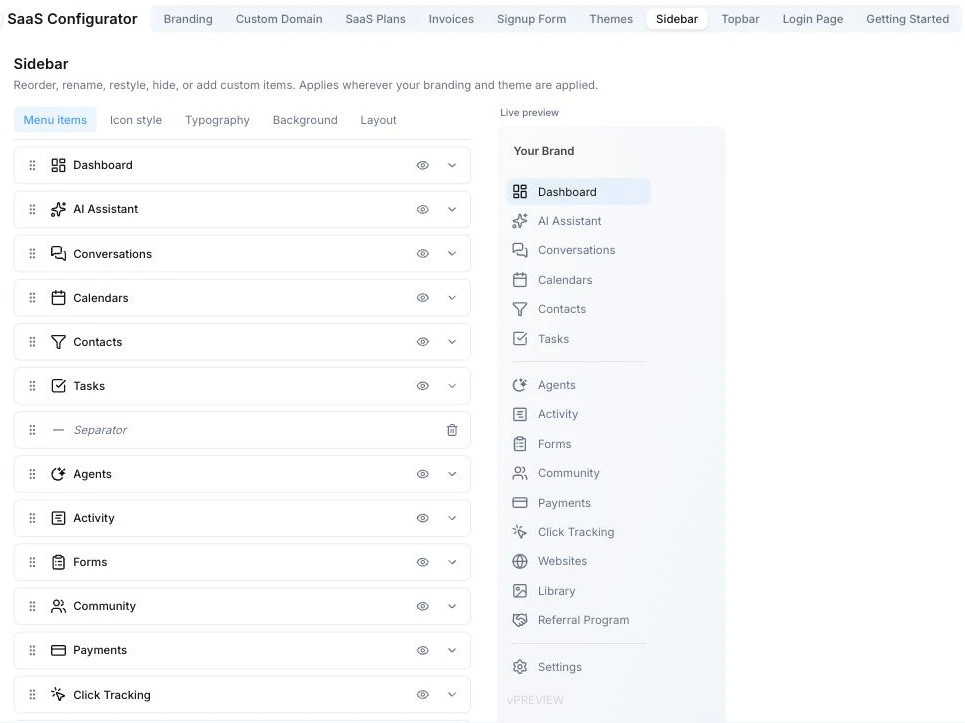
Customizing the sidebar
HighLevel's Custom Menu Links manages and reorders only the links you add. Votel's editor covers every item in the sidebar.
 Open full size ↗
 Open full size ↗
What controls the login page
HighLevel's White Label tab next to Votel's Login Page editor.
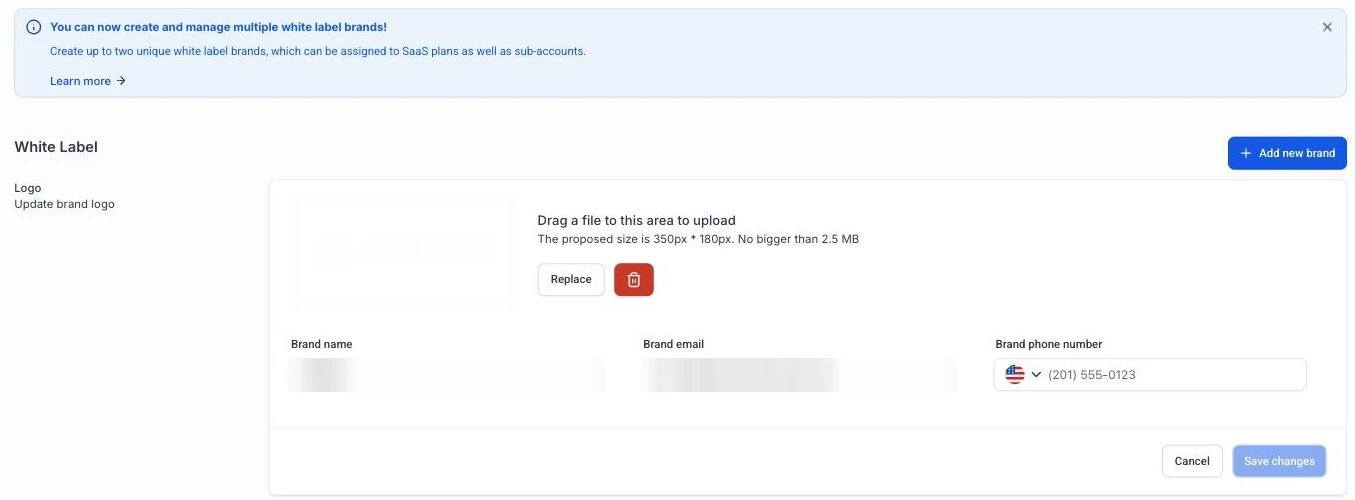 Open full size ↗
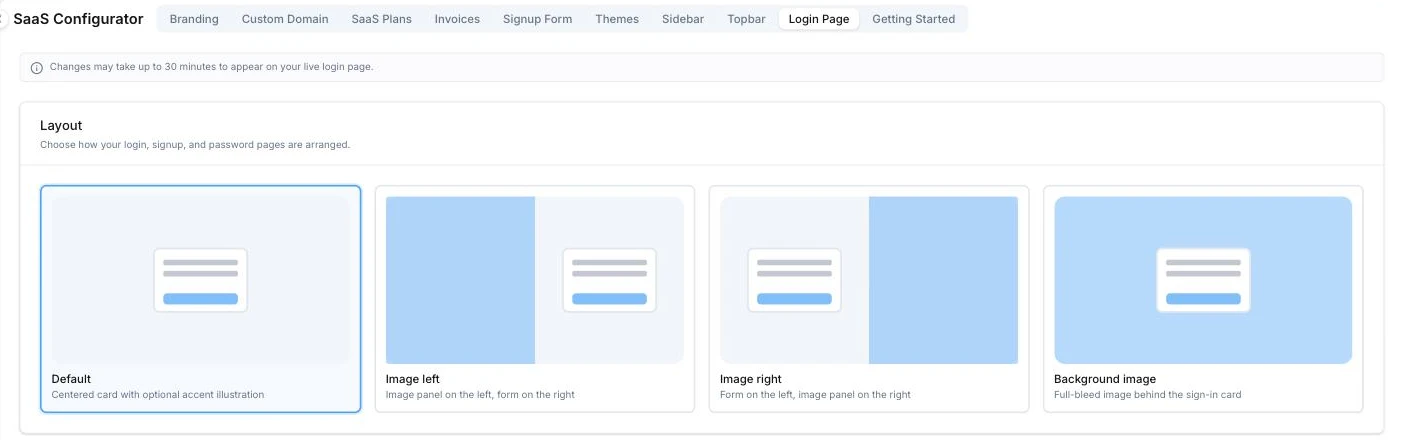 Open full size ↗
02Line by line
White-label look and feel, checked against both platforms' docs
HighLevel's native controls are listed as they are, including the ones that work well enough.
| Claim | GoHighLevel | Votel |
|---|---|---|
App colors and theme Votel wins | A light or dark default theme. Brand colors across the app need custom CSS | 18 preset themes plus a custom theme builder, in light, dark, or system mode |
Sidebar and menu Votel wins HighLevel's own docs use hiding the Opportunities tab with CSS as the example. | Custom Menu Links can add and reorder your own links. Hiding, renaming, or restyling built-in items needs CSS | Sidebar editor: rename, reorder, hide, or restyle any item, change icon style, typography, and background, add custom items and separators, and show items by plan or add-on |
Topbar Votel wins | No topbar setting in HighLevel's whitelabel docs, so CSS only | Dedicated topbar editor |
Login page Votel wins | Logo, brand name, and a white-label domain. No layout options | Login page editor with four layouts (centered card, image left, image right, background image) and logo position. The sign-in button follows your theme color |
When the platform ships an update Votel wins | Your CSS can break. HighLevel's docs call custom JS and CSS powerful but unsupported | Branding lives in settings, so there's no stylesheet of yours to break |
Getting a custom look Votel wins | Write and maintain the CSS yourself, or buy a third-party theme | Point and click in the SaaS Configurator, with a live preview |
Logo, domain, and dark mode cover what a lot of agencies need, and HighLevel now lets you run up to two white-label brands and assign them to SaaS plans or sub-accounts. If you already have a CSS theme you like, it works today. And HighLevel's dashboards are better than their reputation: 197 prebuilt widgets, ad and Google Analytics data built in, and custom metrics that combine up to four numbers with a formula.
If your white label is a logo swap, either platform is fine. If you want clients to feel like they bought your software, not HighLevel with your logo on it, Votel gets you there from settings instead of a stylesheet you have to babysit after every HighLevel release.
Questions
What agencies ask about this
Can you change GoHighLevel's colors without custom CSS?
Only between light and dark mode. HighLevel's company settings cover your logo, white-label domain, and light or dark mode. Brand colors, sidebar styling, and hiding menu items are done with custom CSS or JavaScript in agency settings, which HighLevel says is unsupported and can break when its UI changes.
Can I hide menu items from clients in Votel?
Yes. The sidebar editor in the SaaS Configurator lets you hide, rename, and reorder items, and show or hide them based on the client's plan or add-ons. You can also switch off the Live Support and Give Feedback buttons for every sub-account.
Which Votel plan do I need to rebrand the app?
Votel lists White Label on its $297 AI Founder Unlimited plan, not the $97 Pro plan. If rebranding the app for clients is the reason you're switching, budget for $297.
Is custom CSS in HighLevel risky?
HighLevel's own docs say custom JS and CSS is powerful but unsupported, and that changes to its core UI may break your code. If you run a heavy CSS theme, plan to re-check it after HighLevel updates.
Sources for this HighLevel vs Votel comparison
- HighLevel: Agency Company Settings (updated April 21, 2026)
- HighLevel: Custom Menu Links (updated Aug 11, 2025)
- HighLevel: How to Create a Custom Dashboard (updated Nov 25, 2025)
- Votel docs: Themes and Appearance
- Votel docs: SaaS Configurator
- HighLevel: Creating and Using Custom Metrics (updated June 12, 2026)
- Votel Pricing (white label on the $297 plan)
Rebrand the whole app from settings, then decide.
Sign up for a free Votel account. No credit card required. Or read the full GoHighLevel (GHL) vs Votel comparison first, pricing included.
Sign up for a free Votel accountNo credit card required.Pass it along
Found this helpful?
Share this page with someone who could use it.
Ready to explore Votel?
Sign up for a free Votel account
Create a Votel account and explore the platform for yourself. No credit card required.
Paid plans and usage charges apply when you use paid services.
Sponsored affiliate link. We may earn a commission if you later become a paying customer, at no extra cost to you.