Votel AI feature deep dive
Votel CRM: contacts, pipelines, and AI working from one record
Votel CRM is the contact and pipeline system inside Votel.ai. This review examines its table and board views, customization controls, bulk actions, lead scoring, and the connections that let conversations, AI agents, and workflows use the same customer data.
Affiliate link: we may earn a commission if you become a paying customer, at no extra cost to you. Details.
Researched by HighLevel vs Votel Editorial Team · Last verified September 16, 2026 · Methodology · We may earn a commission if you join Votel through our links. Details
The short answer
What is Votel CRM?
Votel CRM is the built-in contact and pipeline layer in Votel.ai. Teams can manage leads in a searchable table or visual board, customize the data shown on records and pipeline cards, and connect each contact to conversations, AI agents, workflows, appointments, tasks, forms, and website activity.
On this pageWhat is Votel CRM?
01 · Understand Votel CRM
02 · Evaluate the system
Contact management
One contact set, two practical Votel CRM views
The table view is suited to searching, sorting, filtering, inline editing, and bulk work. The board view turns the same contacts into draggable pipeline cards. In the live account we reviewed, the visible stages were New, Contacted, Qualified, Proposal, Won, and Lost; teams can create pipelines for their own sales, onboarding, or support process.
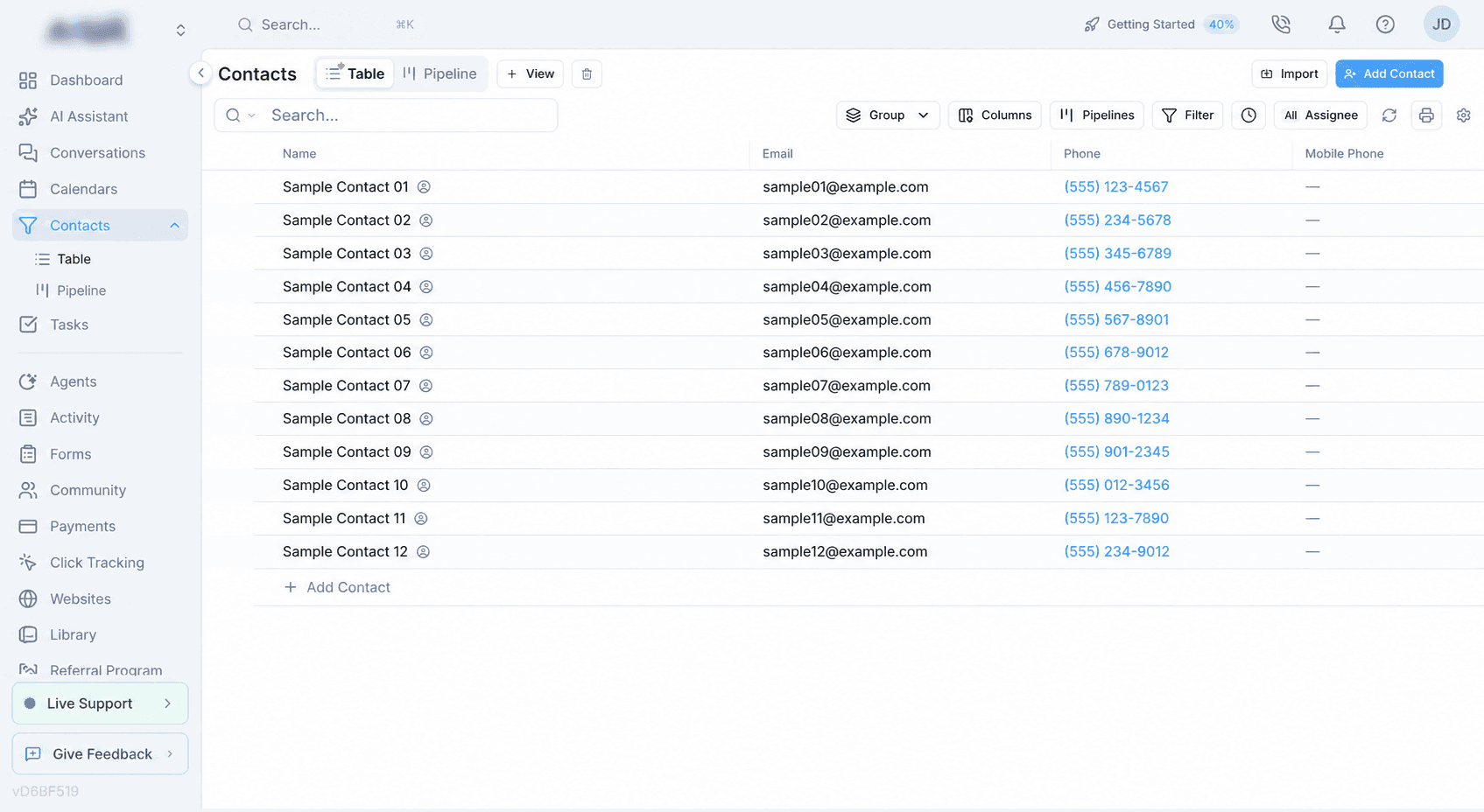
Table view
Use columns, saved filters, grouping, sorting, inline edits, imports, and multi-contact actions when the data matters more than stage movement.
Board view
Use configurable cards and drag-and-drop stages to see deal progression, ownership, follow-up fields, scores, or other operational details.
CRM customization
Shape Votel CRM around the work your team actually does
Votel's documentation describes customization at the field, card, record-layout, pipeline, and saved-view levels. That matters because a CRM is more useful when the important qualification and follow-up data is visible without opening every record.
Custom contact layouts
Add, remove, rename, icon-label, and reorder tabs, sections, headers, and fields.
Custom fields
Use text, dropdown, checkbox, date, number, and other fields across records, cards, filters, and workflows.
Pipeline cards
Choose which fields appear on cards, reorder them, and edit supported values inline.
Saved views
Save board or table configurations with selected fields, filters, sorting, and groupings.
Deduplication
Match on email, phone, name, or combinations and decide how imported values are handled.
Lead scoring
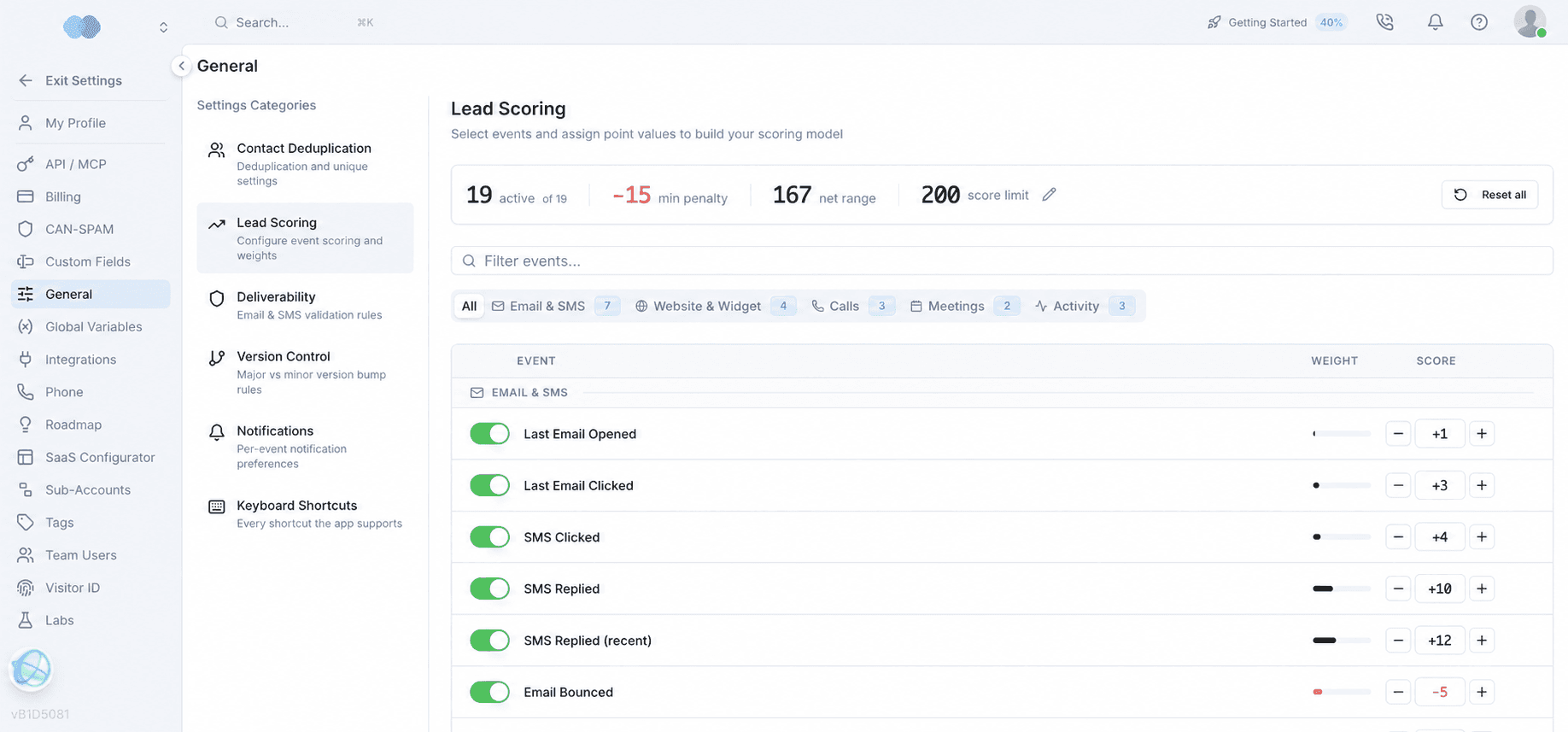
Adjust scores from engagement events and use the result for prioritization, filtering, or automation.
Connected customer context
The Votel CRM becomes more useful when agents and workflows can act on it
Votel documents a connected model: an agent conversation can create a contact, the unified inbox can display and update that contact's pipeline context, and workflows can respond to record changes. Bulk actions can assign contacts to a team member or AI agent, add tags, send messages, and start follow-up work.
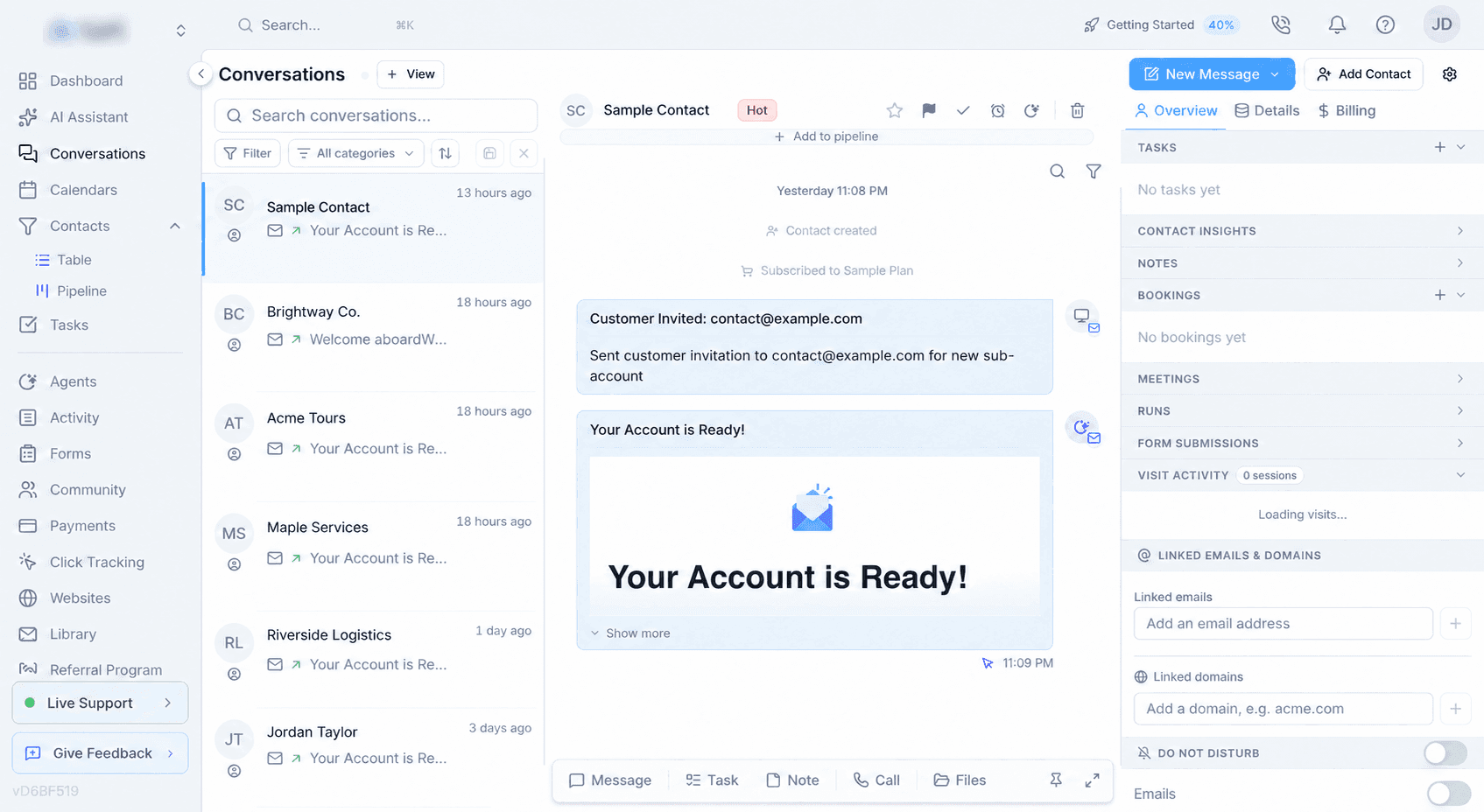
Agents create context
New agent conversations can create contact records and preserve the conversation history.
Workflows update records
Tags, notes, tasks, pipeline stages, contact fields, appointments, and follow-up can be changed from workflows.
Humans stay in the loop
Teams can review the same contact context, take over conversations, reassign work, or move the record manually.
Evidence boundary
What we verified—and what still needs a deeper Votel CRM test
We confirmed the contact workspace, table and pipeline access, conversation-side contact context, and lead-scoring settings in a live account. Custom layouts, pipeline-card design, saved views, deduplication behavior, CSV field mapping, and multi-step bulk actions are currently supported by Votel's documentation but still need our own before-and-after demonstration. Those items are capabilities to verify during a trial, not yet completed performance claims.
Votel CRM FAQ
Common questions about Votel CRM
What is Votel CRM?
Votel CRM is the contact and pipeline layer inside Votel.ai. It organizes leads and customers in table or board views and connects their records with conversations, AI agents, workflows, appointments, tasks, forms, and website activity.
Does Votel have a built-in CRM?
Yes. Votel includes a native CRM with contact records, customizable pipelines, table and board views, custom fields, saved views, bulk actions, deduplication, and lead scoring.
Can Votel CRM use AI agents?
Yes. Votel documents that agent conversations can create contacts automatically, contacts can be assigned to AI agents in bulk, and workflows can update records, stages, tags, notes, tasks, and follow-up actions.
Can Votel CRM pipelines be customized?
Yes. Votel documents custom pipelines, configurable pipeline cards, custom fields, contact layouts, and saved board or table views. Our live review confirmed the contact table and pipeline views; deeper before-and-after customization remains an open test.
Is Votel CRM separate from Votel AI?
No. Votel CRM is part of the broader Votel AI platform at Votel.ai. The shared data model is what lets agents, conversations, workflows, calendars, forms, and marketing tools act on the same contact records.
Primary Votel CRM sources
Continue exploring Votel AI