Verified product update log
What's New in Votel
This is a regularly updated record of Votel product changes, grouped by month and product area. Every entry comes from Votel's own published changelog, kept in Votel's words, with practical context for current users and people comparing Votel with HighLevel.
Researched by HighLevel vs Votel Editorial Team · Last verified · Methodology · We may earn a commission if you join Votel through our links. Details
Newest first
Verified product updates
Every entry below is a new or improved capability from Votel's published changelog. Bug fixes are left out on purpose. Major releases get a full card, and smaller changes are listed compactly under their product area. The newest month is shown here in full, and each earlier month has its own archive page.
September 2026
77 updates across 20 product areas
Recently added. Votel published this month's entries as one batch dated September 9, 2026, so the order below reflects how substantial each change is, not the day it went live.
Websites & Funnels9
Funnels: call a split-test winner with a real confidence number
The Stats view gained four things that turn a page comparison from eyeballing two percentages into an actual decision.
- Split test results.
- Lifetime value columns.
- Product and order-bump rows under the variation that sold them.
- First-time and returning visitors compared separately.
Funnels: a warning before you save a funnel with dead ends
You used to find out about a broken visitor path after publishing.
- A missing connections check on save.
Funnels: an alert when your upsell stops selling, and stats that count real visitors only
A broken upsell used to be invisible because everything else about the order flow kept looking normal.
- Upsell attach rate alerts.
Funnels: price one page differently without changing another, and pause a losing page
Two funnel pages sharing an order form used to share its price too, so editing one silently re-priced the other. That is fixed, and a page can now be taken out of a split test without deleting it.
- Each page can carry its own copy of a shared offer.
- Pause a start page or send it no traffic.
Funnels: use the booking that triggered an automation
An automation running off a funnel page's booking exit can now read the appointment that started it.
- Booking details as variables.
Website Builder: 385 ready-made templates, and a form box that explains itself
You can now start a site from a finished design instead of a blank page, and swap the whole look later.
- A template catalog across 24 categories.
Website Builder: highlight and background colour in rich text, and fixes for dark mode
The rich text editor picked up three controls, and short single-line fields stopped producing formatting you could not undo.
- Highlight, block background and font size.
Website Builder: roll back a single page, and imports that arrive intact
Version history now works page by page, and a batch of import problems that produced half-broken pages were fixed.
- Version history for one page.
- A shareable link for every Library item.
Smaller changes
- ImprovedWebsite Builder: smaller images automatically, and imported sites that arrive whole
Uploads are now shrunk on the way in, and two import problems that produced blank-looking pages were fixed.
Billing & Payments6
Billing: faster checkout, visible declines, and one-time purchases that stay one-time
A wide pass over payments. Buyers wait less, failed payments stop being invisible, and a product sold as a one-off no longer quietly renews.
- Declined payments now appear in the Transactions list.
- Turn a customer's purchase into a one-time payment.
- Pick which pricing plan a product sells by default.
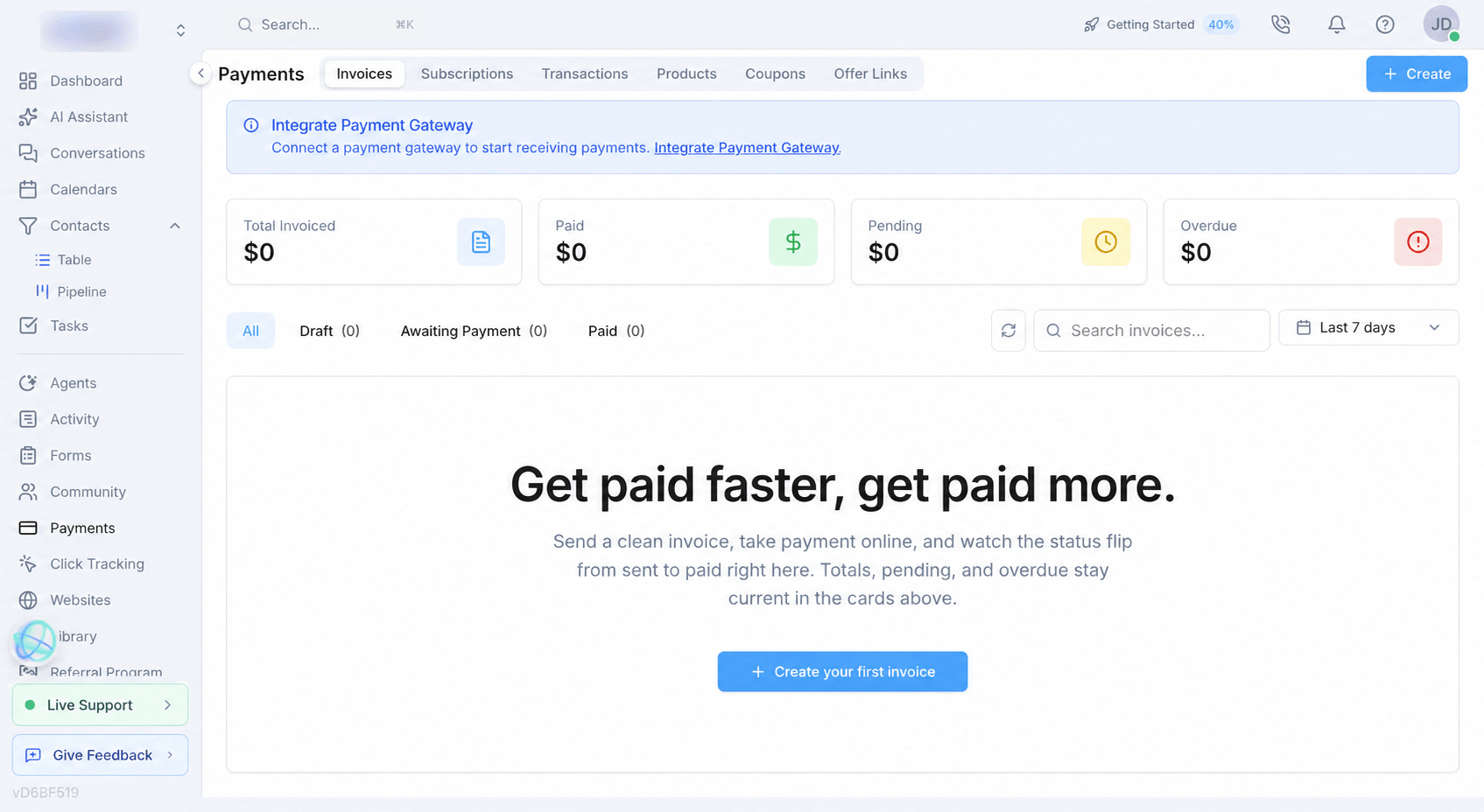
Billing: add a tax rate to any price
Prices can now carry tax, worked out after any discount, wherever the product is sold.
- A tax rate and tax handling on every pricing plan.
Billing: reprice a service across every plan in one grid
Editing services plan by plan was the slowest part of running a plan lineup. Now you can do it side by side.
- A bulk editor for services and usage pricing.
Billing: see what a plan change costs before you confirm it
Upgrades and downgrades were rebuilt so the customer knows the number before they commit, and a failed renewal no longer ends a subscription in a week.
- Quoted upgrades, and downgrades that wait for the period end.
Billing: sell a trimmed-down plan without constant upgrade prompts
A plan can now genuinely hide what it does not include, and several pricing labels were corrected.
- Hide the services a plan turns off.
- Push a plan's layout to existing sub-accounts.
Smaller changes
- ImprovedBilling: a kinder end-of-trial message, in your own brand's name
The moment a trial ends now reads as a next step rather than a shutdown notice.
Communities6
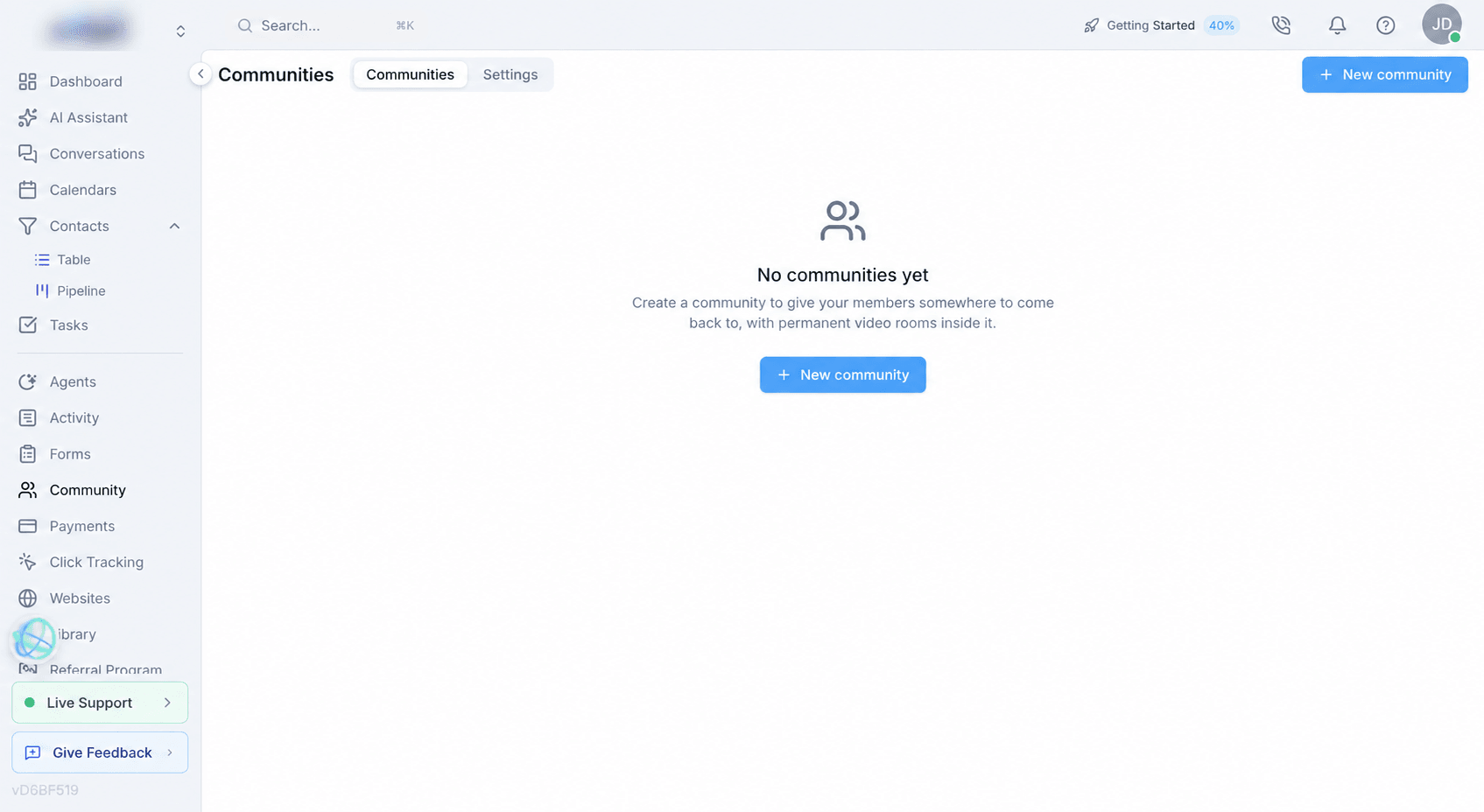
Communities: run a paid membership community inside your account
Your account now has a Community section: a members-only space with its own feed, courses, calendar, chat and pricing. You build it where your contacts, payments and calendar already live, so a member is the same person everywhere.
- A members-only space with its own feed.
- Classroom: courses, modules and lessons.
- A community calendar with RSVPs and reminders.
- Direct messages between members.
- Charge for membership, with tiers.
Communities: join in one step, a real About page, and simpler pricing
The path a stranger takes from landing on your community to being a paying member was rebuilt end to end, and a community now opens inside your account instead of taking over the window.
- Sign in, sign up and pay without leaving the page.
- Pricing is now a plain list of prices.
- Approve or decline from the Pending row.
Communities: one menu for everyone, a switcher that switches, and a browsable directory
Navigation inside and between communities was tidied up, and the discover page was rebuilt so you can see the communities instead of the controls above them.
- The switcher inside a community now switches communities.
- Start a direct message from the Chats pane.
Communities: private courses for hand-picked members
A course can now be kept off the shelf and handed out person by person, and members can ask for it.
- Courses limited to specific members.
Communities: sell plans that let your members run their own community
You can now package your community platform as something your members buy, and choose which payment provider takes the money.
- Build and sell resell plans.
- Choose which payment provider takes community money.
Smaller changes
- ImprovedCommunities: chat that works like your inbox, a full-page calendar, and your own sidebar
Four parts of the community area were reworked so they match the tools you already use elsewhere in your account.
Click Tracking & Affiliates4
Affiliates: fund and send payouts without leaving your account
Paying affiliates used to mean switching to your payment provider's dashboard and guessing at your balance. It now happens in one place.
- Add funds to your payout balance.
- Hold money back for payouts.
- Email a payout-setup invite.
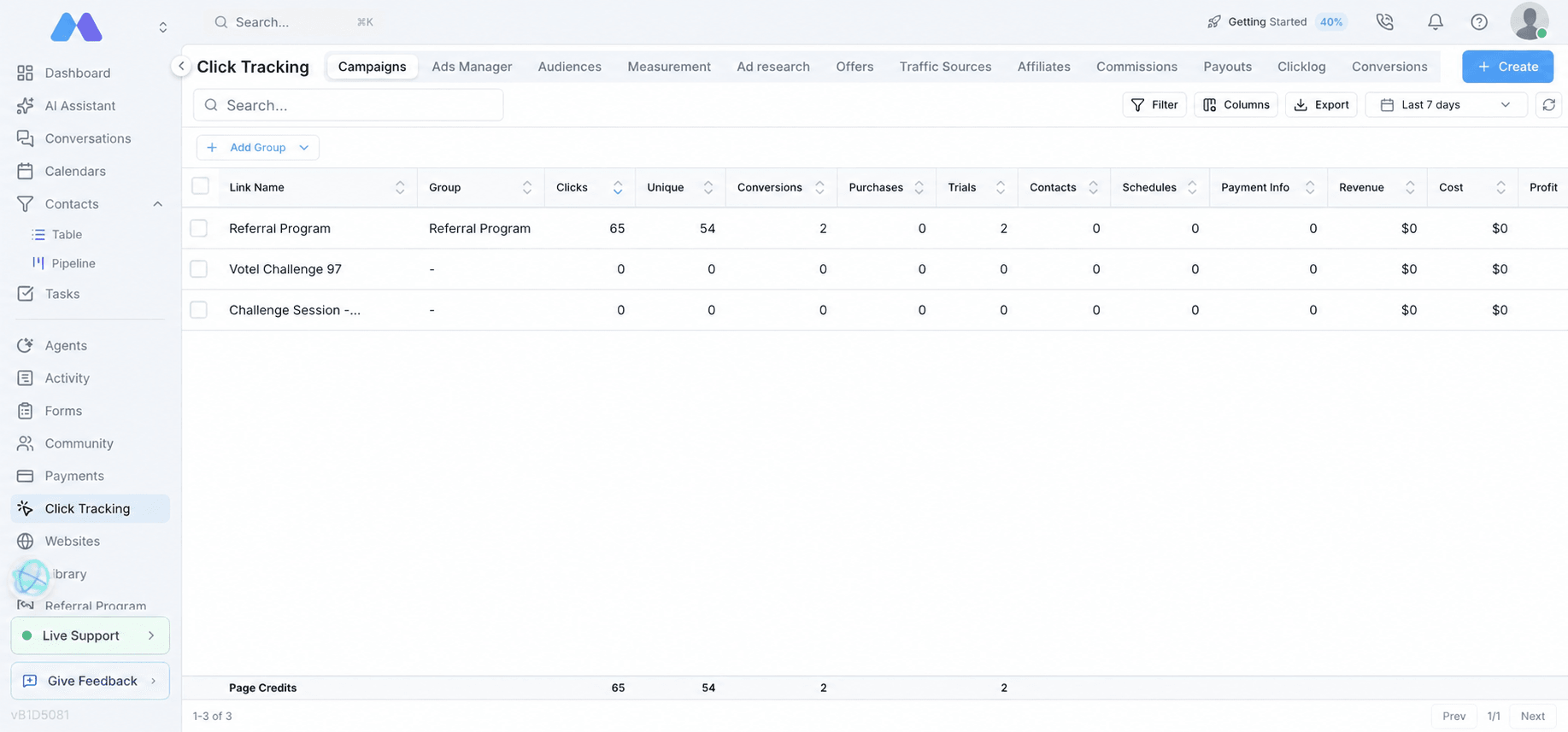
Affiliates: put your signup form on any page
The affiliate registration page could only be shared as a link, and embedding it was blocked. Now you can recruit from your own pages.
- An embeddable affiliate signup form.
Click Tracking: decide exactly which purchases your Meta pixel reports
Every payment used to be reported as a purchase, which means cheap tripwires, wallet top-ups and renewals were all shaping what Meta optimised toward.
- Purchase rules per pixel.
Click Tracking: report only checkout sales, and stop losing attribution on the way back in
You can now narrow what gets reported to Meta, and three attribution problems that were sending revenue to the wrong place were fixed.
- Choose your purchase sources.
Forms & Checkout4
Checkout: preview your order bump, require your terms, and shorten the card section
The order bump settings were rebuilt, and three things buyers kept getting stuck on were fixed.
- An order bump editor with a live preview.
- A terms checkbox and per-step disclaimer text.
- Card number, expiry and CVC on one line.
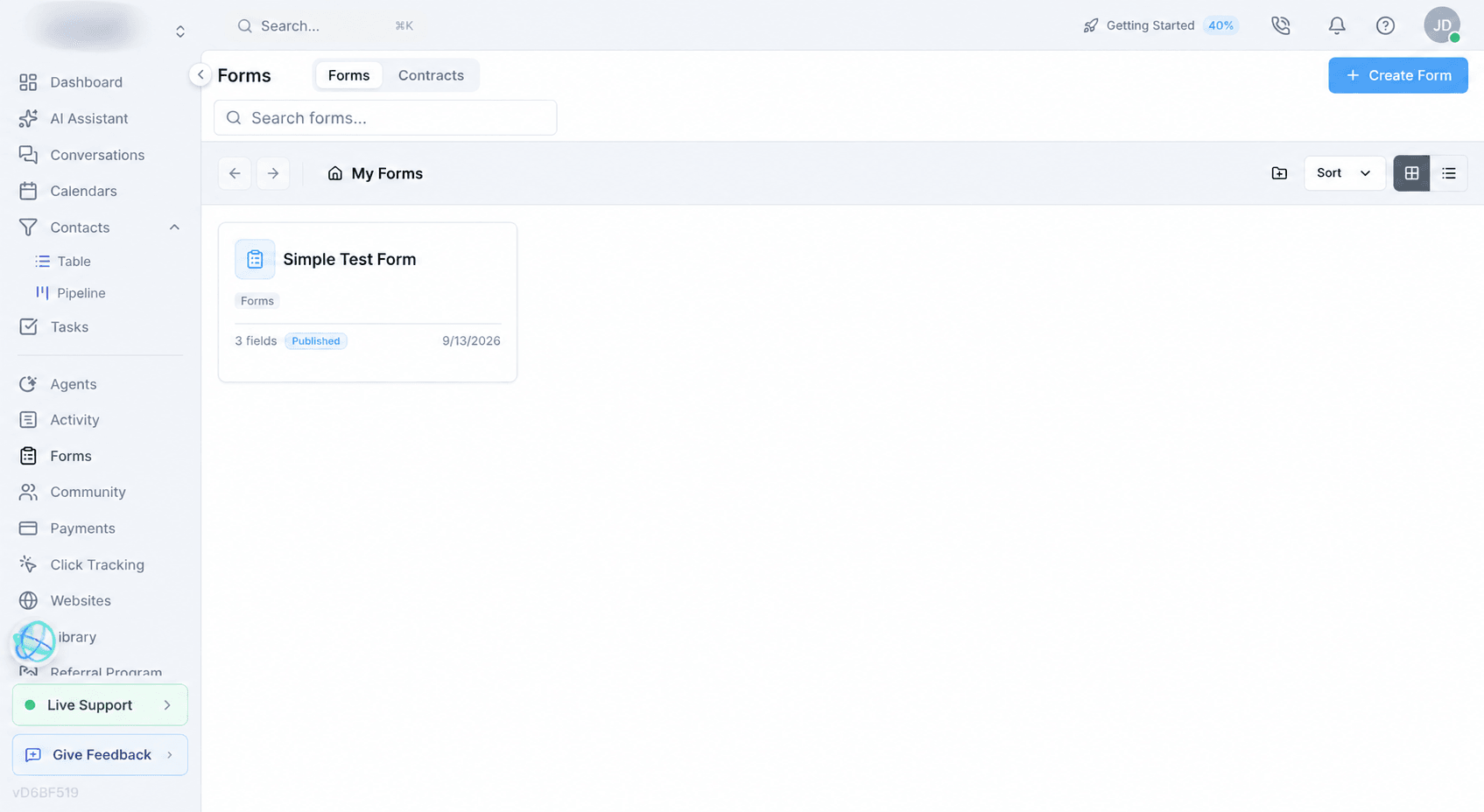
Forms: checkout checks the buyer's email and phone, and says what is wrong
The email and phone fields in the Payment element were barely checked, so unusable values, even the word "asdf" as a phone number, were saved onto contact records.
- Email and phone are checked on the page and again before any card is charged.
- Clickable links in Statement text and on booking tick-boxes.
Forms: reorder order bumps by dragging, and a way past a PayPal upsell
Two things that were blocking buyers or making you rebuild cards to reorder them.
- Drag to reorder order bumps.
Smaller changes
- ImprovedCheckout: a postal code box that fits the country and opens a number pad
The postal code field had no length limit and always opened a letter keyboard on phones.
Inbox & Conversations3
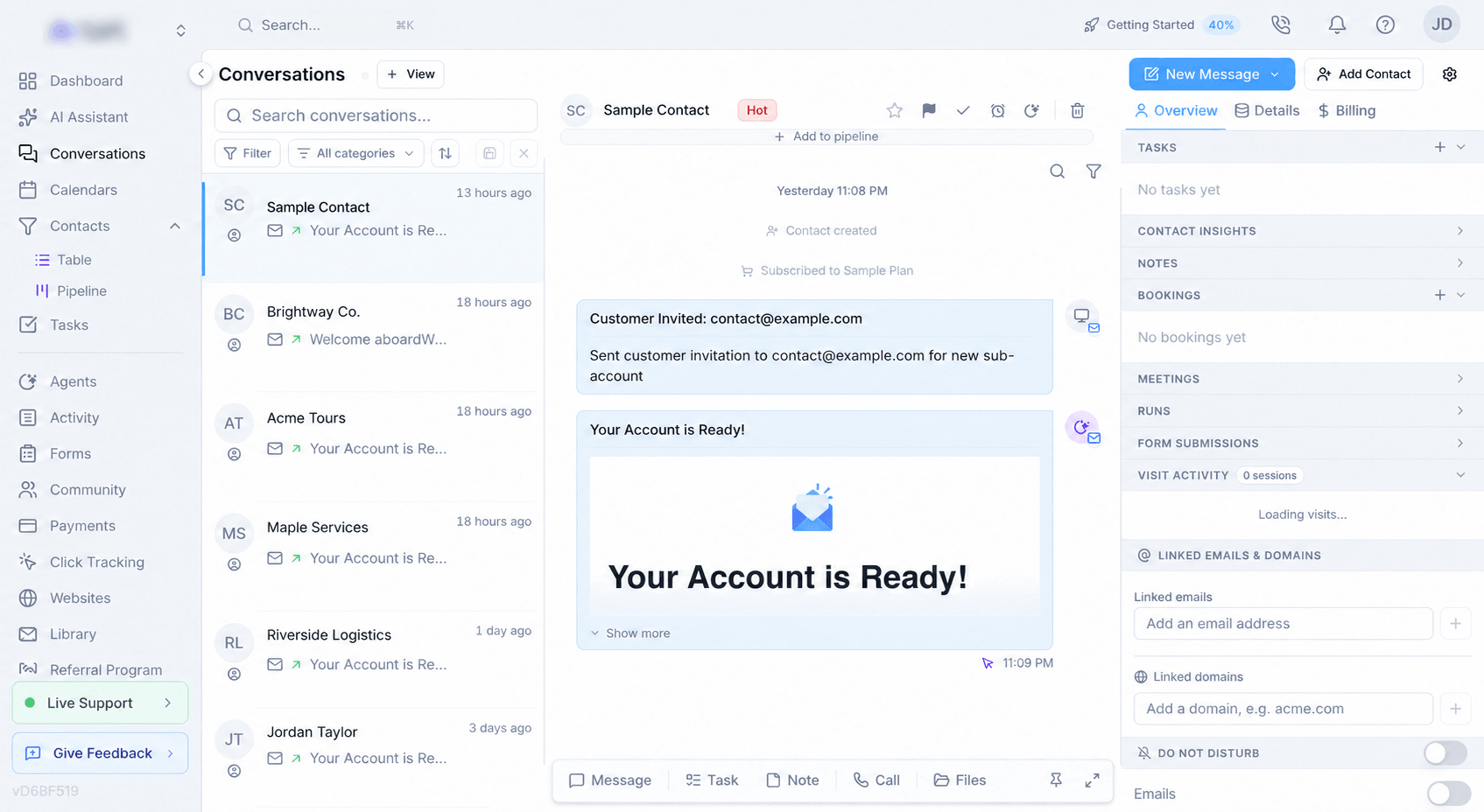
Inbox: filter by connected account, link to one message, and send links untracked
Working an inbox that carries several accounts on the same platform got a lot easier.
- A Channel filter, and separate histories per account.
- Send links without click tracking, for email as well as text.
- Copy a link to any single message.
Messaging: a flagged address gets one chance, and account emails always get through
An automated verdict about a mailbox is a guess. Two changes decide when to trust it.
- Strict validation blocking is now a setting.
- Account-critical mail is exempt.
Messaging: see whether an email was opened, and send it again
An email you sent from a conversation was a one-way street. Now you can see what happened to it.
- Open and click status on outgoing email, with a resend.
Store & Products3
Store: cart, checkout and thank-you pages with their own addresses
The store picked up real pages, per-block product settings, and a working card payment.
- Cart, checkout and thank-you get their own pages.
- Store blocks you point at a product.
- Buy straight from the product grid.
Store: folders for products and plans
Long product and plan lists could only be scrolled.
- Folders on the Products page and the SaaS Plans tab.
Store: sell products directly on your website-builder sites
You can now run a shop on a site you already built, using the catalog you already have.
- A Store category in the website builder.
Tasks & Projects4
Tasks: a My Work panel, and one dialog to create a task for a whole segment
Two additions that cut down the number of screens you have to visit.
- My Work, scoped to the project you are in.
- Create a task for many contacts at once.
- Pick which voicemail to drop.
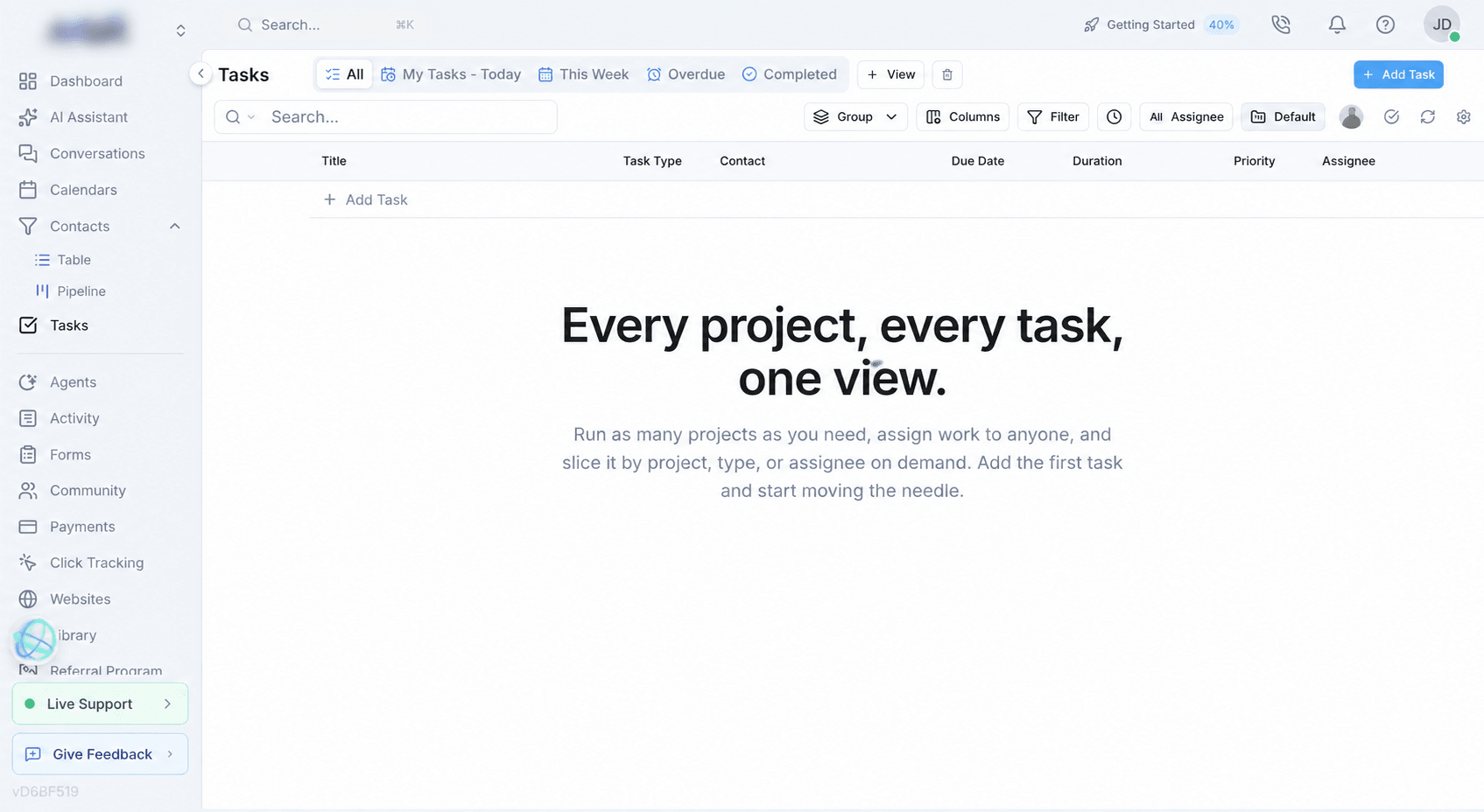
Tasks: All Projects is back, and it sticks to a saved view
The project picker had lost its All Projects option, so the list was always limited to one project, even on views named for showing everything.
- Work across every project in one list.
Tasks: workflows can assign a task to the contact's own assignee
The Create Task step offered only a fixed person or a template value, which left almost every task unassigned when it followed a round-robin step.
- Contact Assignee as a task assignee option.
Smaller changes
- ImprovedMy Work: your filters stay put and your comments show up
The My Work panel now remembers how you left it, and two things that were quietly missing from it are back.
Analytics & Reporting2
Dashboards: unique counts, medians, active users, and trends for subscriptions and invoices
Dashboard widgets can now answer questions the old measure list could not: how many different people, what a typical case looks like, and how a number is moving over time.
- Unique counts, median, 90th percentile and active users.
- Subscriptions and invoices over time.
- Audit Log as a dashboard data source.
- Filter and group contacts by online status.
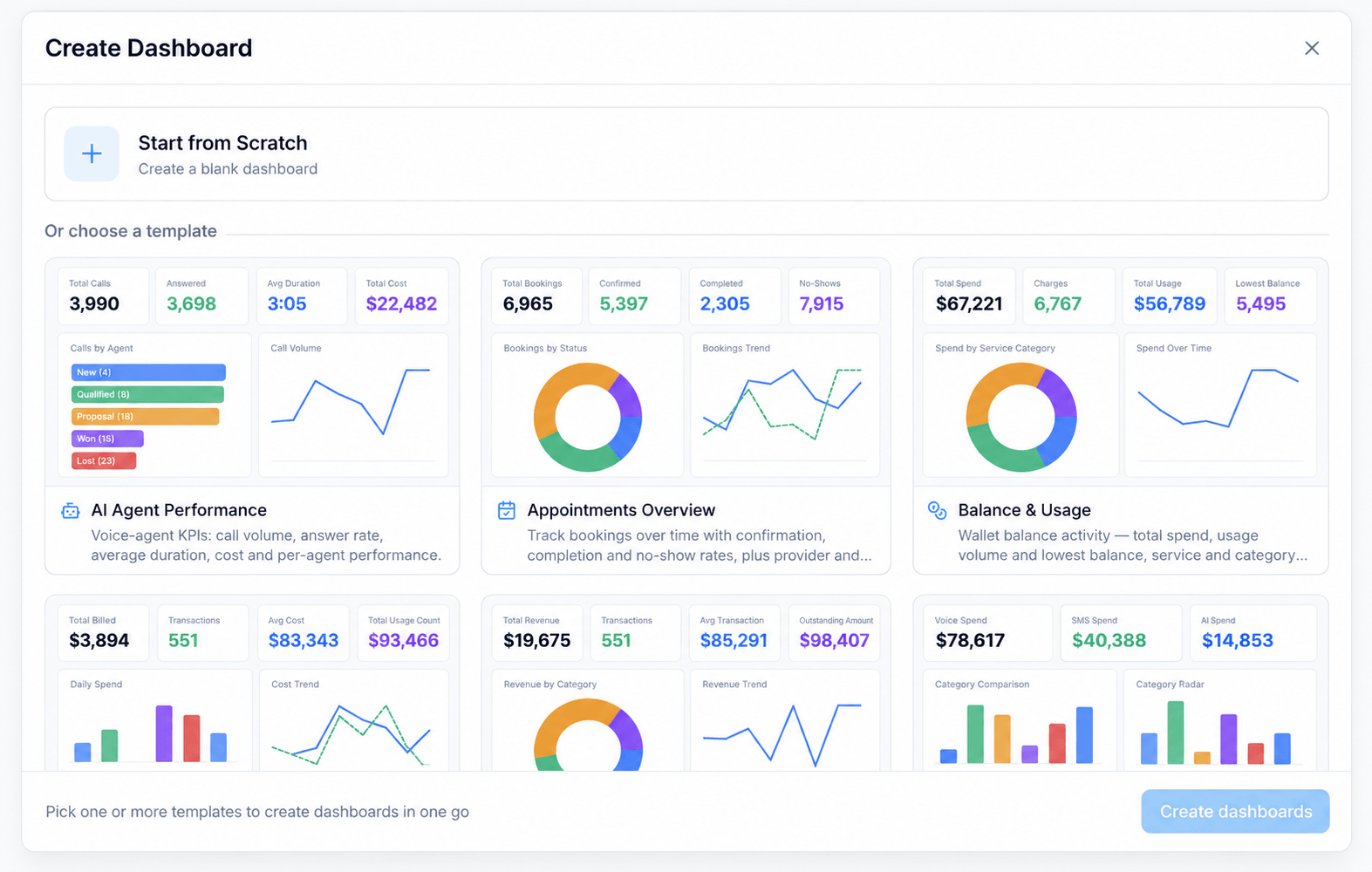
Activity reports: ready-made groupings, readable account names, and honest loading
The Activity reports got three changes that make a grouped report quicker to build and harder to misread.
- Grouping presets on Balance Activity.
- Report pages show when they are still loading.
AI Assistant5
AI Assistant: a library of ready-made prompts you can edit and save
Knowing what the assistant can do is easier than knowing how to ask for it. The prompt library closes that gap.
- 48 example prompts across 17 sections, plus your own.
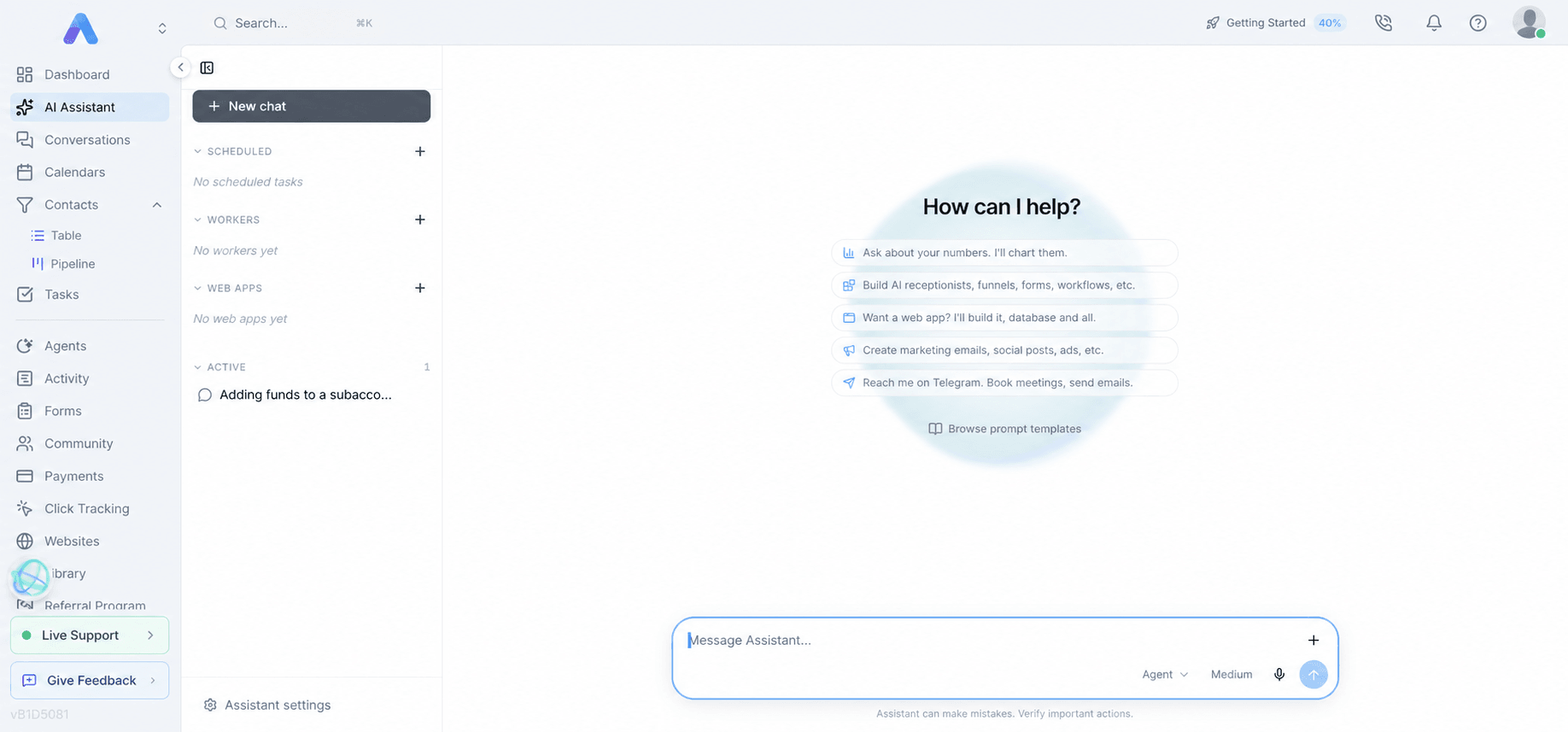
AI Assistant: a request that repeats itself stops instead of burning your credits
A request could get stuck calling the same tool over and over. One real case read the same file one line at a time for hundreds of steps and over an hour before a clock ran out.
- Repeat protection, with a Continue button and a limit you set.
AI Assistant: reply in a Discord thread and reach the worker that posted
A worker could post into a Discord channel, but replying there did nothing.
- Each channel post opens its own thread.
AI Assistant: workers can place calls using the phone agents you already tuned
When a worker made an AI phone call it built a throwaway agent every time, which meant none of your script, voice or tool work carried over.
- A phone call agents list on each worker.
Smaller changes
- ImprovedAI Assistant: an honest message when the design service is unavailable
When the website designer or email designer could not run because of a platform-side account problem, the assistant told you to describe your request more specifically and kept retrying.
Meetings & Video6
Meetings: an urgent alert when a customer is waiting alone
A booked customer sitting in an empty room used to be easy to miss.
- Coverage alerts you cannot scroll past.
Meetings: bans that stick, and a mute all that reaches everyone
Two moderation controls that did less than they appeared to.
- Bans that survive a rejoin, and a list you can manage.
- Mute all now reaches phone dial-ins.
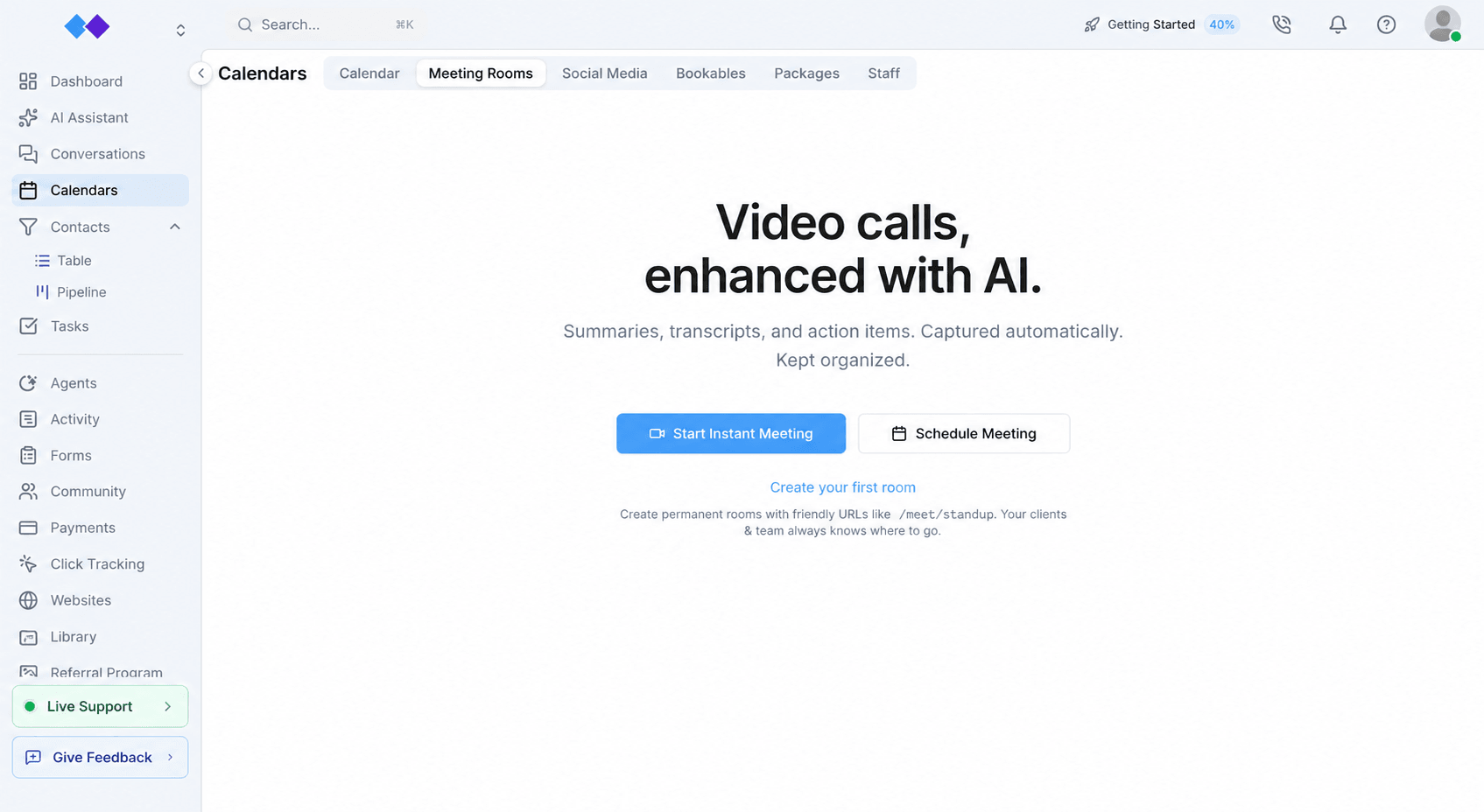
Meetings: give a standing room opening hours, and keep every day's transcript
A permanent room never ended, which meant it never wrapped up, never sent a summary, and kept only one day of history.
- Daily opening and closing times for a room.
Video: organize a show's scenes into folders
A long show was one endless list of scenes.
- Collapsible folders in the scene rail.
Smaller changes
- ImprovedMeetings: longer chat messages, and everyone visible during a screen share
Three parts of a live meeting that were quietly cutting things off.
- ImprovedMeetings: recordings that show named people, and chat that opens on the newest message
Recordings were being composed with a stock layout, and the chat panel was opening six weeks in the past.
CRM & Contacts4
Contact views: keep one to yourself, share it with two people, or get it back after a misclick
Saved contact views picked up the visibility control task views already had, and deleting one is no longer permanent.
- Private and shared contact views.
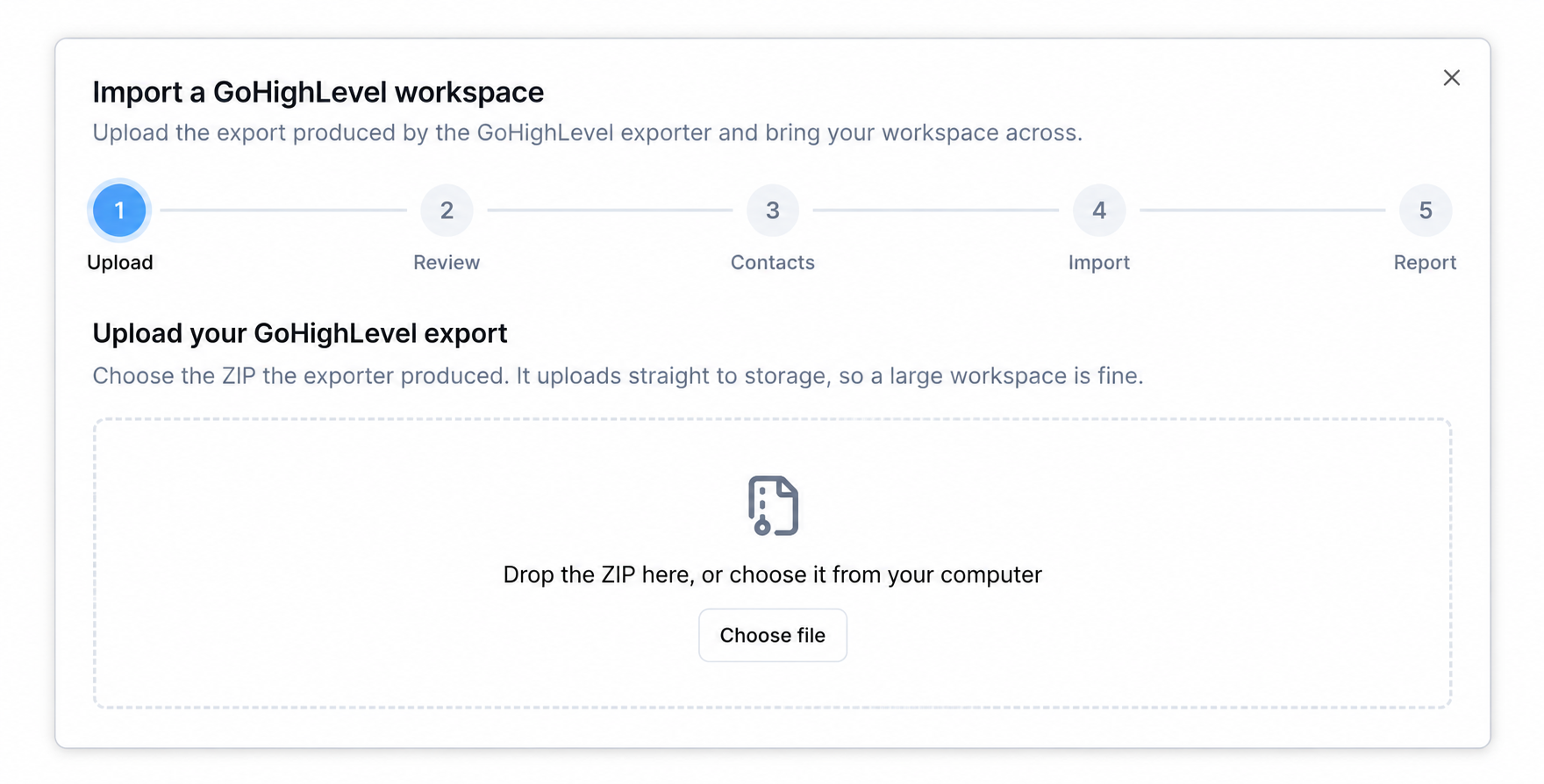
CRM: start a workspace import before you connect anything
The workspace importer used to be hidden behind the menu of an already-connected account, which is backwards for the people most likely to use it.
- An import card in the integration picker.
CRM: the workspace import now brings across voice agents, websites and automations
The importer went from 9 to 13 sections, so nothing is left on the "in your export, but not imported" list.
- Four more categories in the workspace import.
Smaller changes
- ImprovedCRM: a new email or phone number never overwrites the old one
A form submission matching an existing contact, or a duplicate merge, used to write the new email or phone straight over the stored one with no copy kept. In one case a business address was replaced by a personal one and the contact became unfindable.
Email & Campaigns3
Domains: see at a glance when incoming email is not set up
A domain with sending working but inbound email broken used to show an all-green row.
- An inbound status chip on every domain.
Email: see when a campaign actually landed
A campaign report used to give you one total per metric and nothing about timing.
- An engagement over time chart.
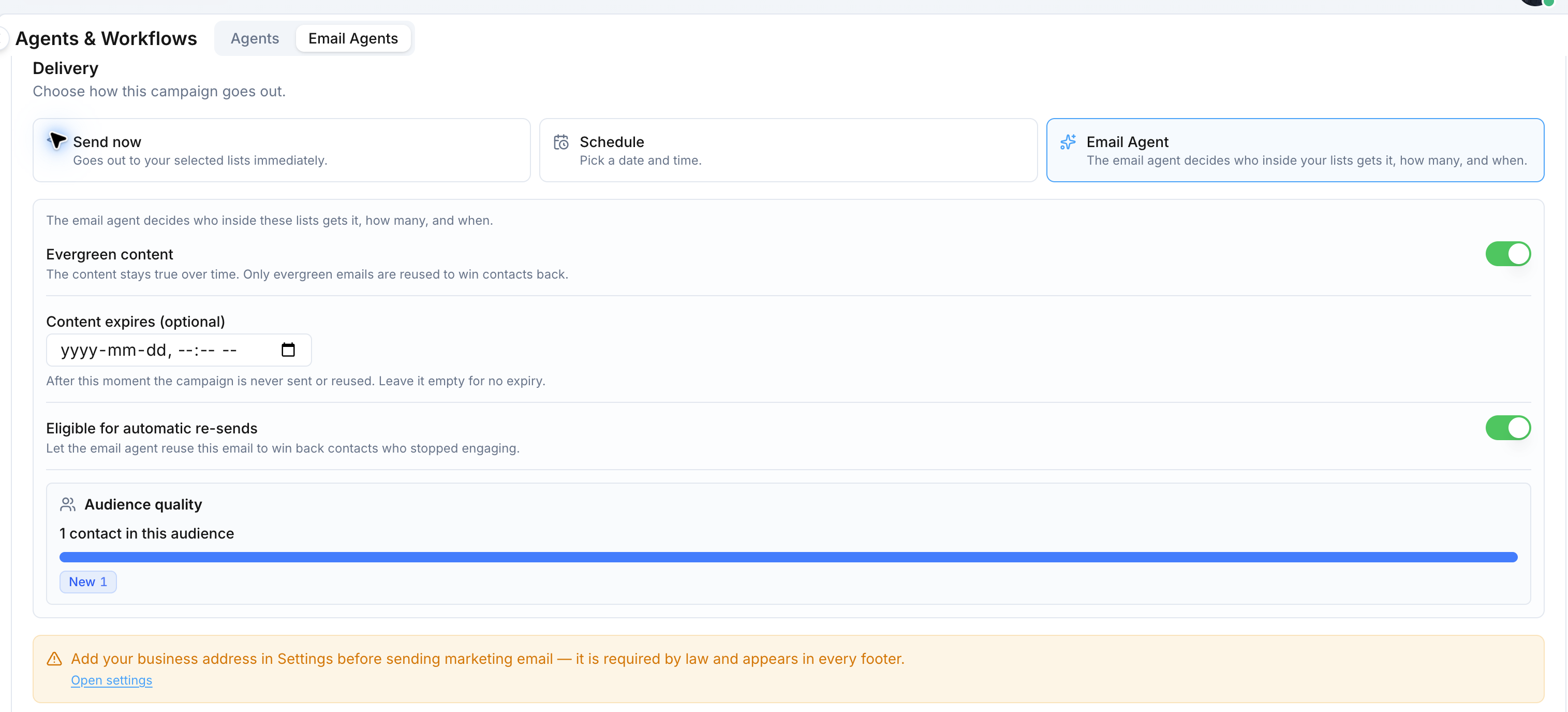
Email: who created and who sent each campaign, and edits that actually stick
On a shared account, "who sent this?" had no answer, and several buttons on a scheduled campaign did nothing.
- Creator and sender on every campaign.
Phone & SMS3
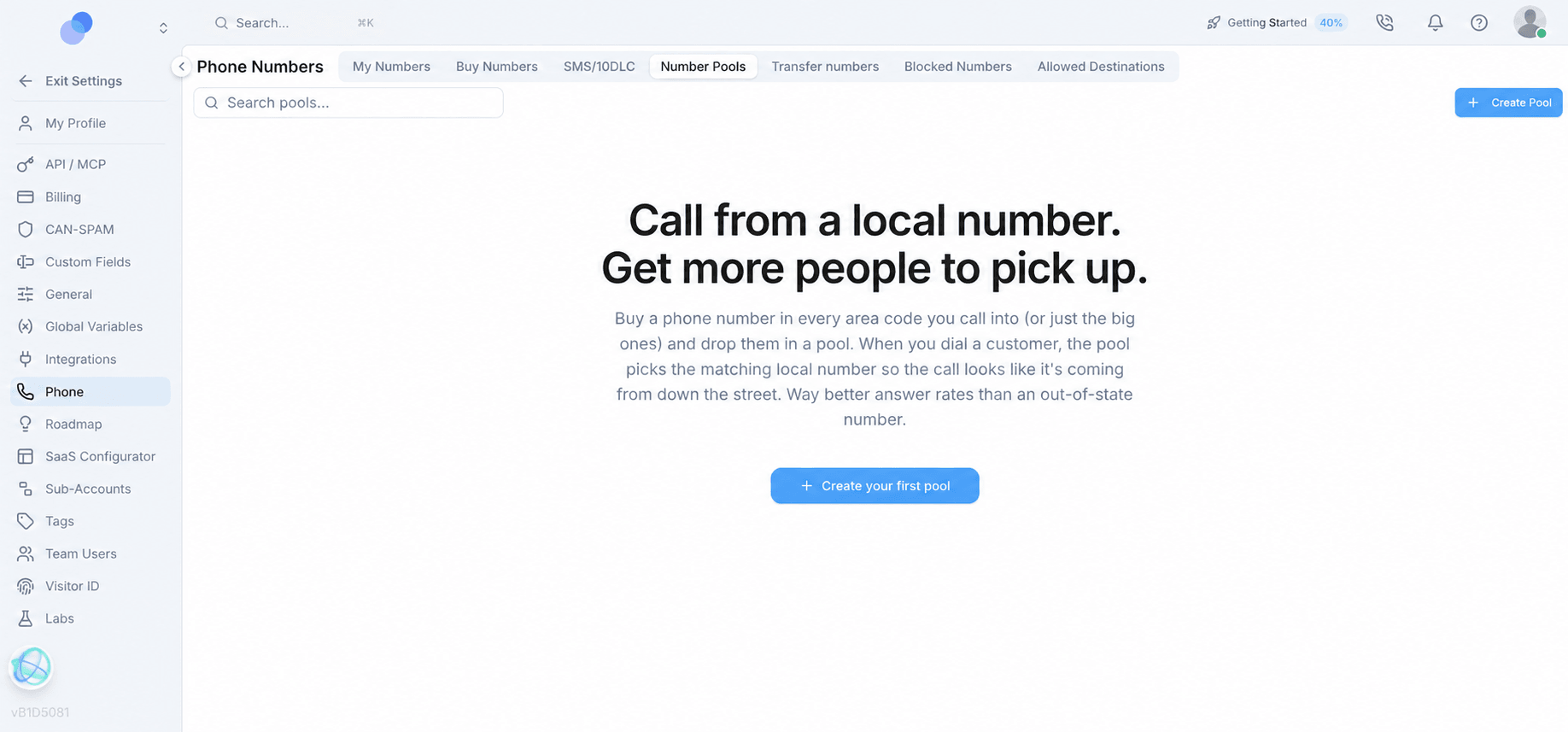
Phone: a lower brand registration fee, a charity plan, and a clearer plan wizard
Text-messaging registration got cheaper and easier to fill in.
- Brand registration now costs what the carrier charges.
- Message volume separated from message purpose.
Phone: a voicemail recorder that shows you it is working, and instant dispositions
Recording a voicemail drop used to be a guess, and the power dialer made you wait through a countdown for outcomes you were never going to change.
- A level meter and a save or discard choice on the voicemail recorder.
- Failed calls are dispositioned instantly.
Phone: number boxes that keep the number you typed, and a dialer queue that keeps moving
The shared phone number field was rebuilding international numbers by gluing the country code onto whatever was typed and trimming to a sample length, which broke numbers written the local way in seven countries.
- Length limits that follow the selected country.
AI Agents & Workflows3
Voice Agents: get notified when your SMS registration status changes
Registration takes hours or days, and the only way to find out where it stood was to keep refreshing the page.
- Two triggers for registration status.
HighLevel context
Our agents and workflows comparison covers how agent building differs between the two. See /agents-and-workflows.
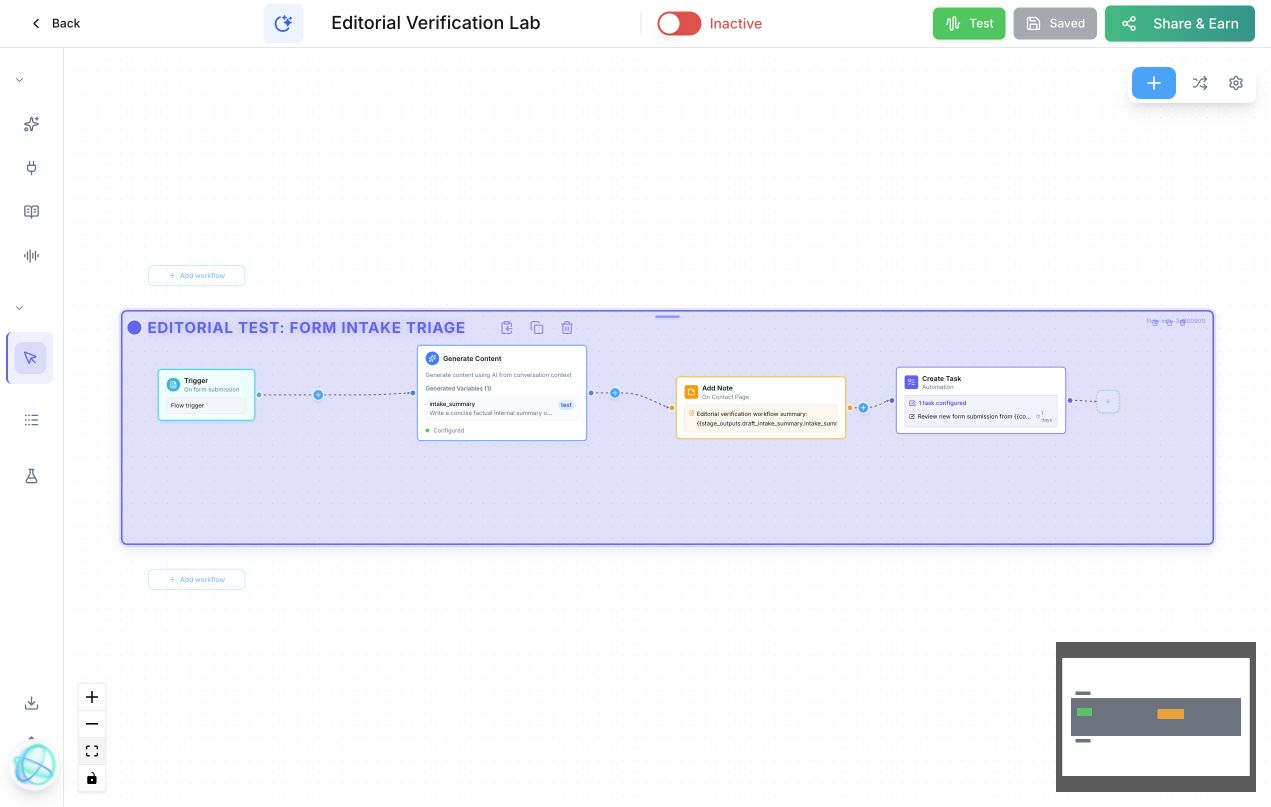
Voice Agents: start a workflow the moment a social lead form is submitted
Leads from paid social used to wait for a manual export.
- Two new triggers for lead forms.
- Every form answer available as a variable.
HighLevel context
Our agents and workflows comparison covers how agent building differs between the two. See /agents-and-workflows.
Smaller changes
- ImprovedVoice Agents: copy an agent's phone number in one click
Reading a number off the screen and retyping it was the only option.
Calendars & Scheduling4
Scheduling: book a class or a whole class series from the New Booking drawer
The drawer used to treat a class like any other service, writing a booking at a time the class does not run, with no seat claimed and no place on the roster.
- Class sessions and series in New Booking.
- Attendance recorded automatically for standing rooms and group sessions.
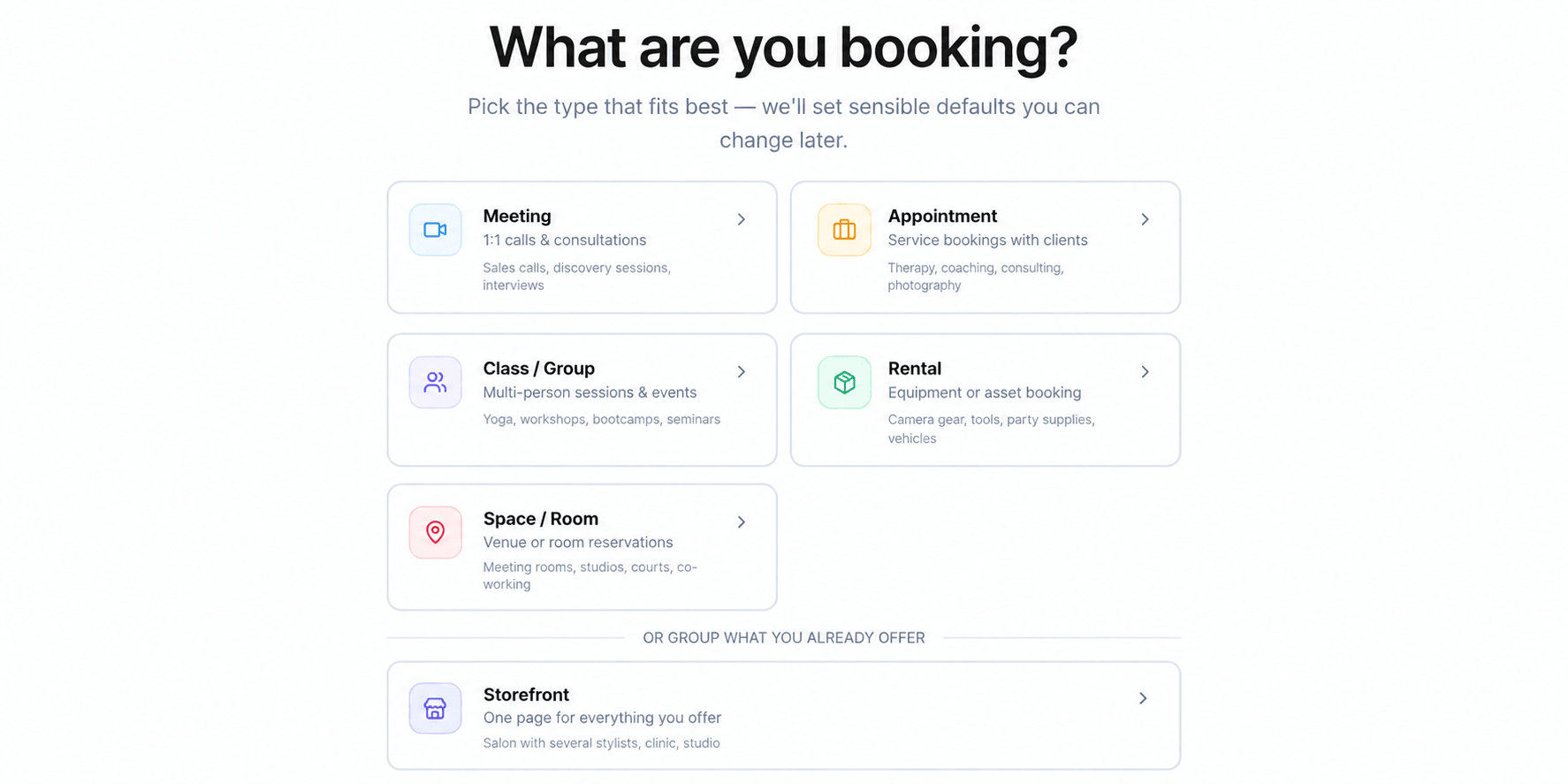
Scheduling: split a working day into several time windows
Staff hours allowed only one start and end per weekday, so "Monday 9 to 11 and 2 to 5" was impossible and you had to advertise 9 to 5 and turn people away over lunch.
- More than one window per day.
- Enrol someone into a class series that has already started.
Smaller changes
- ImprovedBooking reminders in minutes, and every session of a series gets one
Reminder timing now goes down to minutes, there is an option to send one as the meeting starts, and recurring series stopped losing their reminders after the first session.
- ImprovedScheduling: the booking page preview now shows your real intake form
The preview beside the bookable editor used to draw a fixed First name, Last name and Email sample no matter what you had configured.
SaaS & White-Label2
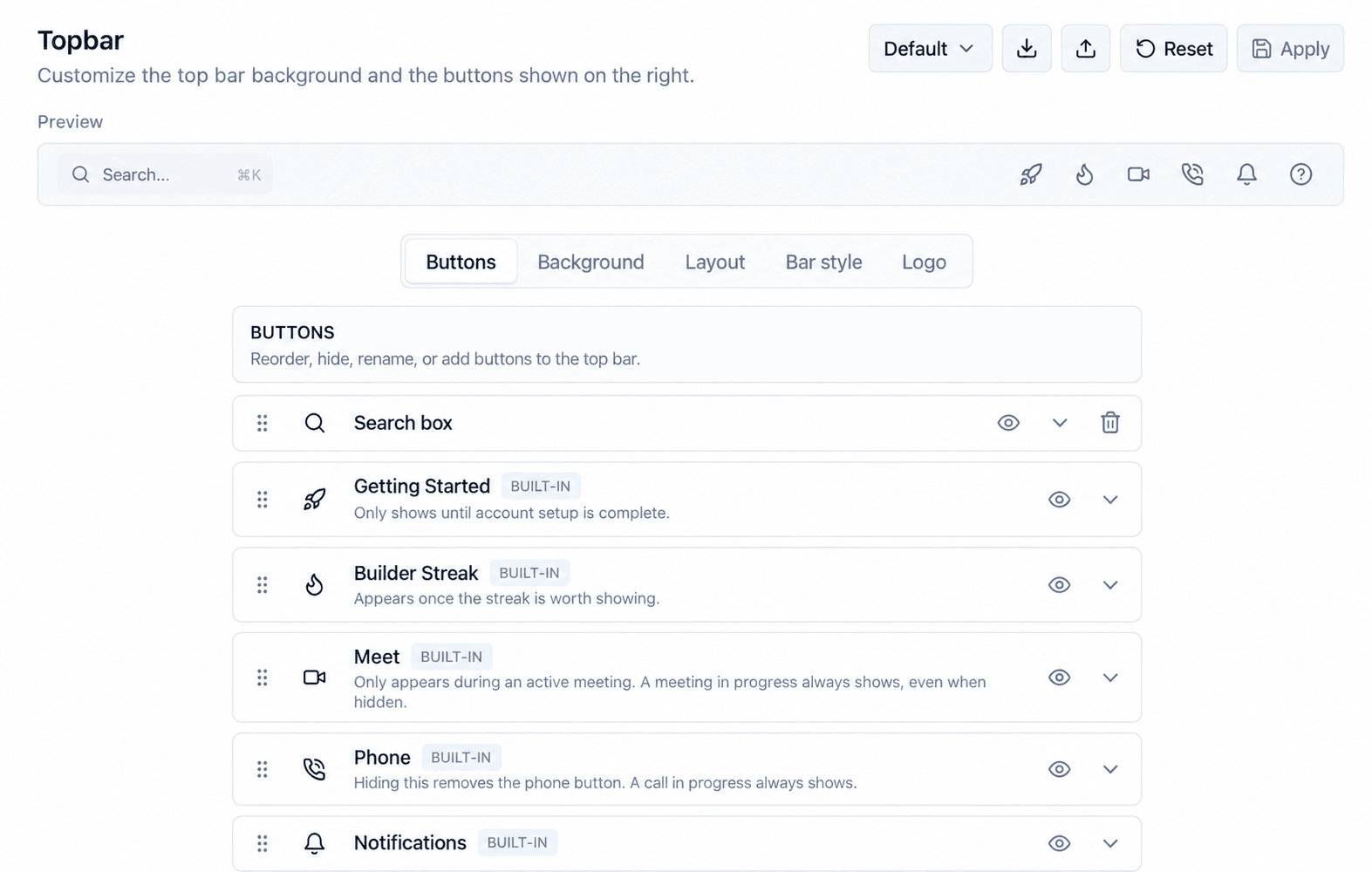
Reseller: hide the platform's support buttons, and build sidebar rules on add-ons
Two controls for accounts that resell the platform under their own brand.
- Switches for the Live Support and Give Feedback buttons.
HighLevel context
White-label depth and SaaS mode pricing are documented side by side on this site. See /white-label-theme and /saas-mode-pricing.
Your brand, not ours, on the screens your customers see
The names of the suppliers behind the platform have been taken out of the messages, labels and billing lines your customers read.
- Supplier names replaced by the role they play.
- Balance activity reads in plain terms.
HighLevel context
White-label depth and SaaS mode pricing are documented side by side on this site. See /white-label-theme and /saas-mode-pricing.
Settings & Access2
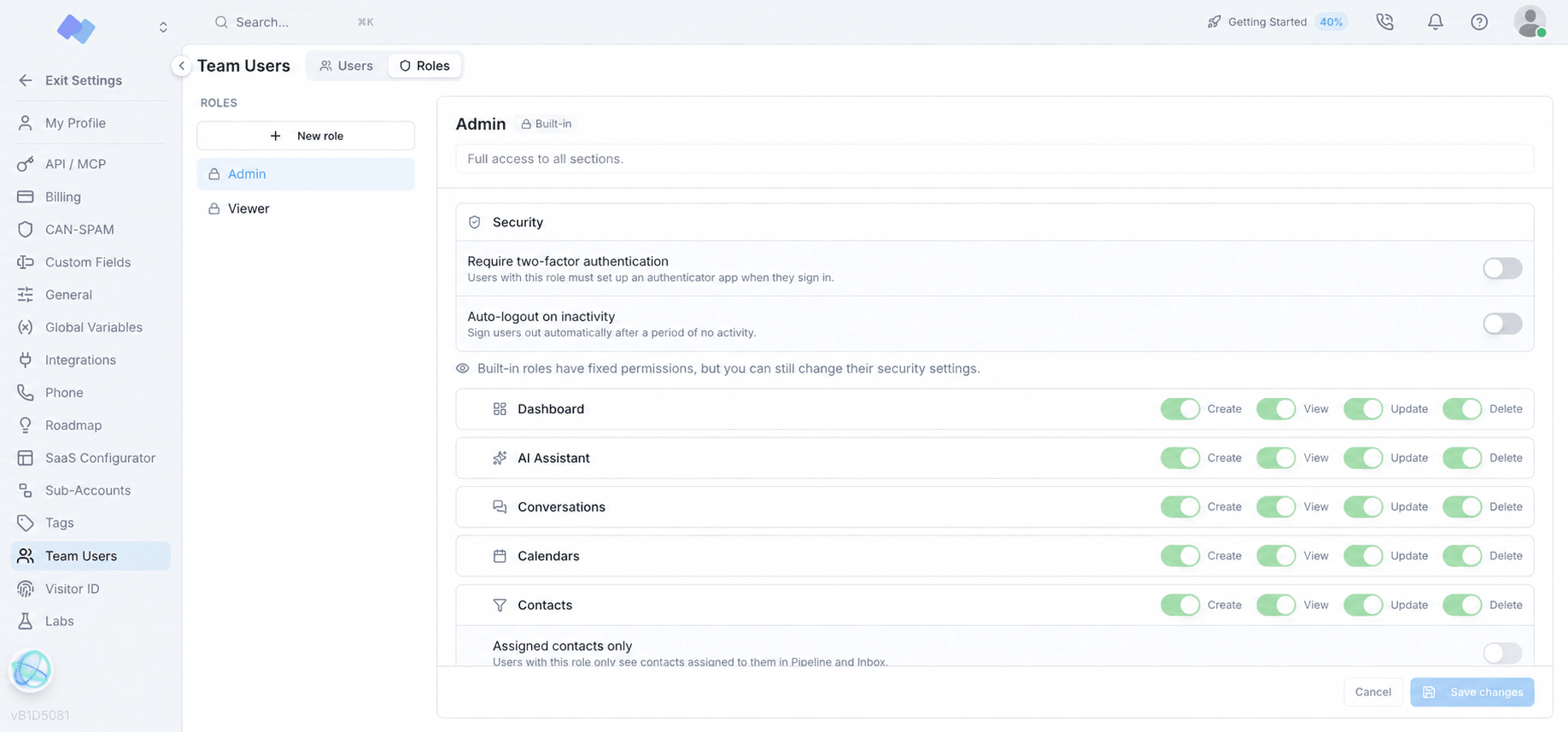
Settings: limit a role to only the contacts assigned to it
Giving someone access to contacts used to mean giving them the whole database.
- An "Assigned contacts only" switch on custom roles.
Workspace: move a phone number or messaging registration to another account
Reorganising numbers between accounts used to mean releasing them and starting over.
- Cut, copy and paste for numbers and messaging campaigns.
Social2
Social: a broken connection now says so before your posts fail
When a platform revokes a token or removes a permission, posts start failing silently.
- A "Needs reconnection" badge, with a notification.
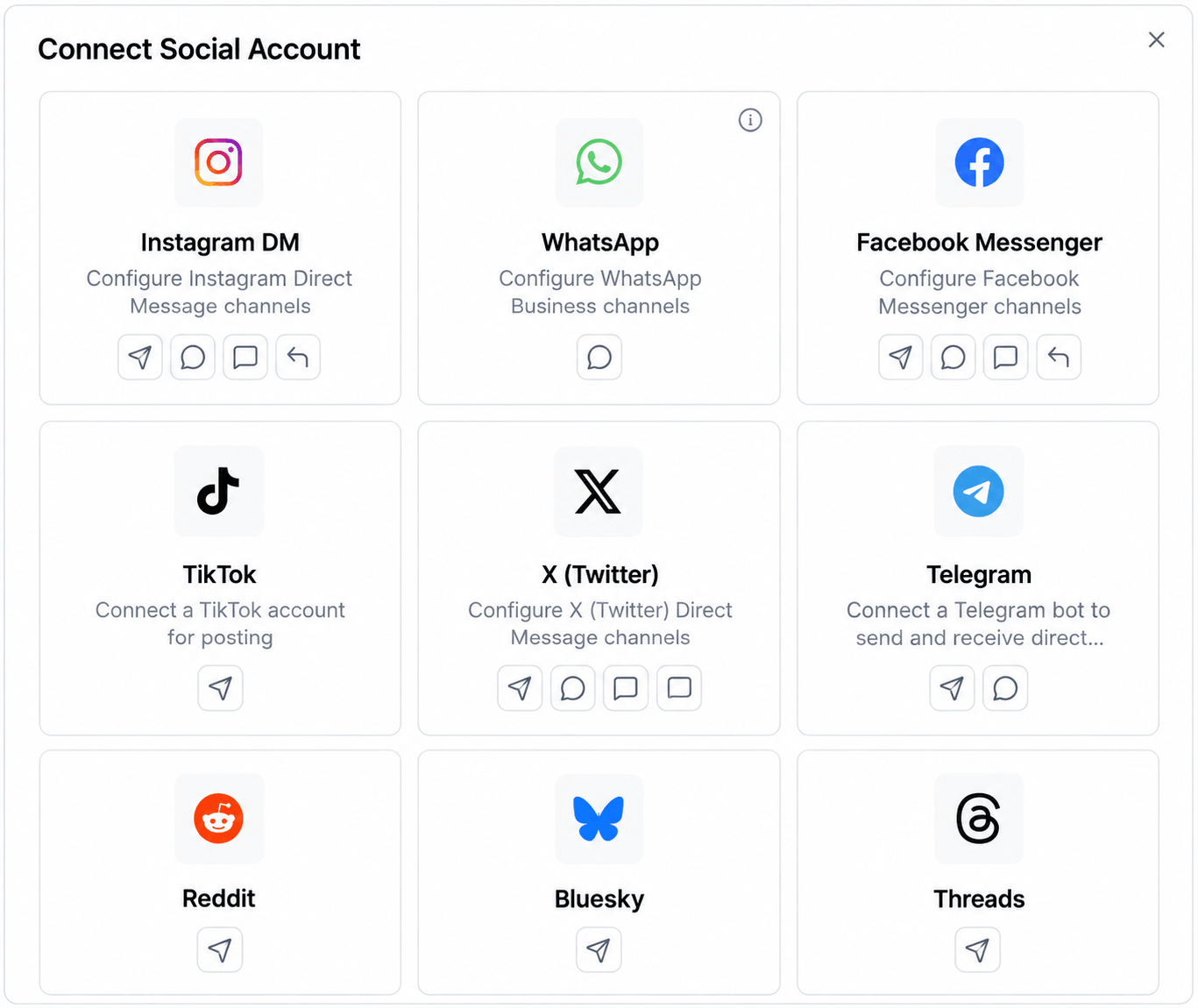
Social: connect several Pages in one sign-in
One sign-in used to produce exactly one channel, so three Pages meant three full sign-ins.
- A multi-select account picker.
- Add more Pages to a connection you already made.
Support & Live Chat2
Support: a card-declining flag on the Active users list
A customer one failed retry away from lapsing looked identical to a healthy one.
- A "Card declining" badge.
Support: check your microphone before the call connects
Calls were starting with two minutes of "can you hear me?".
- A microphone setup step when you answer.
Link to this month: September 2026
Archive
Earlier months
September 2026 is the first month in this log. Earlier months will appear here as the archive grows.
Editorial standard
How updates earn a place here
Source
We start with a dated entry from Votel's published changelog, pulled from Votel's public changelog API.
Explain
We keep Votel's own description of the change and add practical context where it helps.
Compare
We mention HighLevel only when the comparison points at something this site has already verified.
Substantial releases may also become standalone comparisons when a short changelog entry cannot give the decision enough context. Read our editorial methodology for the broader verification process.
Evaluate Votel today
See the current platform before the next update lands
Start with our firsthand platform overview, compare the areas that matter to your agency, or try Votel for free and inspect the product yourself. No credit card required.
Sponsored affiliate link. We may earn a commission if you later become a paying customer, at no extra cost to you. Read the disclosure.