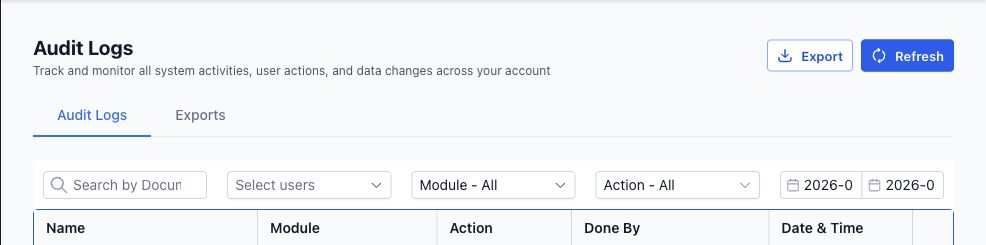
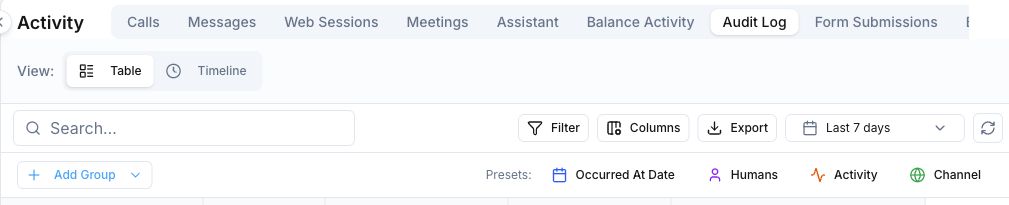
Where the audit trail lives Votel wins | Agency or sub-account Settings > Audit Logs | Activity > Audit Log from the main navigation |
|---|
Ways to view events Votel wins | Table plus a right-side details drawer | Table or chronological timeline, plus event details |
|---|
Finding a specific change Votel wins HighLevel's dedicated document-ID search is useful when support or an API response provides the exact record ID. | Search by document ID; filter by user, module, action, and date range | Search and filters, configurable columns, date range, and grouping by date, human, activity, or channel |
|---|
CSV export Tie We confirmed both export controls. HighLevel publishes clearer limits and availability details. | Filtered export, up to 500,000 records; completed files remain available for 30 days | Export is available from the current Activity view |
|---|
Published in-app retention HighLevel wins This row rewards documented retention transparency, not proof that HighLevel retains data longer. | 60 days | No public retention period confirmed for this review |
|---|
How change details read Votel wins | Actor, module, action, date, and document name, with some modified details presented as structured JSON | Actor, activity, channel, time, and a plain-language description of the change |
|---|
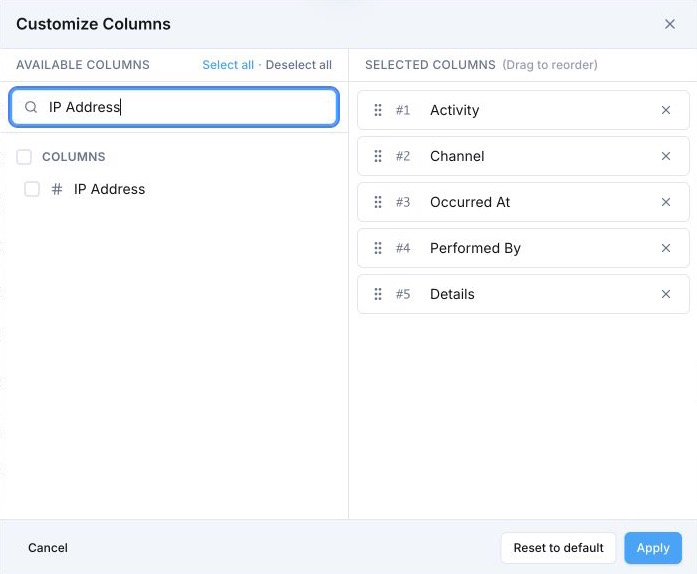
Technical request origin Votel wins This can materially improve incident response by correlating a sensitive action with its technical origin. | No IP address or user-agent field was exposed in the audit interface or official audit-log documentation reviewed | IP Address and User Agent are available as optional audit columns, subject to the data captured for the event |
|---|
Recovery from a deletion entry Tie Recovery coverage differs by object, so neither interface should be treated as a universal backup system. | Restore actions are available for supported objects such as deleted opportunities | Deleted-contact entries can expose an Undo action directly in the audit table |
|---|