Agency level vs sub-accounts
HighLevel's agency view vs Votel's agency account: where does your own business live?
Every agency on HighLevel hits the same question early: where do my own leads go? The answer is a sub-account set aside for the agency. It works, but it means running your business and managing your clients happen on two different screens.
Researched by HighLevel vs Votel Editorial Team · Last verified · Methodology · We may earn a commission if you join Votel through our links. Details
On this pageScreenshots
01 · Comparison
01Side by side
Agency account: visual evidence from both platforms
Firsthand live-account captures where available, paired with official product documentation when equivalent account access was not available. Every caption identifies the evidence source; HighLevel is on the left and Votel is on the right.
What's actually at the agency level
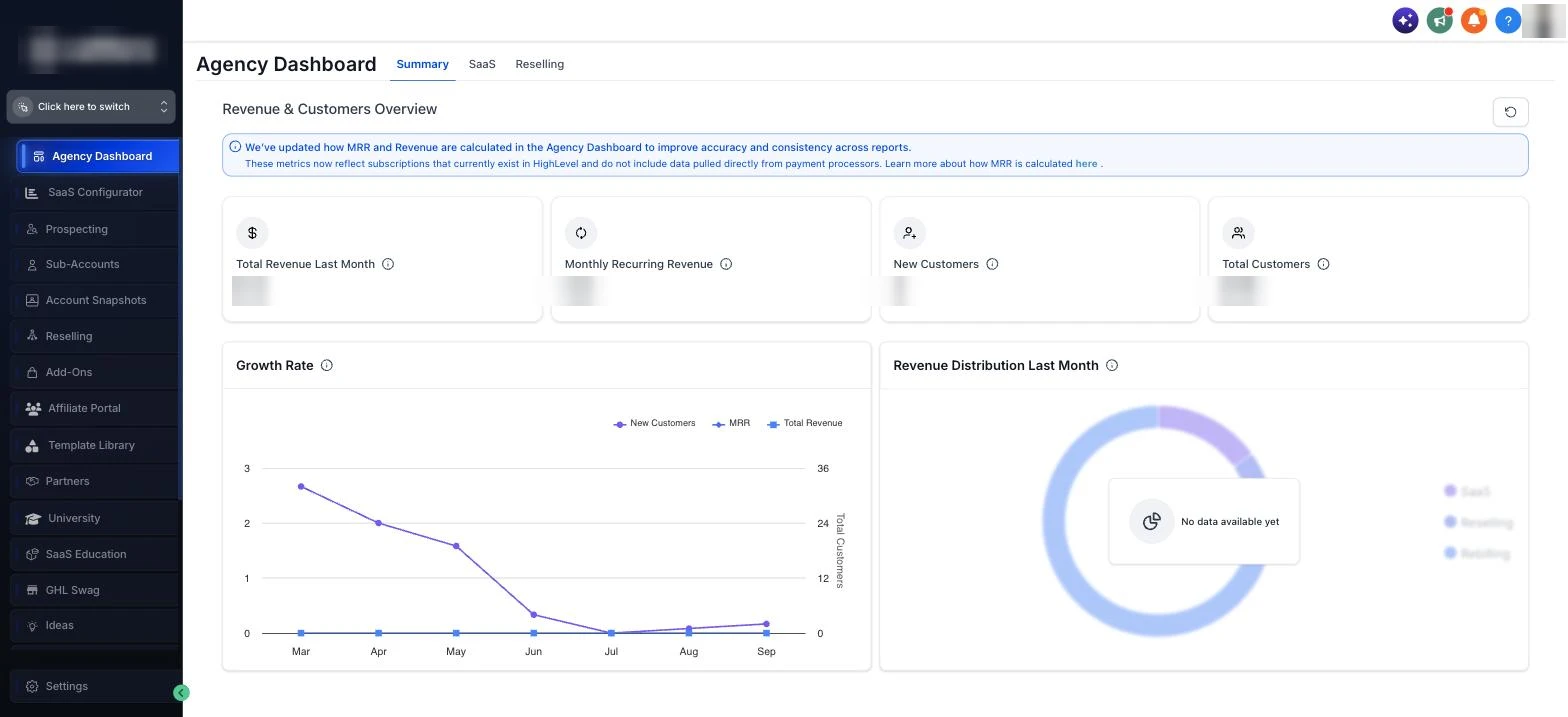
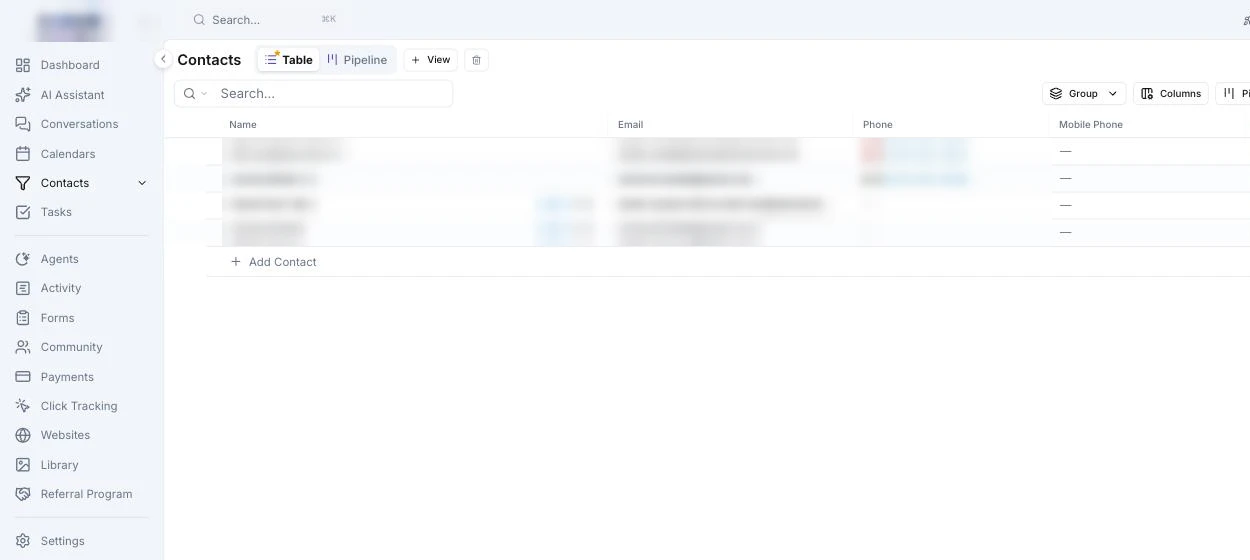
The top-level sidebar on each platform. HighLevel's agency menu is sub-accounts, snapshots, reselling, and settings, with no Contacts. Votel's agency account has a working CRM, and your clients are in it.
 Open full size ↗
 Open full size ↗
Your client as a record
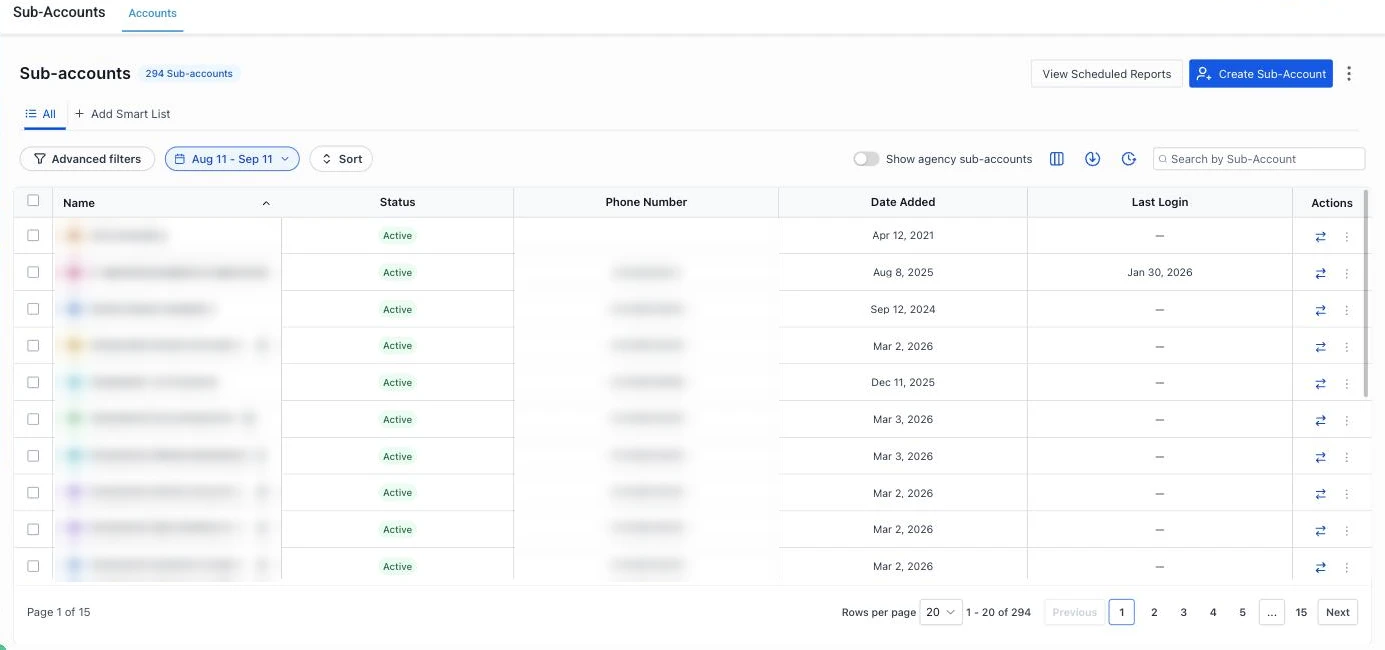
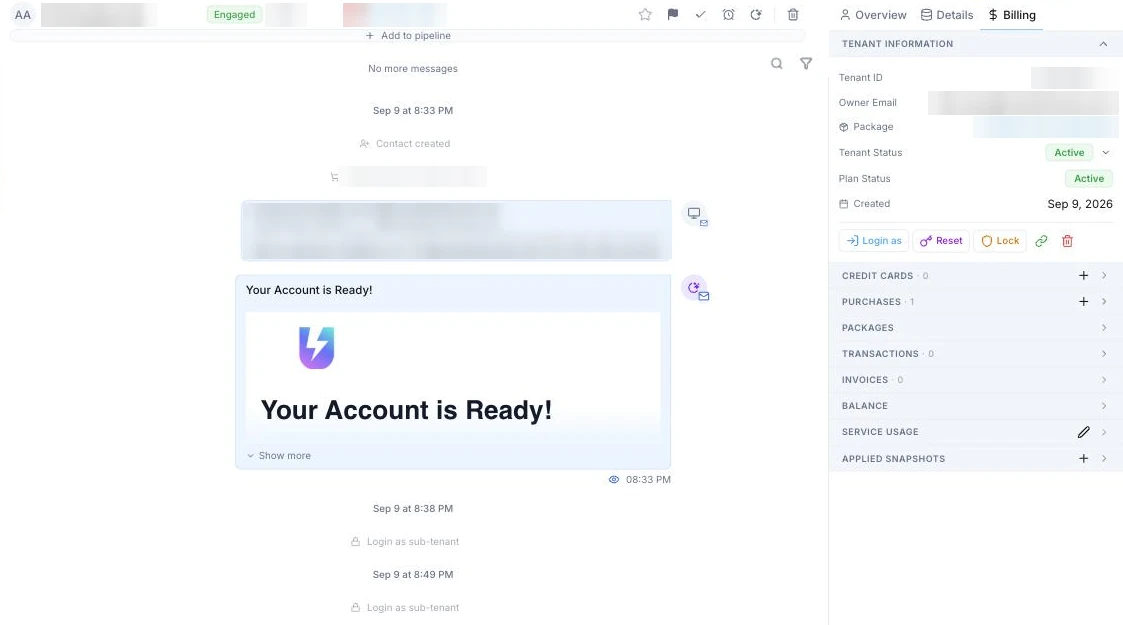
Where you look up a paying client on each platform.
 Open full size ↗
 Open full size ↗
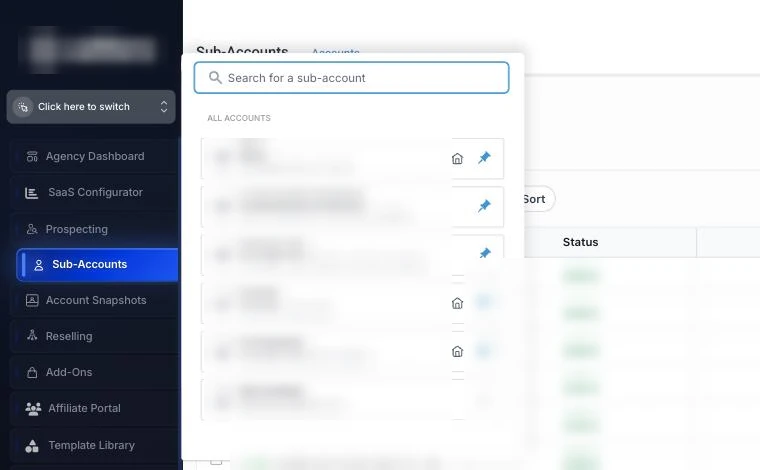
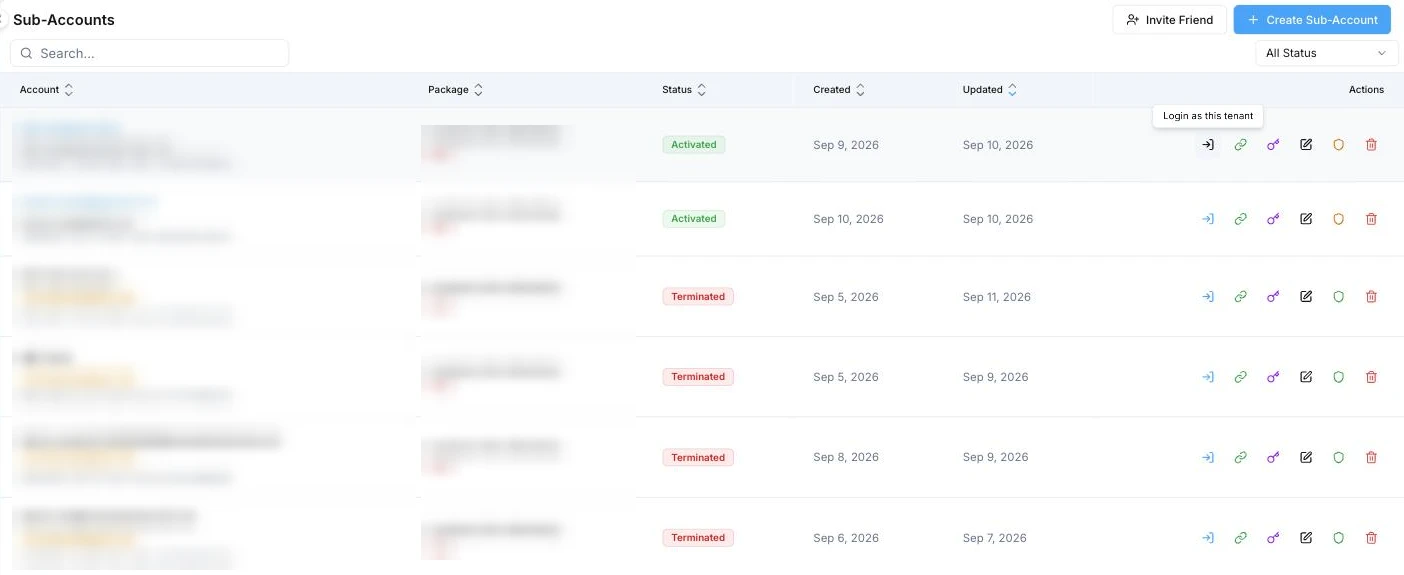
Getting into a client's account
Both platforms let you jump in. Votel also hands the client a one-time login link.
 Open full size ↗
 Open full size ↗
02Line by line
Agency level, checked against both platforms' docs
This is a difference in structure more than a missing button. It shows up every day, which is why agencies notice it.
| Claim | GoHighLevel | Votel |
|---|---|---|
Your own CRM at the agency level Votel wins | No. Contacts, conversations, and calendars only exist inside sub-accounts | Yes. The agency account has its own contacts, inbox, calendars, and pipelines |
Where you run your agency's own sales Votel wins | A separate Agency Sub-Account, which HighLevel recommends so agency work doesn't mix with client accounts | The same account you manage clients from |
Your clients as CRM records Votel wins | Client accounts are managed in the agency view. Tracking them as customers happens inside your agency sub-account, a different screen | Each sub-account appears as a contact in your CRM. Its Billing tab shows tenant status, plan, cards, purchases, invoices, balance, service usage, and applied snapshots, with Login as one click away |
Creating a client account Votel wins | From the Sub-Accounts page in the agency view | From the Sub-Accounts page, or straight from a contact record |
Logging into a client's account Votel wins | Switch into the sub-account from the agency view | Login as, or generate a one-time login link to send the client |
Numbers across all clients Tie Different lenses: HighLevel rolls up activity counts per client, Votel rolls up usage and billing per client. | Agency rolled-up reporting: up to 8 columns of aggregated counts per sub-account, Agency Pro ($497/mo) only | Activity > Balance Activity groups every charge by sub-account, then by service: transactions, amount billed, and usage per client |
The Agency Sub-Account pattern works. Thousands of agencies run their own sales out of one, and HighLevel ties SaaS billing and rebilling to it on SaaS-enabled plans. On Agency Pro you also get a rolled-up table of key numbers across every client. If your team already has a rhythm with it, nothing is broken.
If you've ever had to explain to a new hire why your agency's leads live in an account that looks like a client, Votel's structure is the one you'd have designed. If your HighLevel setup is built around the agency sub-account and it runs fine, this alone isn't a reason to move, but it's a daily annoyance you stop having.
Questions
What agencies ask about this
Does GoHighLevel have contacts at the agency level?
No. In HighLevel, contacts, conversations, and calendars live inside sub-accounts. The agency view is for managing sub-accounts, billing, snapshots, and settings. HighLevel recommends creating an Agency Sub-Account for your own business so it stays separate from client accounts.
What is a HighLevel Agency Sub-Account?
A regular sub-account you designate as your agency's own workspace. You run your own CRM from it, and on SaaS-enabled plans it's where SaaS plans, subscriptions, and rebilling payment connections are managed.
How do I see all my clients in one place in Votel?
Settings > Sub-Accounts lists every client account. From there you can edit it, change its plan, deactivate it, or log in as the client. Each client also appears as a contact in your own CRM, so their billing, plan, usage, and conversations sit on one record.
Can I roll up reporting across sub-accounts in HighLevel?
Yes, on the Agency Pro plan. Agency rolled-up reporting shows up to 8 columns of aggregated numbers per sub-account, such as contacts, appointments, messages, and reviews. It's account-level totals, not individual contacts.
See what it's like when your agency level is an actual account.
Sign up for a free Votel account. No credit card required. Or read the full GoHighLevel (GHL) vs Votel comparison first, pricing included.
Sign up for a free Votel accountNo credit card required.Pass it along
Found this helpful?
Share this page with someone who could use it.
Ready to explore Votel?
Sign up for a free Votel account
Create a Votel account and explore the platform for yourself. No credit card required.
Paid plans and usage charges apply when you use paid services.
Sponsored affiliate link. We may earn a commission if you later become a paying customer, at no extra cost to you.