The core Votel experience
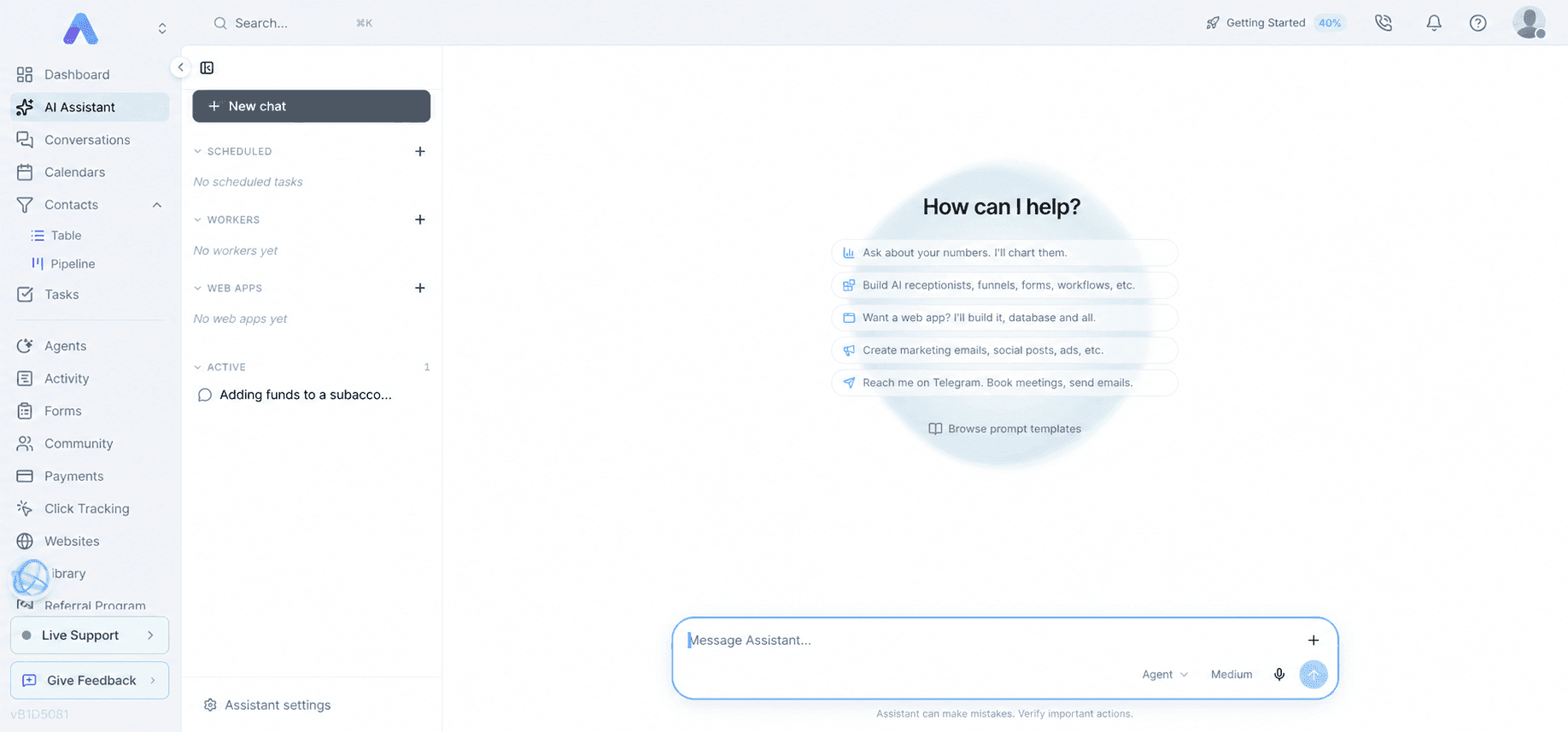
Votel AI Assistant: describe what you need, then build and operate it
Votel's central idea is not simply adding AI features to a CRM. The Assistant is an operating layer for supported parts of the platform: websites, agents, workflows, contacts, scheduling, campaigns, reporting, and workspace setup. The real advantage is the distance it can remove between describing an outcome and having a reviewable draft.
Affiliate link: we may earn a commission if you become a paying customer, at no extra cost to you. Details.
Researched by HighLevel vs Votel Editorial Team · Last verified · Methodology · We may earn a commission if you join Votel through our links. Details
The short answer
The Assistant turns a plain-language brief into a draft you can inspect
In one authenticated working session, we created a draft web-voice and chat agent, set its purpose and guardrails, assigned opening greetings, completed an 18-page website knowledge crawl, attached a knowledge-search tool, created a chat-plus-voice widget, and passed a configuration audit. Nothing was activated and no customer was contacted.
- Natural-language brief
- Draft agent
- Voice and chat
- Knowledge
- Inline tool
- Website widget
- Preflight audit
- Human activation
On this pageHow it works
01 · Understand
03 · Launch
A conversational operating layer
The Assistant can plan, create, inspect, and update supported workspace objects
The key distinction is that the Assistant is not limited to answering questions. Its authenticated tool catalog can work with contacts, agents, scheduling, forms, websites, analytics, tasks, campaigns, and settings. It can also connect to outside systems or expose authorized Votel tools to compatible external AI clients through MCP. Preconditions still matter: a calendar must exist before it can be booked, a sender must be verified before email can be delivered, and live actions may require approval.
Understand
Turn a business request into the appropriate artifact, channel, workflow, or setup plan.
Build
Create supported drafts and return exact configuration gaps instead of hiding them.
Operate
Use tools, schedules, workers, channels, and connectors to continue the work after setup.
What you could ask it to do
Six practical AI Assistant use cases
Launch a service-business website
Brief: Describe the business, pages, offer, and desired action. The Assistant can create the site structure and publish through Votel's website system after approval.
Output: Website, hosted pages, editable files, domains, cache controls, and analytics
Evidence status: Documented capability. We did not create another live site during this review because website provisioning is an explicit approval-gated action.
Create a voice or website agent
Brief: Describe the role, channels, language, tone, business facts, guardrails, and opening message in plain language.
Output: Draft agent, structured prompt, voice defaults, greetings, channel setup, and a preflight checklist
Evidence status: Built firsthand as a draft with web voice and chat enabled.
Ground the agent in real information
Brief: Point the agent to a website, uploaded file, or concise fact set, then tell it when to search that knowledge.
Output: A workspace knowledge base plus an inline retrieval tool the agent can call
Evidence status: Configured firsthand. The website crawl completed with 18 indexed pages; answer accuracy against retrieved passages remains an open test.
Put the agent on a website
Brief: Choose chat plus voice, button, or orb presentation, then set the color, position, company name, and display name.
Output: A reusable widget configuration and embed snippet
Evidence status: Built firsthand as a chat-plus-voice widget. The agent remains a draft, so the widget is not a public production experience.
Build a follow-up workflow
Brief: Tell the AI Assistant what should start the automation and which actions, branches, timing, and error handling should follow.
Output: A compiled workflow graph that can be reviewed visually and tested before activation
Evidence status: The user-facing Assistant supports workflow-building requests. We separately built, audited, and simulated the resulting workflow pattern through Votel's authenticated MCP tool layer.
Run recurring operational work
Brief: Describe a scheduled report, contact-monitoring worker, specialist subagent, or external connector and the conditions it should follow.
Output: Scheduled tasks, workers, subagents, channels, and connected services within stated account limits
Evidence status: The authenticated setup context exposed these tool families. We have not run every family end to end.
Ask it to build the workflow
Describe the outcome, then inspect the workflow it builds
A practical request can be as direct as: “When this form is submitted, summarize the intake, add the summary to the contact, and create a review task for the assigned person.” The Assistant can translate the request into a workflow draft. The resulting nodes and mappings remain visible on the canvas, and the workflow can be audited, simulated, checked for coverage, and reviewed in run history before activation.
Describe
State the trigger, desired result, rules, and failure behavior in plain language.
Inspect
Review the generated trigger, actions, variables, branches, and resource mappings.
Test
Generate cases, exercise edge behaviors, check coverage, and activate only after review.
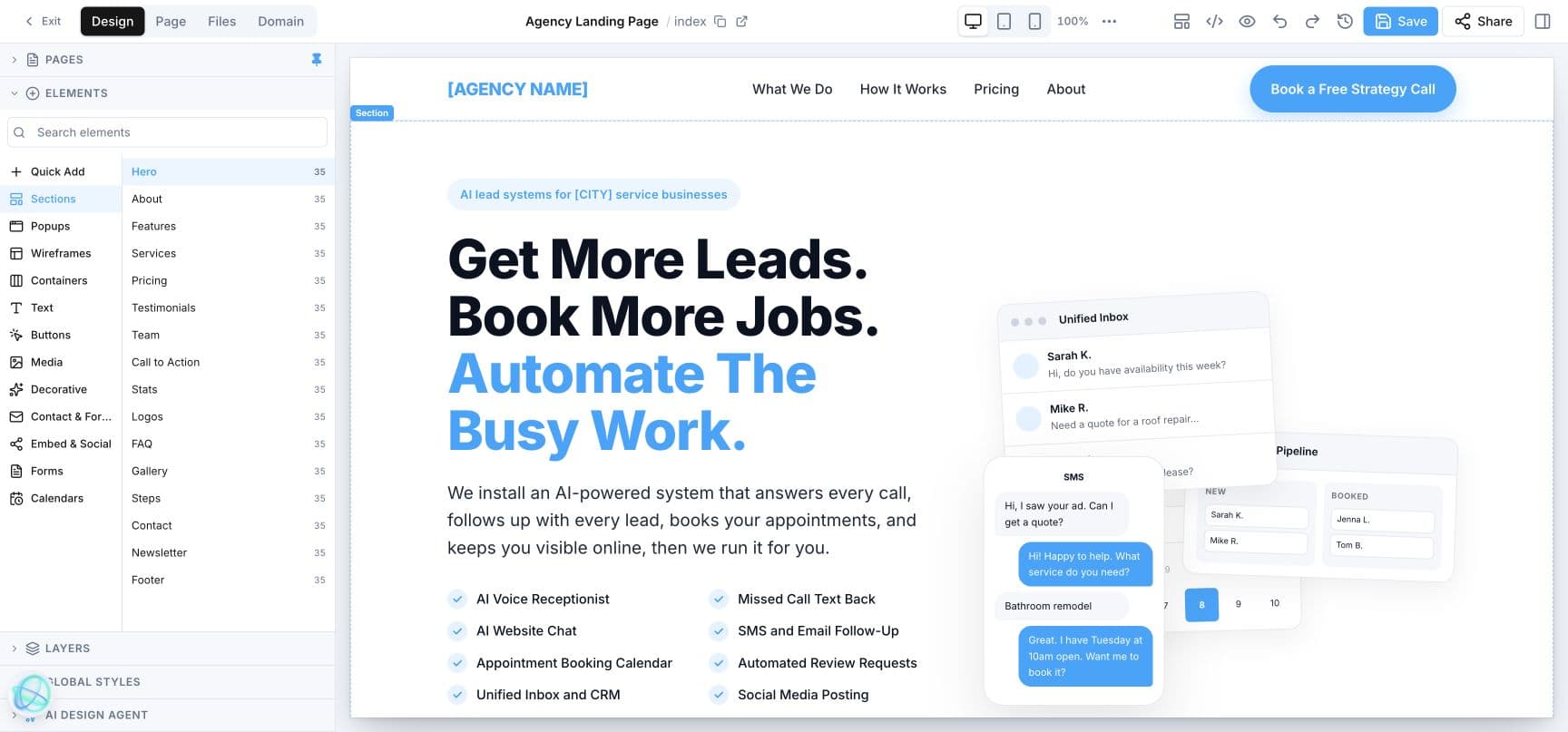
From brief to hosted website
Ask for a website, then review the real files and publishing controls
Votel's website tools can provision hosting, create and update files, publish, manage domains, purge cache, and inspect analytics. Website creation is an approval-gated action because it provisions live hosting immediately. That makes the path fast, but it also preserves a human decision before a new public site exists.
From role description to testable agent
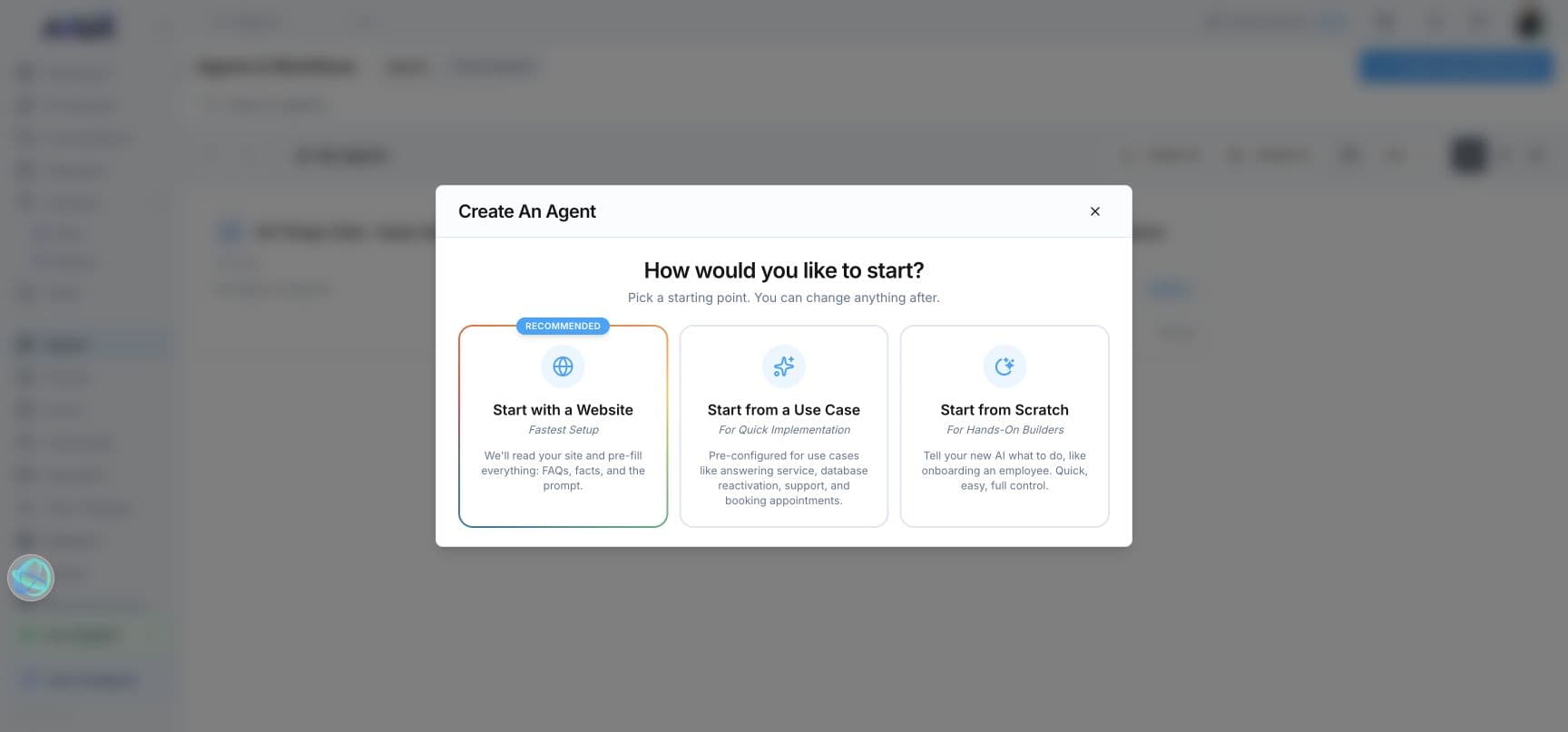
A voice-agent draft can begin with purpose, channels, language, tone, and guardrails
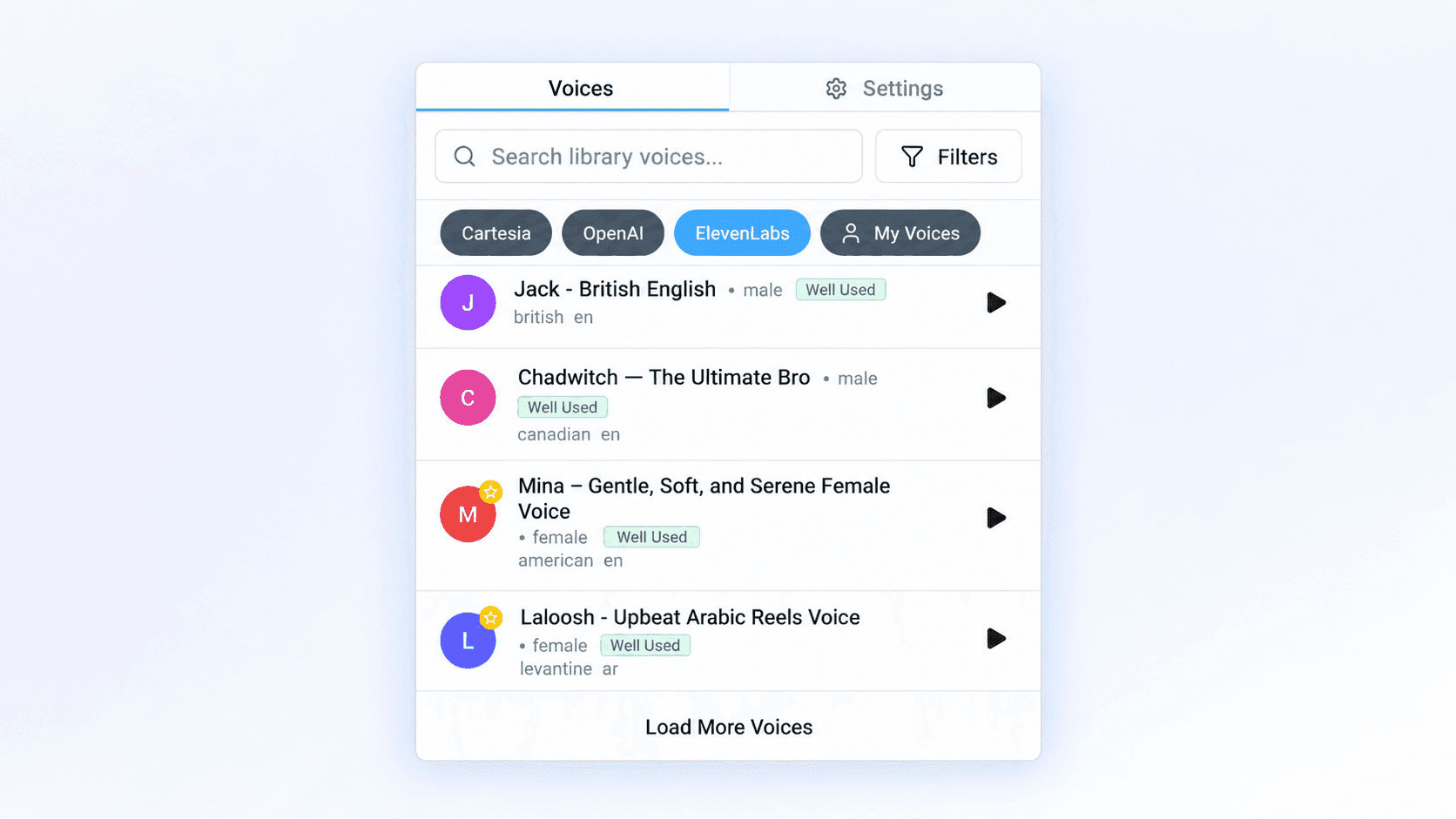
Our quick-launch demo was created with web voice and chat, two opening greetings, English as its primary language, a controlled editorial purpose, and explicit non-activation guardrails. A vague voice request was not treated as exact: Votel retained its default Skylar voice and returned named alternatives. We then attached website knowledge, added a retrieval tool, created a chat-plus-voice widget, and passed the static configuration audit.
Channels determine where you talk to it; connectors determine what it can reach
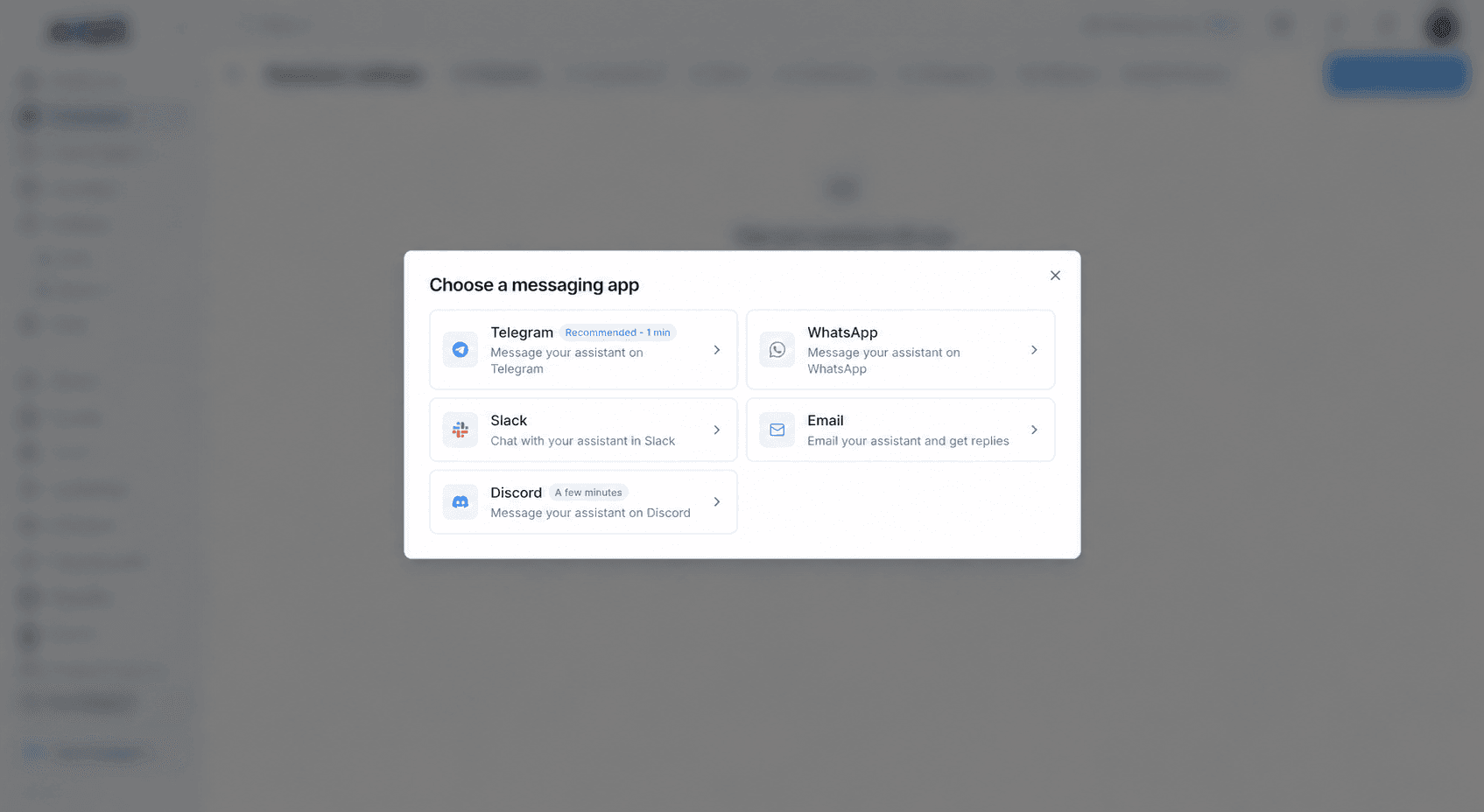
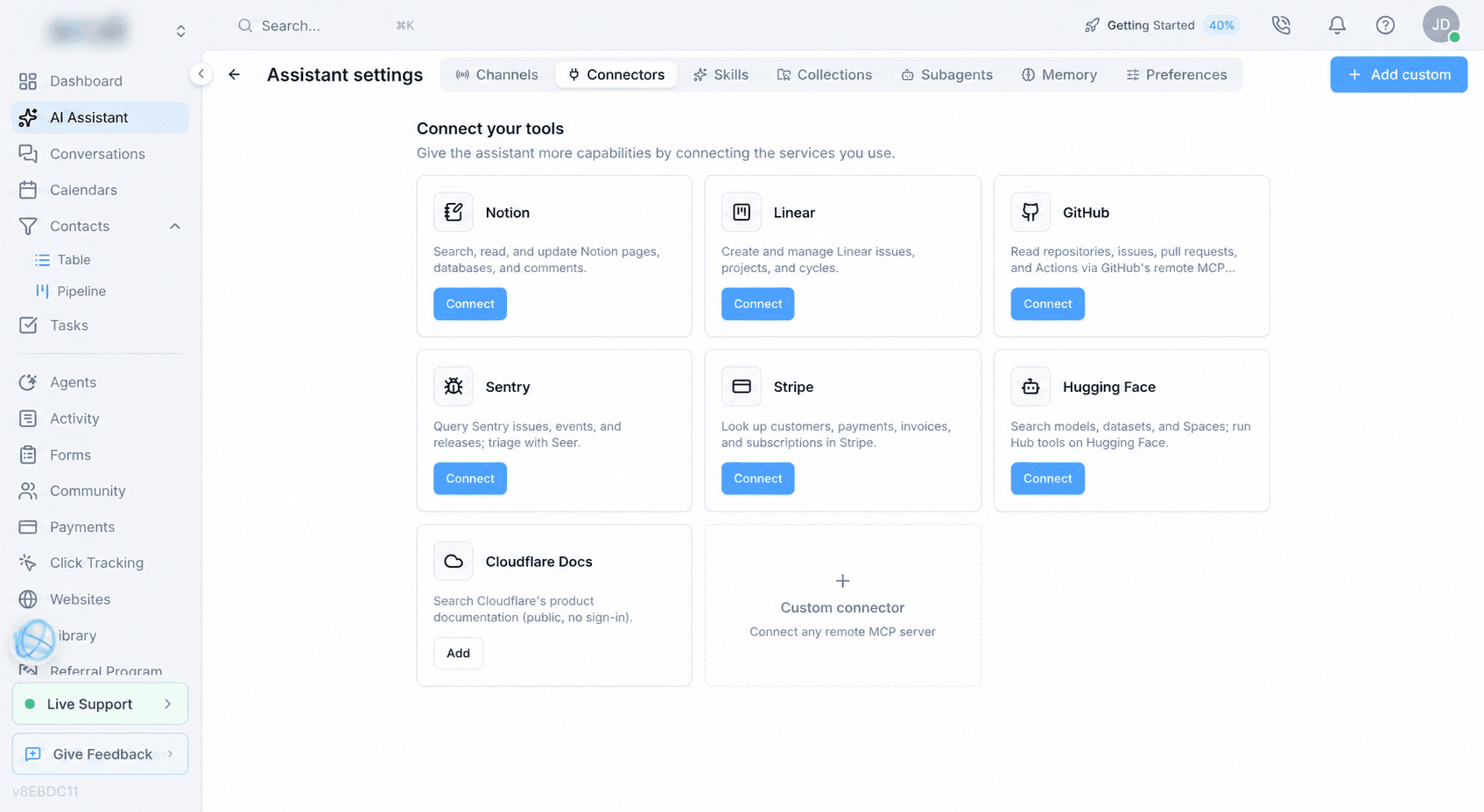
A separate workspace MCP layer lets compatible external AI clients operate authorized Votel tools. Our authenticated session reported 320 tools across 23 categories on September 13, 2026. Direct API keys are also available, but the interface did not publish one authoritative endpoint total.
Purpose-built, not generic
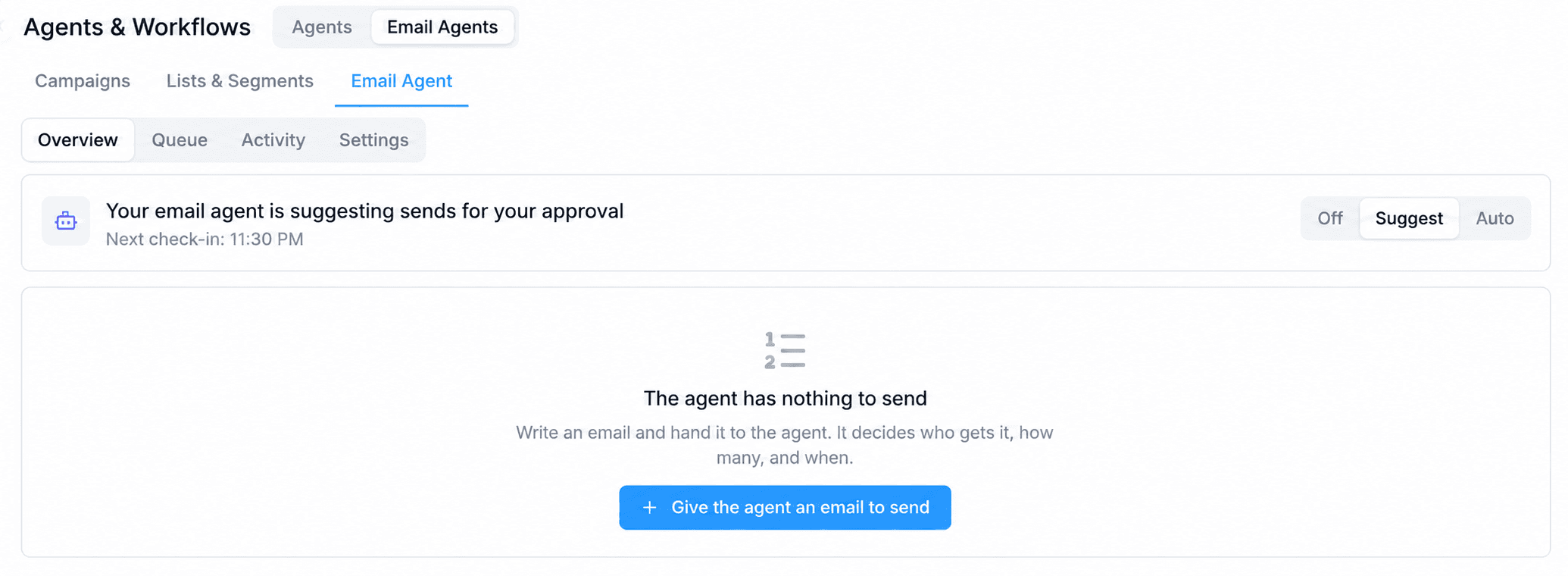
Email Agent is a thoughtfully separated campaign system
The general AI Assistant helps build and operate the workspace. Email Agent focuses on the email problem itself: eligible recipients, daily volume, send timing, engagement waves, win-back rules, reply classification, side effects, response actions, and Off, Suggest, or Auto autonomy. Keeping those controls together makes the feature easier to reason about than a loose collection of unrelated AI prompts.
Fast does not mean careless
A six-step path from description to deliberate activation
- 01
Describe
State the business goal, channel, audience, tone, facts, and boundaries.
- 02
Build
Have the Assistant create supported draft artifacts or prepare an approval-gated live website.
- 03
Ground
Attach websites, files, business facts, calendars, and only the tools the experience needs.
- 04
Test
Run configuration audits, workflow simulation, chat tests, or voice tests before enabling anything.
- 05
Review
Resolve ambiguous voices, missing phone numbers, unverified knowledge, and incomplete integrations.
- 06
Activate
Publish the website or activate the agent only after the final human check.
What still needs a complete quick-launch demonstration
- • Test grounded answers from the completed 18-page website crawl against identifiable source passages.
- • Capture the widget customizer and a live chat-plus-voice interaction after the test agent is ready.
- • Build a new public website from a specific approved brief, then document domain, publish, cache, and analytics steps.
- • Attach a safe test phone number and complete an inbound voice call with transcript and activity evidence.
- • Measure the real elapsed setup time only after the full start-to-live sequence is repeated without preconfigured assets.
Votel AI Assistant questions
Can you really talk to Votel and have it build things?
Votel's AI Assistant exposes tools for supported workspace actions such as agents, websites, contacts, scheduling, campaigns, reporting, and settings. In our authenticated session, the same MCP tool layer successfully created and audited draft artifacts. This does not mean every conceivable request can be completed without prerequisites or approval.
Can the AI Assistant make a website?
Yes. Votel exposes website creation and management tools. Creating a website provisions live hosting and is approval-gated, so we did not create an unnecessary public test site without a specific site brief.
Can it create a voice AI agent immediately?
It can create a draft voice agent from a plain-language brief in one action. Going live still requires the right greeting, voice, knowledge, tools, phone or web-voice setup, testing, and an explicit activation step.
What happens when a request is ambiguous?
The builder can keep a safe default and surface the ambiguity. In our test, a broad voice description retained the default Skylar voice and returned exact alternative matches instead of pretending the choice was precise.
Is the Email Agent the same as the general AI Assistant?
No. The general AI Assistant helps build and operate the workspace. Email Agent is a purpose-built campaign system with audience selection, sending controls, engagement tiers, reply classification, response actions, and Off, Suggest, or Auto operating modes.
See how the pieces fit together
Continue to the Agents and Workflows deep dive, the complete Votel feature directory, or the MCP comparison.