Votel evidence library
Votel feature evidence and screenshots
Votel AI is the Votel platform at Votel.ai: an AI-powered agency and business system combining CRM, agents, conversations, scheduling, automation, websites, payments, media, and administration. This review documents what was visible in a live account, where each feature lives, and what still needs verification.
Affiliate link: we may earn a commission if you become a paying customer, at no extra cost to you. Details.
Researched by HighLevel vs Votel Editorial Team · Last verified September 13, 2026 · Methodology · We may earn a commission if you join Votel through our links. Details
Evidence reorganized September 19, 2026; original verification dates retained. For the short review, read the Votel overview.
Quick answer
What is Votel best suited for?
Votel is worth evaluating if you want to run client CRM, websites, scheduling, and AI follow-up in one agency platform. Start with one real workflow and check the integrations, permissions, and usage costs you need before moving clients. This review maps 213 features, controls, and verification notes across 17 product groups; it separates documented capabilities from our live observations.
Platform overview
What is Votel AI?
Votel is an AI-powered CRM and agency platform available at Votel.ai. The platform connects AI assistants and customer-facing agents with CRM records, conversations, workflows, calendars, websites, media creation, payments, and reporting.
Votel's current homepage describes the product as an agency platform where AI builds and runs sites, agents, automations, and follow-up. Our independent review goes one level deeper: it maps the visible tools, retains screenshots, separates firsthand checks from documentation, and links to focused evidence pages.
Explore Votel AI by capability
On this pageWhat is Votel AI?
01 · Evaluate the platform
02 · Scheduling experience
03 · AI and communication
04 · Build, connect, and operate
How to read this overview
This inventory combines official documentation with firsthand interface review. Documented by Votel means the capability appears in Votel's current documentation but has not yet completed our live test. Checked in live account means we personally found it in the working interface. Screenshot documented means we also retained visual evidence. Confirmed with limits means only the narrower claim written beside the label was established. A Votel-specific label means no comparable native HighLevel capability was found in our dated review. It does not mean that a workaround, custom code, or third-party add-on is impossible. Needs a fresh check identifies the examples, screenshots, and end-to-end tests still required.
Documentation baseline: on September 13, 2026, Votel's public sitemap exposed 139 product and help articles plus a much larger generated API reference. Documentation coverage is uneven, so features without a product guide are validated from the live interface and clearly labeled instead of being inferred from an API route alone. View the documentation sitemap ↗
- Screenshot documented
- Checked in live account
- Documented by Votel
- Confirmed with limits
- Needs a fresh check
Votel-specific differentiators
Capabilities without a comparable native HighLevel equivalent
These are not ordinary feature-list matches. Each combines controls or workflows that we did not find together as a native HighLevel capability during the September 2026 review.
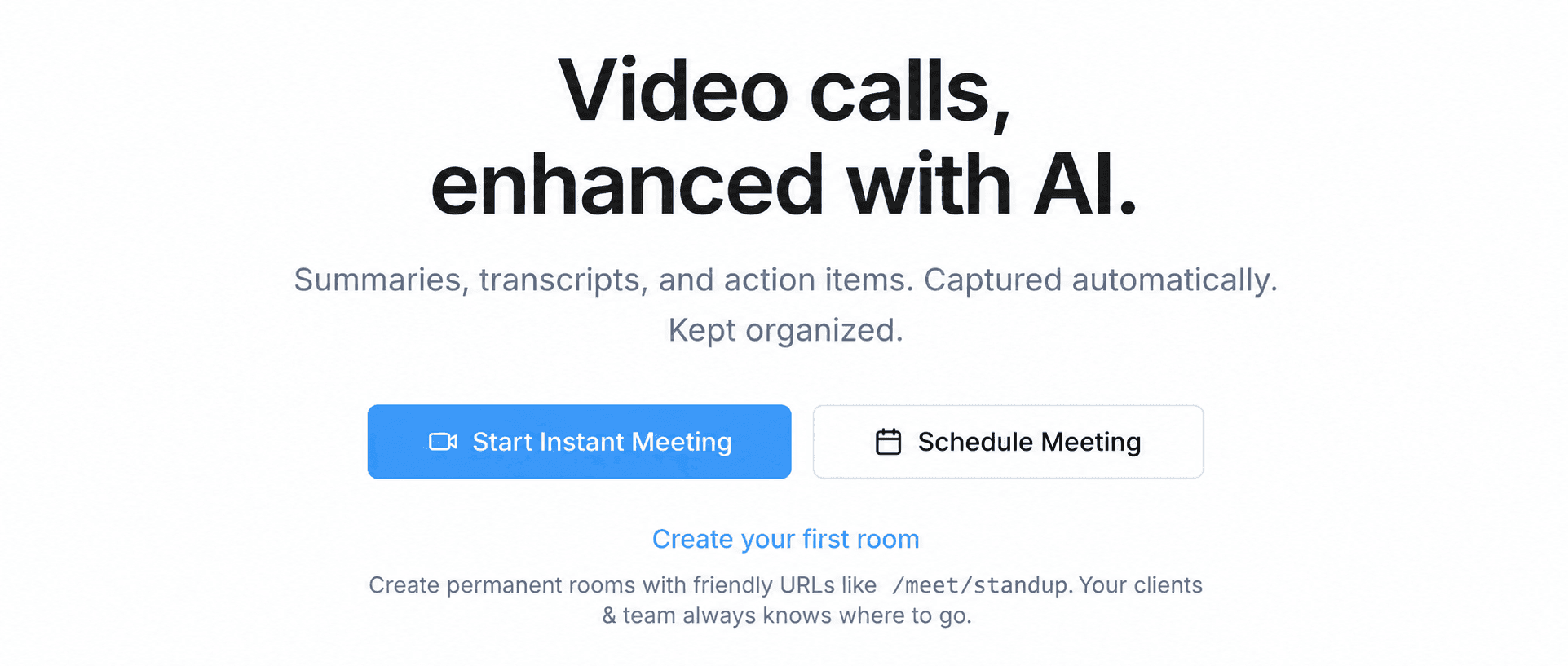
Meeting Rooms
Calendars and scheduling
No comparable native HighLevel meeting workspace was found combining built-in video rooms, permanent URLs, recordings, transcripts, summaries, and action items.
Votel-specific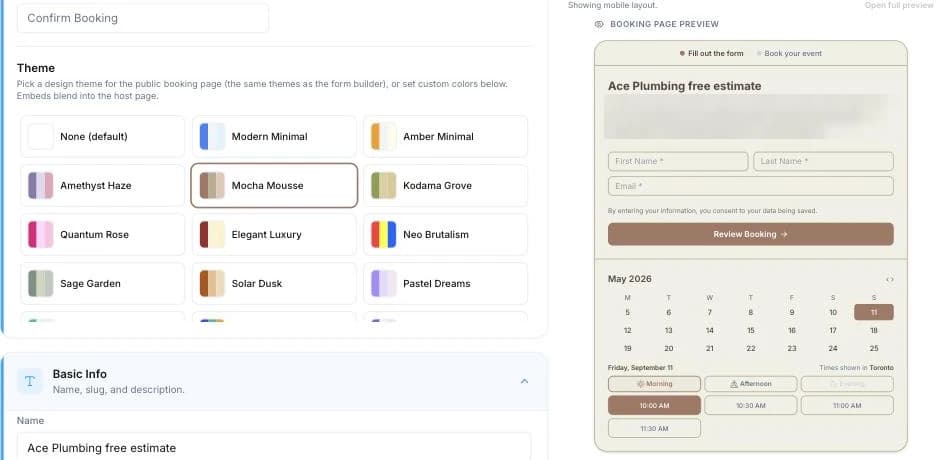
Calendar theme customizer
Calendars and scheduling
No equivalent native HighLevel calendar editor was found with this breadth of no-code theme, layout, branding, and preview controls.
Votel-specific
Email Agent
Agents, workflows, and Email Agents
No equivalent HighLevel feature was found that combines these campaign, classification, response-action, autonomy, wave, win-back, and cooldown controls in one Email Agent.
Votel-specific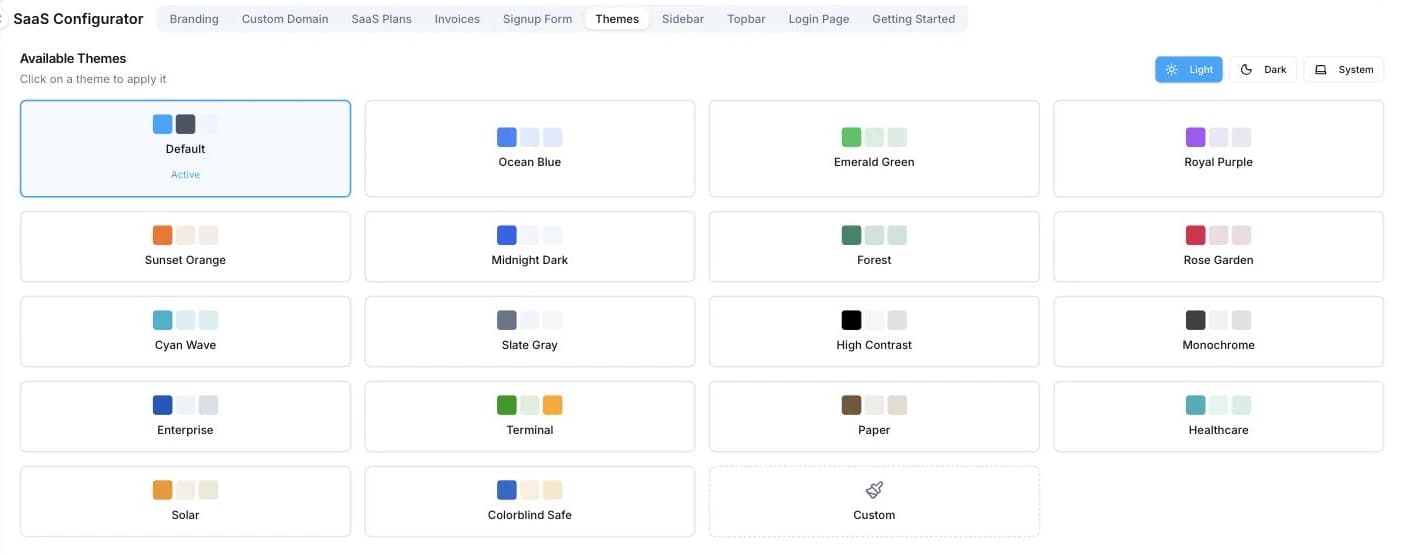
Dashboard theme customizer
Account settings and administration
No comparable native HighLevel dashboard theme editor was found. HighLevel dashboard restyling generally relies on narrower branding controls or custom CSS.
Votel-specific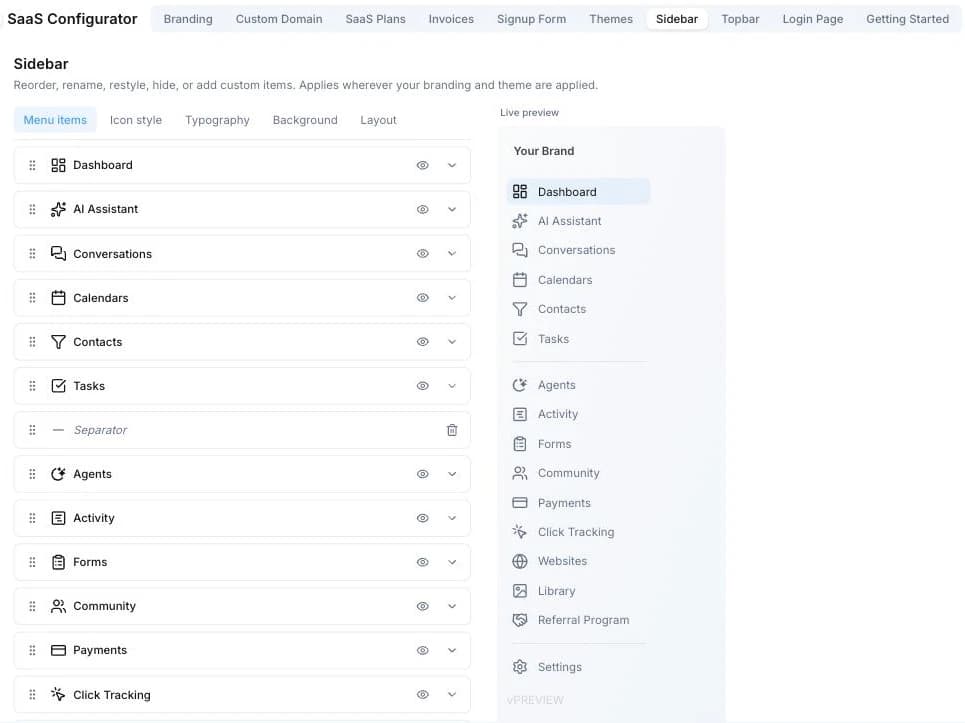
Sidebar menu customizer
Account settings and administration
HighLevel supports custom menu links and visibility controls, but no equivalent native visual sidebar editor was found.
Votel-specific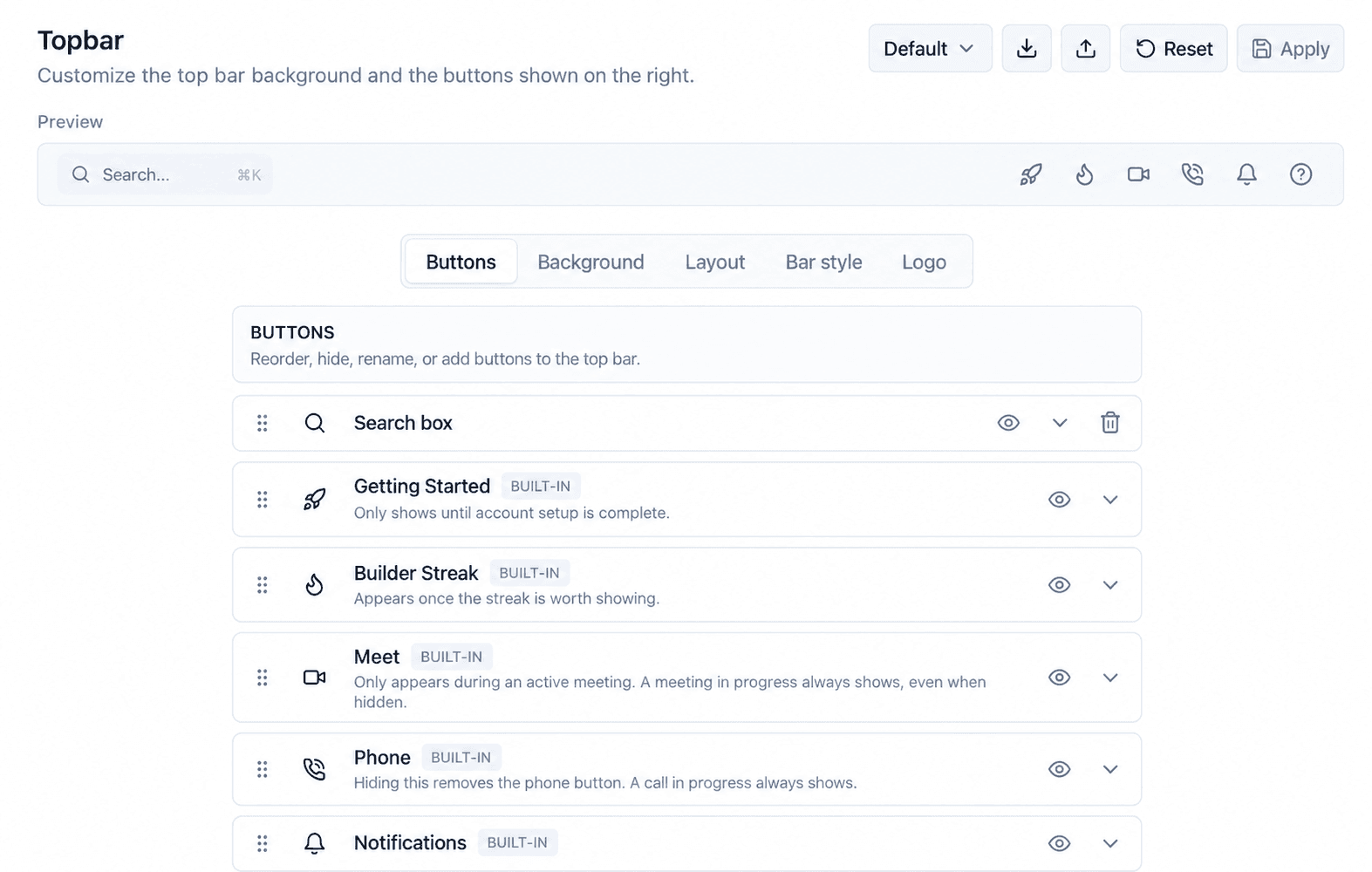
Topbar menu customizer
Account settings and administration
No equivalent native HighLevel topbar visual editor was found in the reviewed account.
Votel-specific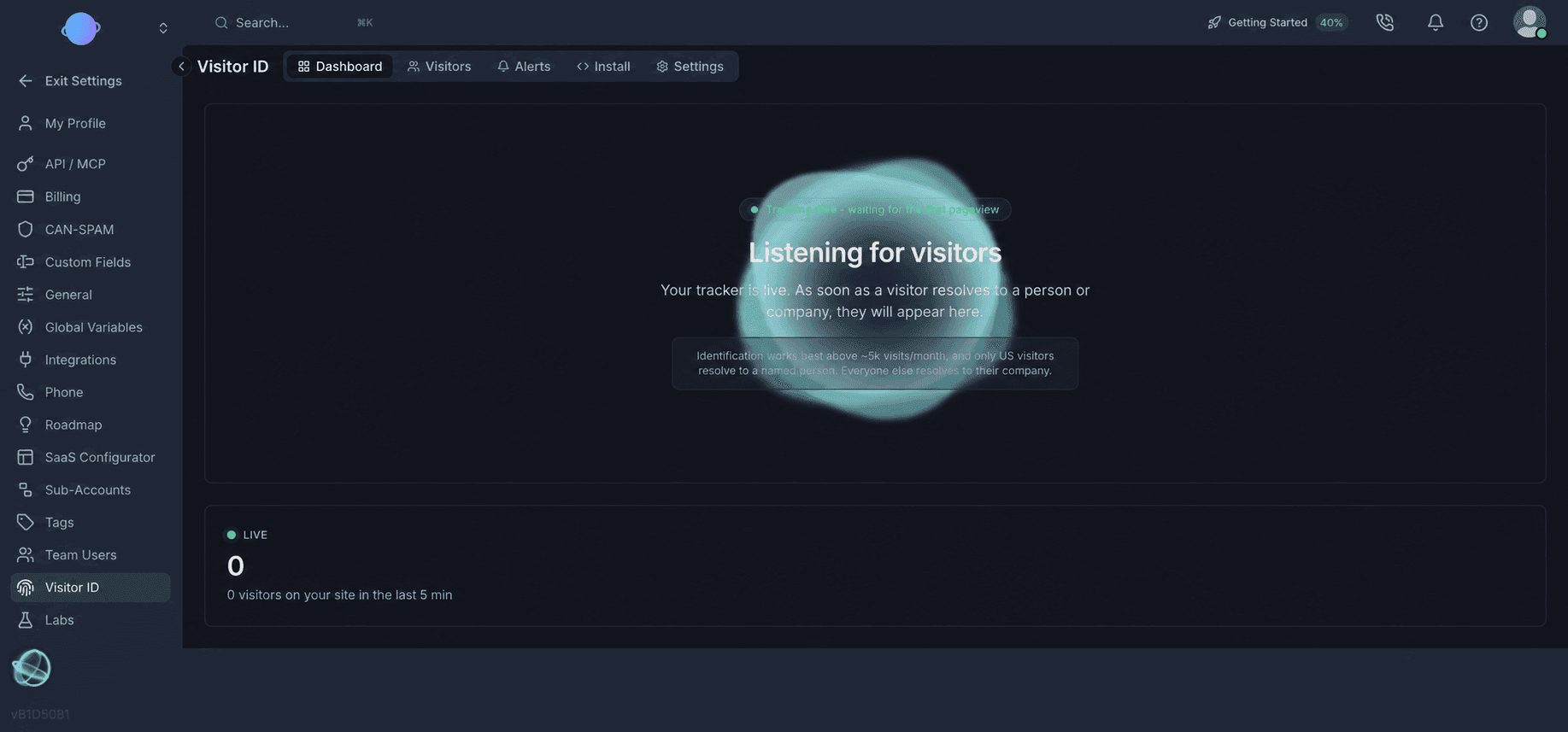
Visitor ID
Account settings and administration
No comparable native HighLevel workspace was found that combines visitor identification, visitor records, alerts, installation, and identification settings in this form.
Dashboard flexibility
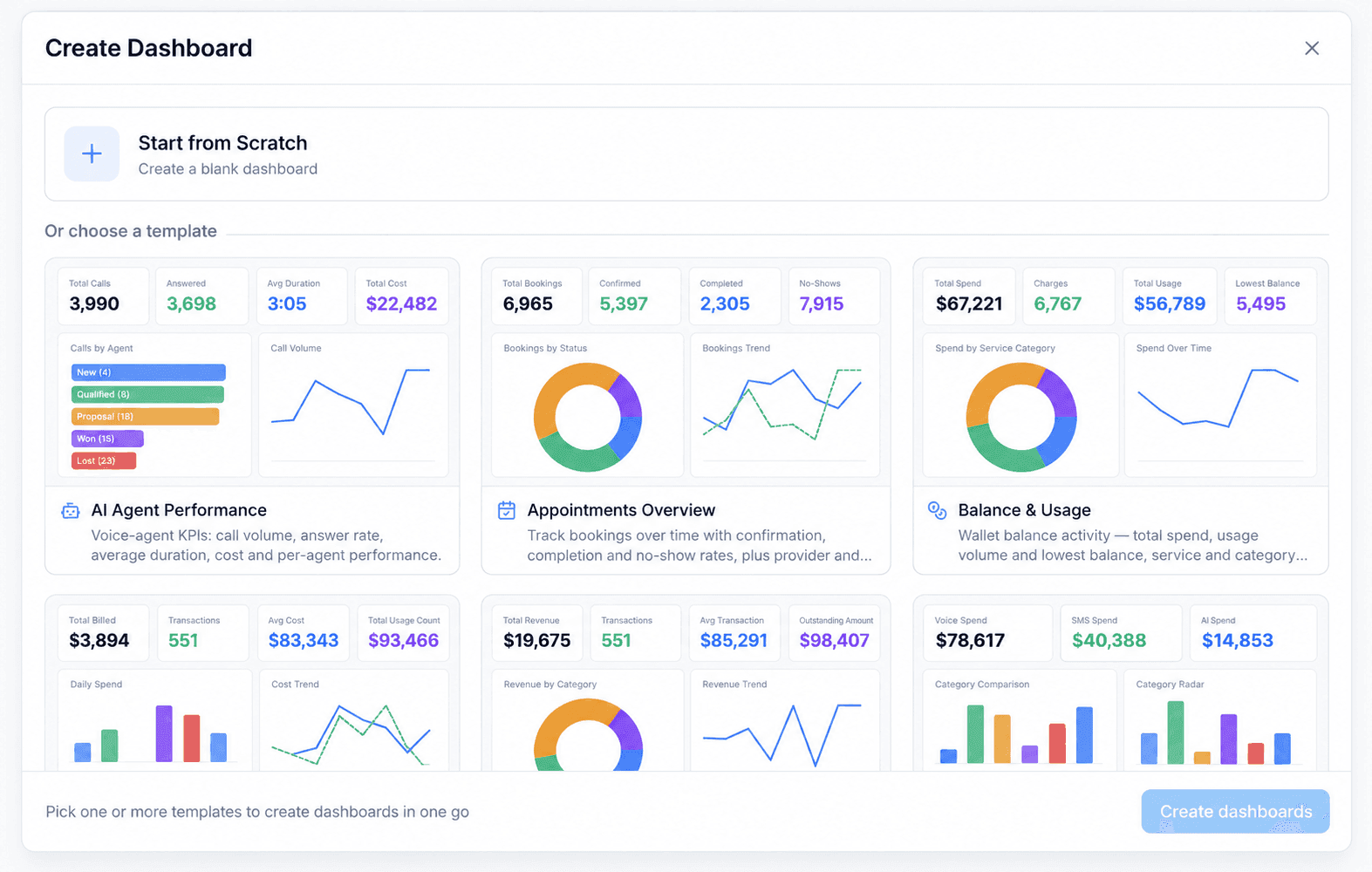
Start from scratch or choose a purpose-built dashboard
The live Create Dashboard gallery showed 24 ready-made templates on September 13, 2026. Teams can begin with a blank canvas or select layouts for AI agents, appointments, billing, calls, contacts, conversations, email, marketing, sales, subscriptions, tasks, team performance, payments, and website analytics.
- AI Agent Performance
- Appointments
- Billing and Revenue
- Call Analytics
- Email Performance
- Sales
- Task Productivity
- Website Analytics
The calendar engine feels like one connected product
This is our firsthand product opinion. Votel brings scheduling, a customizable booking interface, and its own native video conferencing software together in one calendar area. Meeting Rooms is especially notable because the meeting does not have to be handed off to a separate conferencing product.
Schedule
Build the appointment
Define how customers book and how your team delivers the service.
- Five purpose-built booking types
- One centralized booking storefront
- Round robin staff assignment
Customize
Shape the booking experience
Control the public-facing interface visually and see each choice before publishing.
- 33 themes and 4 page layouts
- Custom colors, logo, and cover image
- Live booking-page preview
Meet
Votel-specificKeep it inside Votel
Move from booking to a native video room without handing the customer to another product.
- Instant, scheduled, or permanent rooms
- Recording, playback, and transcripts
- AI summaries and action items
What can customers book?
Five calendar booking types for five different jobs
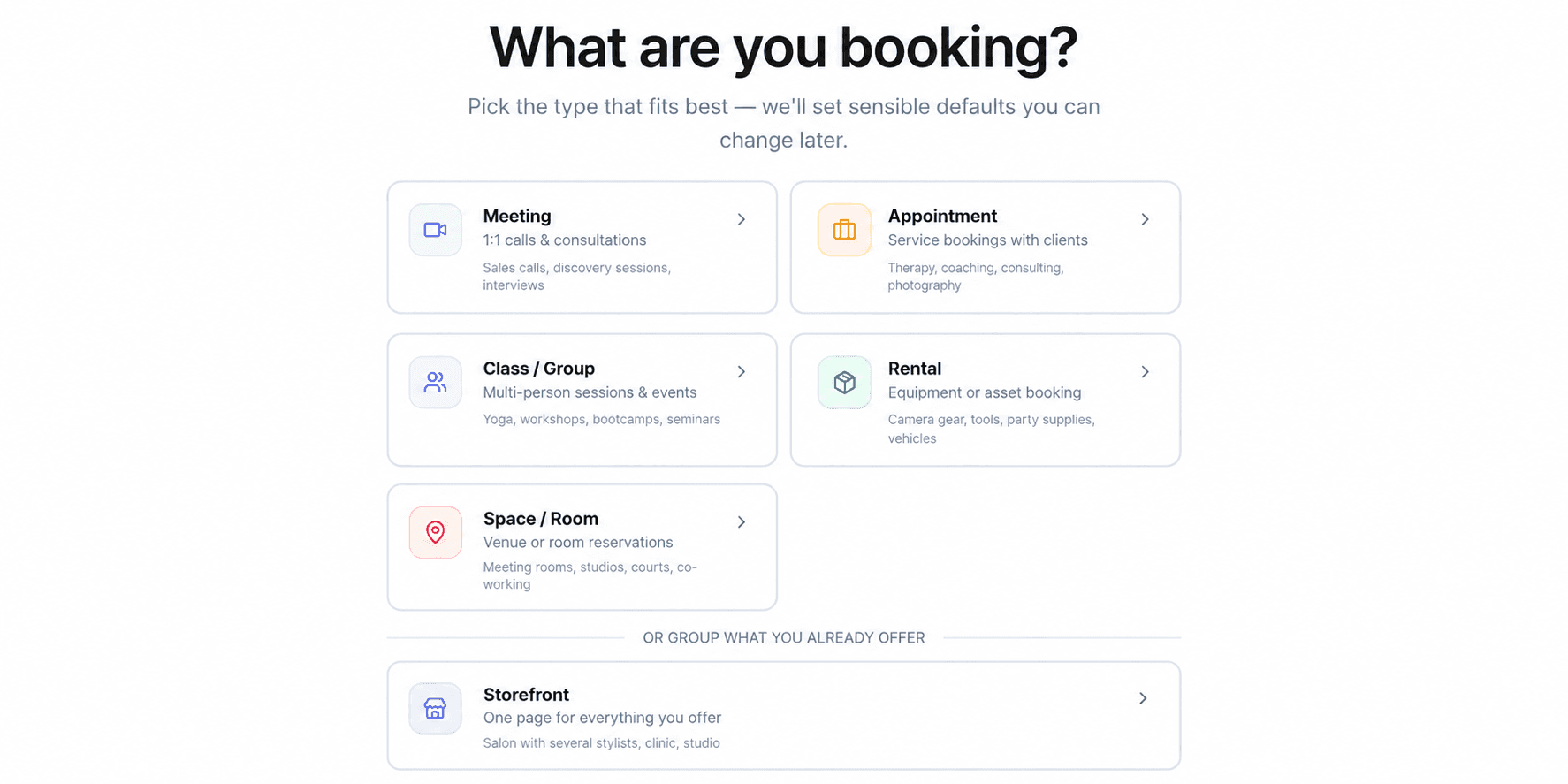
Meeting
1:1 calls and consultations
Sales calls, discovery sessions, interviews
Appointment
Service bookings with clients
Therapy, coaching, consulting, photography
Class / Group
Multi-person sessions and events
Yoga, workshops, bootcamps, seminars
Rental
Equipment or asset booking
Camera gear, tools, supplies, vehicles
Space / Room
Venue or room reservations
Meeting rooms, studios, courts, co-working
Centralized booking page
Storefront
One branded page for everything you offer, including services, team members, class schedules, and packages.
Staff assignment
Round robin scheduling
Assign two or more staff members and rotate new bookings between them. Round robin is a staffing mode, not a separate booking type.
Make the booking experience yours
Choose the layout, theme, colors, and branding visually
These focused interface captures show the controls themselves. Votel pairs each choice with a live booking-page preview so you can see the customer experience while you customize it.
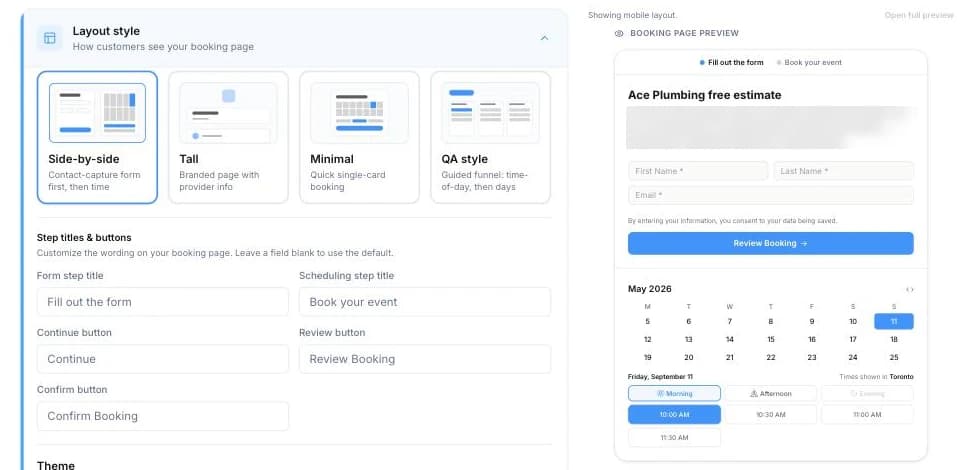
A fully integrated experience
The meeting, AI follow-up, and activity record stay connected
Votel hosts the video meeting, automatically creates the transcript, AI summary, and action items, then logs the recorded meeting in Activity with its duration, participants, host, and playback link. That continuity is what makes Meeting Rooms feel like part of one fully integrated platform instead of a collection of disconnected tools.
AI workspace
AI Assistant and channel-specific agents
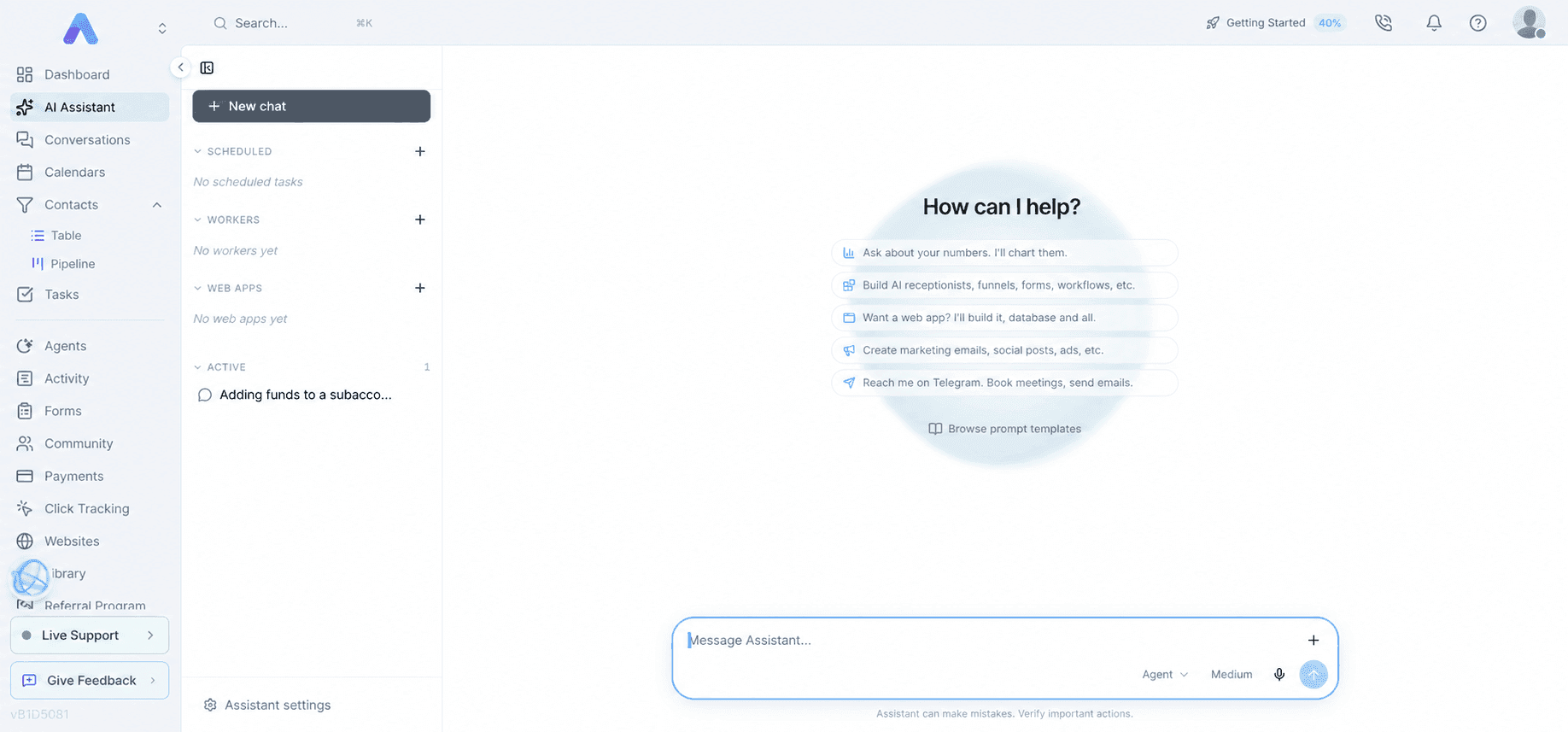
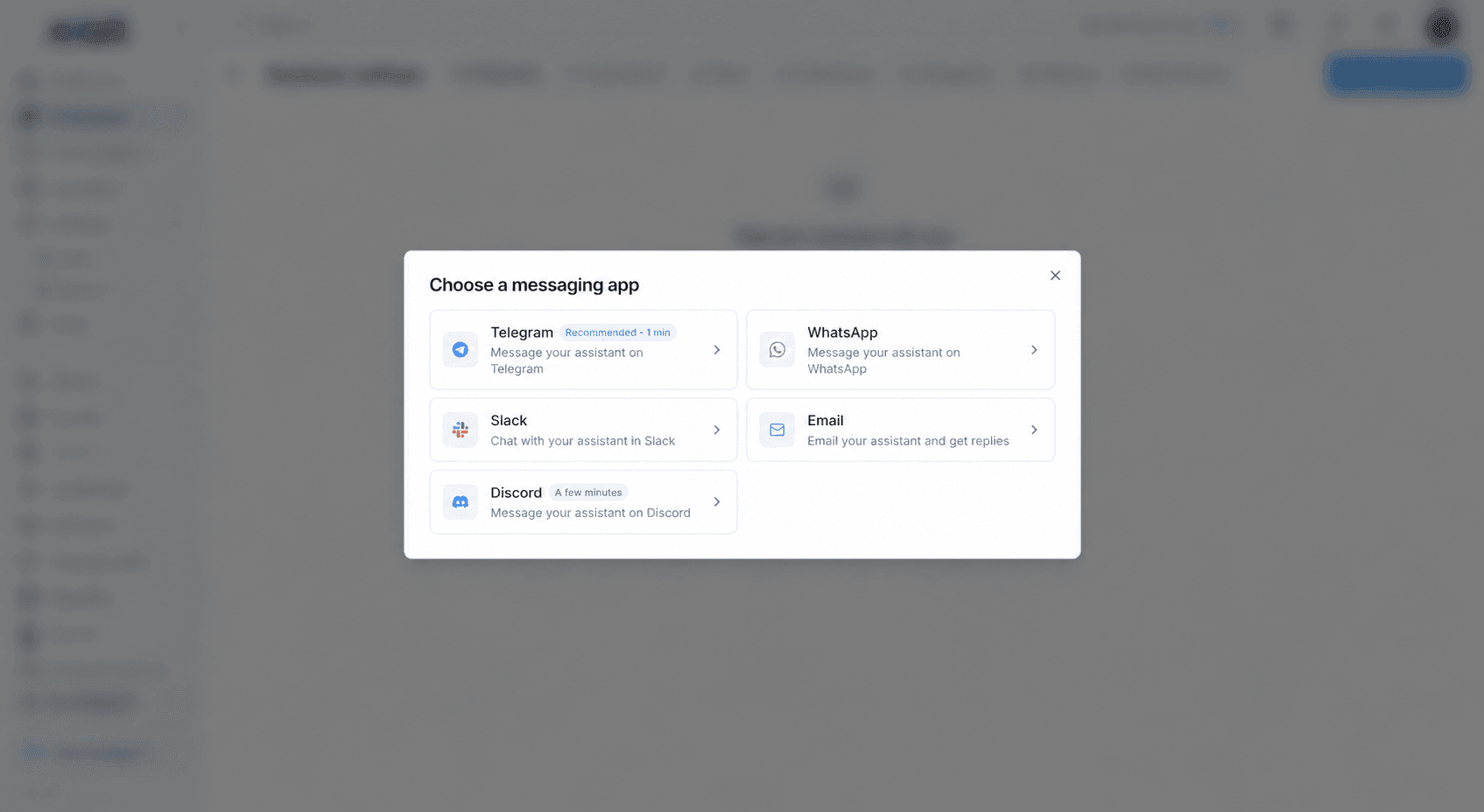
Votel separates its general AI Assistant from AI voice agents, chat agents, SMS agents, and Email Agent. The AI Assistant can communicate through connected channels and work with external services, while channel-specific agents handle customer conversations and campaign workflows.
Channels
Configure where the assistant can communicate.
- Telegram
- Slack
- Discord
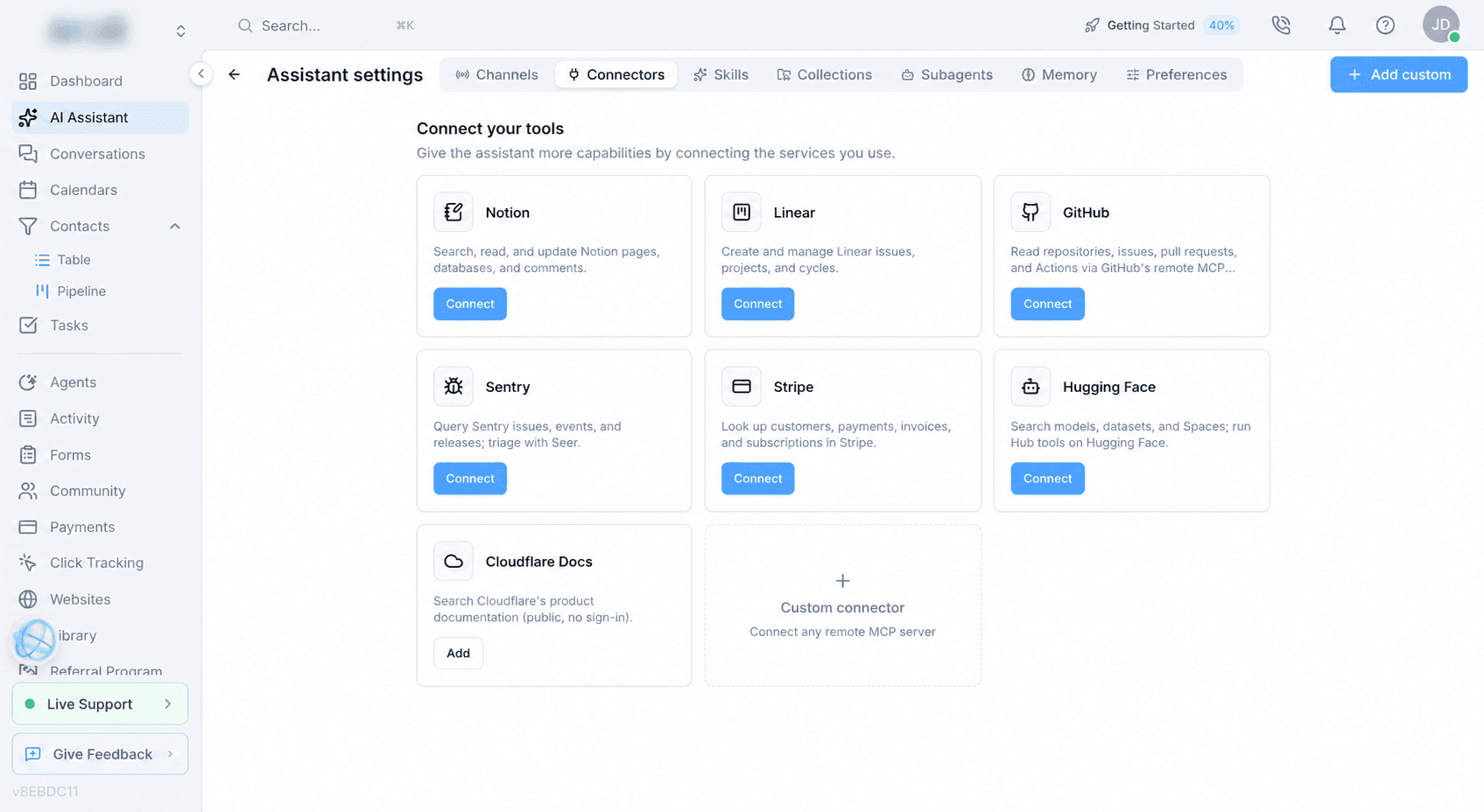
AI Assistant connectors
Bring supported services, documentation, and remote MCP sources into Votel's AI Assistant. This is distinct from Votel workspace MCP, which lets an outside AI client operate authorized Votel tools.
- Notion
- Linear
- GitHub
- Sentry
- Stripe
- Hugging Face
- Cloudflare Docs
- Custom remote MCP
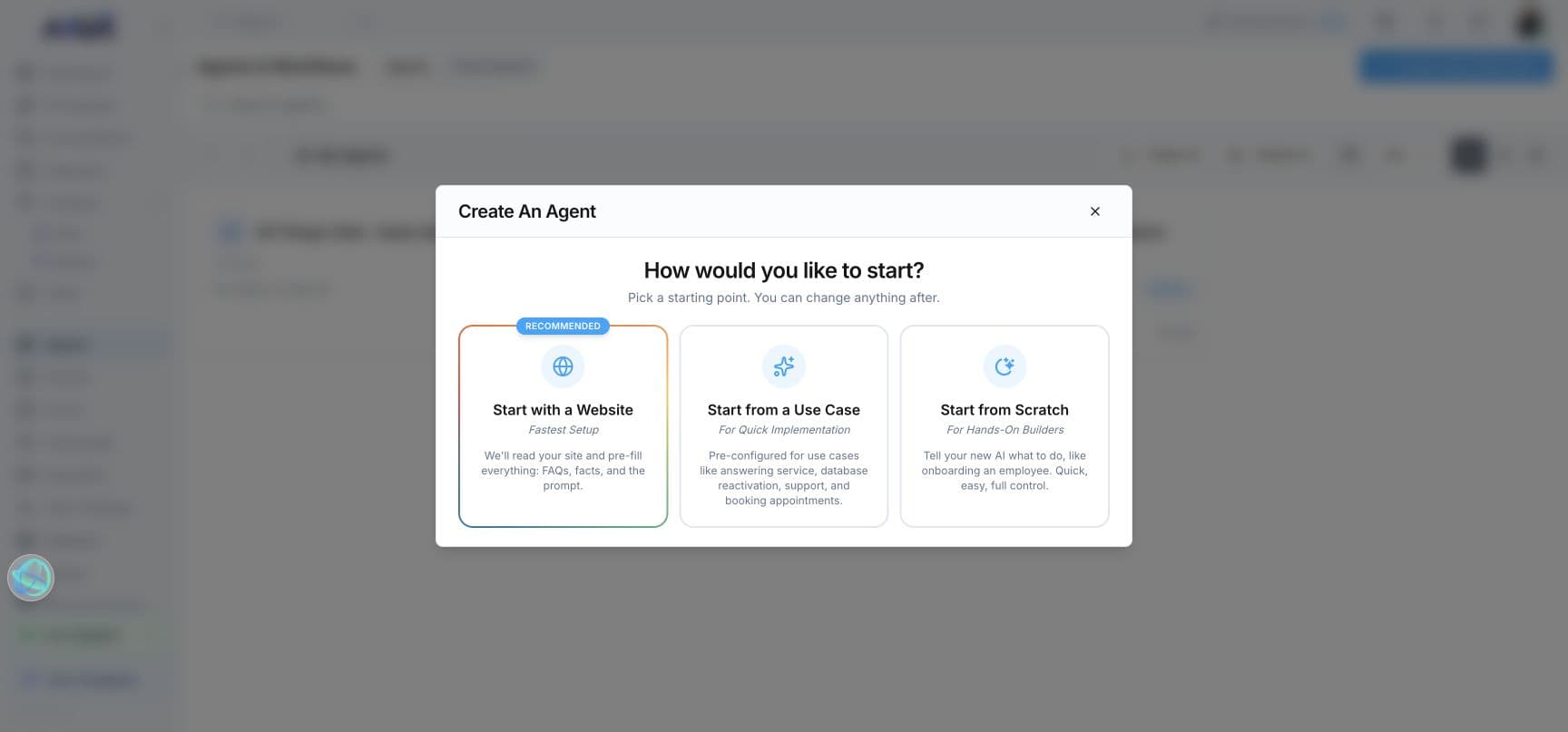
Important distinction
Three integration layers serve three different jobs.
Inside the AI Assistant
AI Assistant connectors
These connect Votel's assistant to services such as Notion, Linear, GitHub, Sentry, Stripe, Hugging Face, Cloudflare Docs, or a custom remote MCP server. The assistant can use the connected source while working inside Votel.
Direction: external service → Votel AI Assistant
Inside customer conversations
Agent tools and integrations
Voice, SMS, and email agents can use connected tools while serving a customer. Votel documents OAuth connections such as Facebook, Google Calendar, and GoHighLevel plus MCP-based tools such as Zapier, Make, HubSpot, Salesforce, Shopify, and GoHighLevel.
Direction: Votel agent ↔ connected business system
Outside Votel
Votel workspace MCP
This exposes authorized workspace tools to compatible external AI clients. Votel documents remote OAuth and local API-key connections for ChatGPT, Claude, Claude Code, Cursor, Windsurf, VS Code, Cline, and other compatible clients. Availability can depend on the external client and its plan.
Direction: external AI client → Votel workspace
What that means in practice
A connected Votel agent can check calendar availability, update CRM records, or trigger an external workflow during a conversation. In the opposite direction, an authorized assistant in ChatGPT or Claude can use Votel's MCP tools to manage contacts, websites, scheduling, campaigns, reporting, and other workspace functions.
An authenticated MCP session reported 320 tools across 23 categories on September 13, 2026. Votel's public documentation currently describes the catalog as 290+, so the dated authenticated count is retained rather than treating either number as permanent. The separate API Keys area exposes a public key and user-created secret keys, but it does not publish one authoritative endpoint total in the interface.
Firsthand programmatic test
We built, audited, and simulated a workflow through Votel MCP
We created a new draft agent, attached a workflow to the existing Simple Test Form, and configured three actions: Generate Content, Add Note, and Create Task. Votel resolved the form, compiled the graph, returned the stored configuration, and reported that every reference resolved with no activation blocker. Its safe simulator then completed all four stages with a score of 100.
- Draft only
- 4 configured stages
- Stored graph read back
- Static audit passed
- Simulator score 100
- Side effects recorded
- No customer contact
- Not activated
The simulator used the real workflow engine but recorded the Add Note and Create Task side effects instead of executing them. This confirms safe programmatic creation and workflow execution testing. It does not replace a live conversation test: spoken output and Conversation Rewind still need their own simulator sequence.
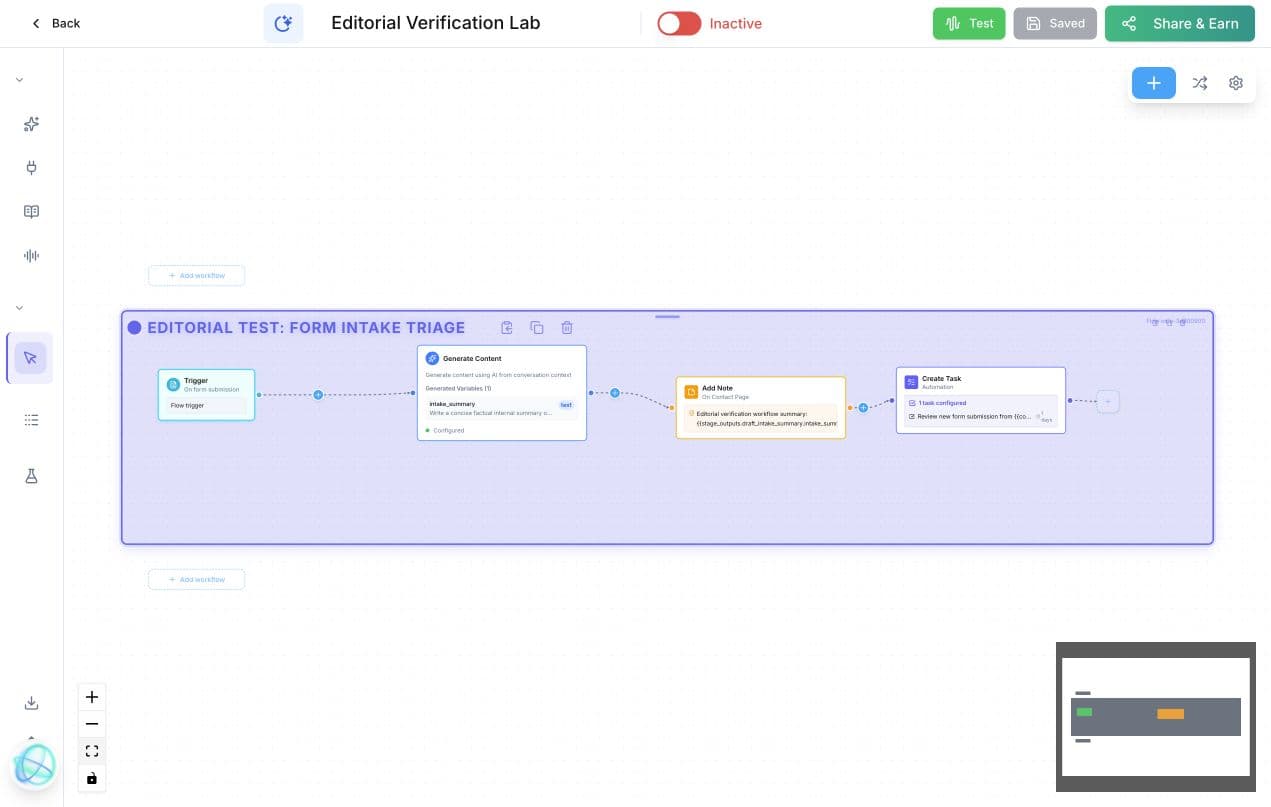
Firsthand evidence: the MCP-built workflow appears in Votel's visual canvas as four configured stages. The agent is visibly inactive.
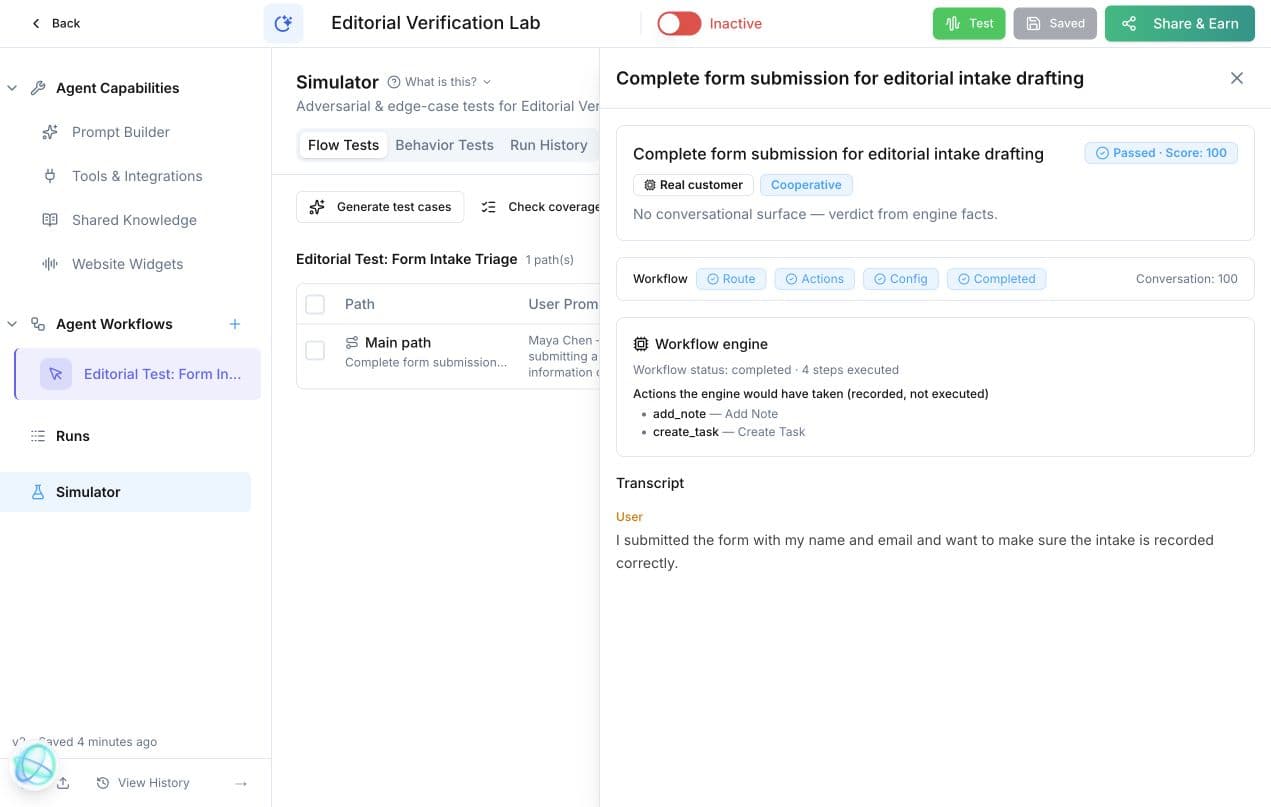
The cooperative simulator case passed with a score of 100. Votel recorded the actions the engine would have taken without writing the note or creating the task.
Feature spotlight · Agent Testing
✦ Debug without starting overChange the agent, rewind one step, and keep testing
During a live test call, we could stop after an agent response we did not like, make the change, rewind one step, and continue the same flow from that point. The agent then used the revised message or configuration on the next attempt instead of forcing us to restart the entire call and repeat everything that had already worked.
Test
Run the agent in a live test call
Notice
Find the response that needs work
Change
Revise the message or agent setup
Rewind
Go back one step in the call
Continue
Replay the flow with the revision
What the testing workspace is documented to expose
- Voice test
- Chat test
- Function-call logs
- Variable values
- Decision paths
- Error logs
- Agent insights
- Conversation rewind
Screenshot still needed
The live behavior has been observed. We still need a clean screenshot sequence showing the original response, the edit, the one-step rewind, and the revised continuation. That capture task is preserved in Open Verification instead of filling this section with an empty or staged-looking screen.
Voice AI choices
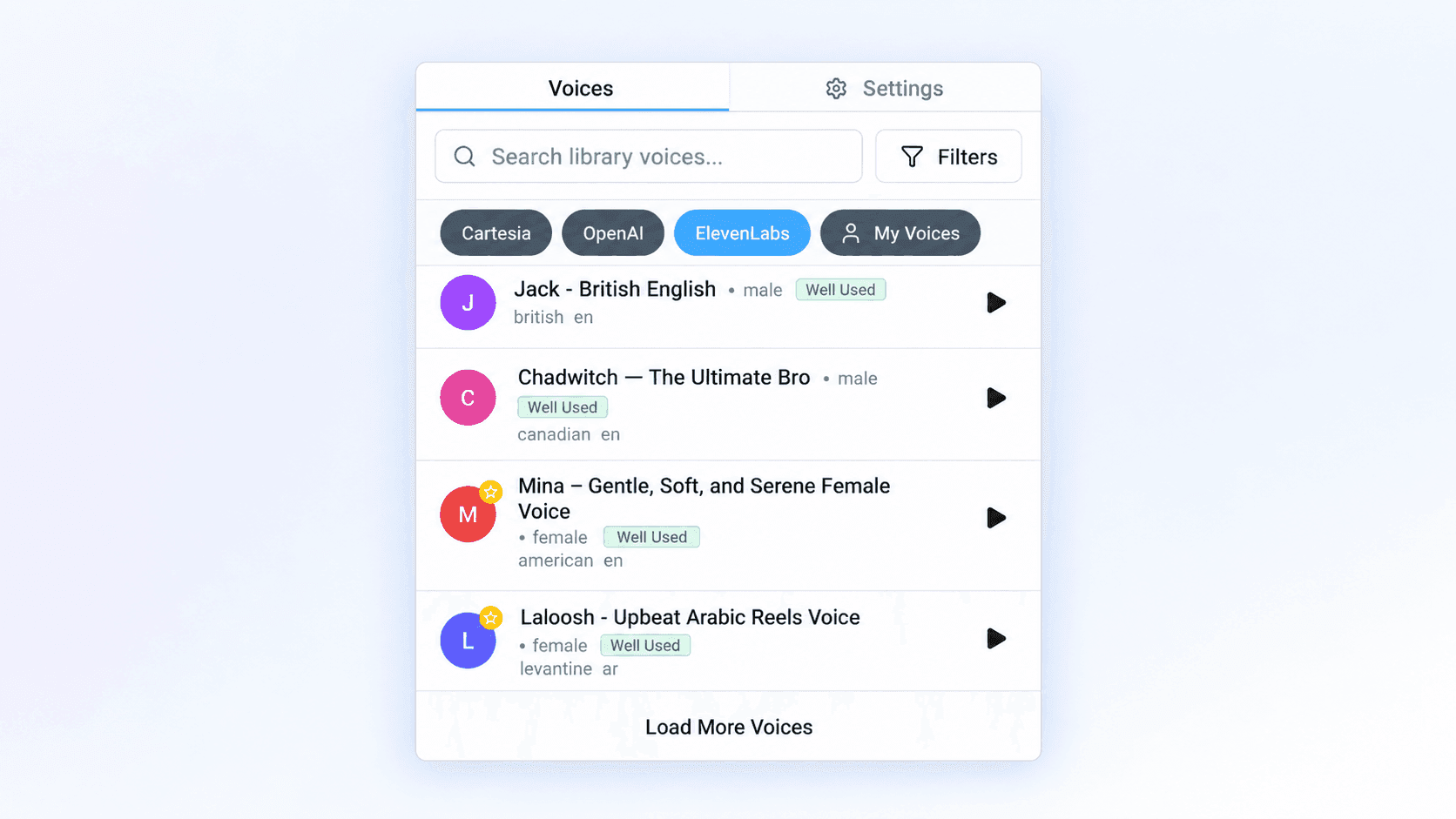
Live account reviewAI voice agents with 2,162 catalog voices, 17 locale options, and a 19-model picker
In the account reviewed on September 13, 2026, Votel exposed 955 Cartesia voices, 1,201 ElevenLabs voices, and 6 OpenAI voices. That is 2,162 public catalog voices before account-specific choices under My Voices. Because these catalogs can change, this is a dated count rather than a permanent promise.
Compare Votel Voice AI with HighLevel955
Cartesia voices
1,201
ElevenLabs voices
6
OpenAI voices
Custom
My Voices
Count method: the Cartesia filter reported 955 items. The ElevenLabs filter reported 1,202 items because it kept the selected Cartesia voice pinned above 1,201 ElevenLabs results. The OpenAI filter likewise kept that selected voice pinned above six OpenAI choices. These are catalog entries, not a claim of 2,162 unique human speakers.
Cartesia
Speed and low latency
Votel recommends Cartesia as the default for responsive, natural-sounding conversations.
OpenAI
Consistency
The documentation positions OpenAI voices for stable, professional output with less variation between calls.
ElevenLabs
Expression and variety
Votel describes ElevenLabs as its most expressive provider with the widest variety of voices.
Language choices found in the live builder
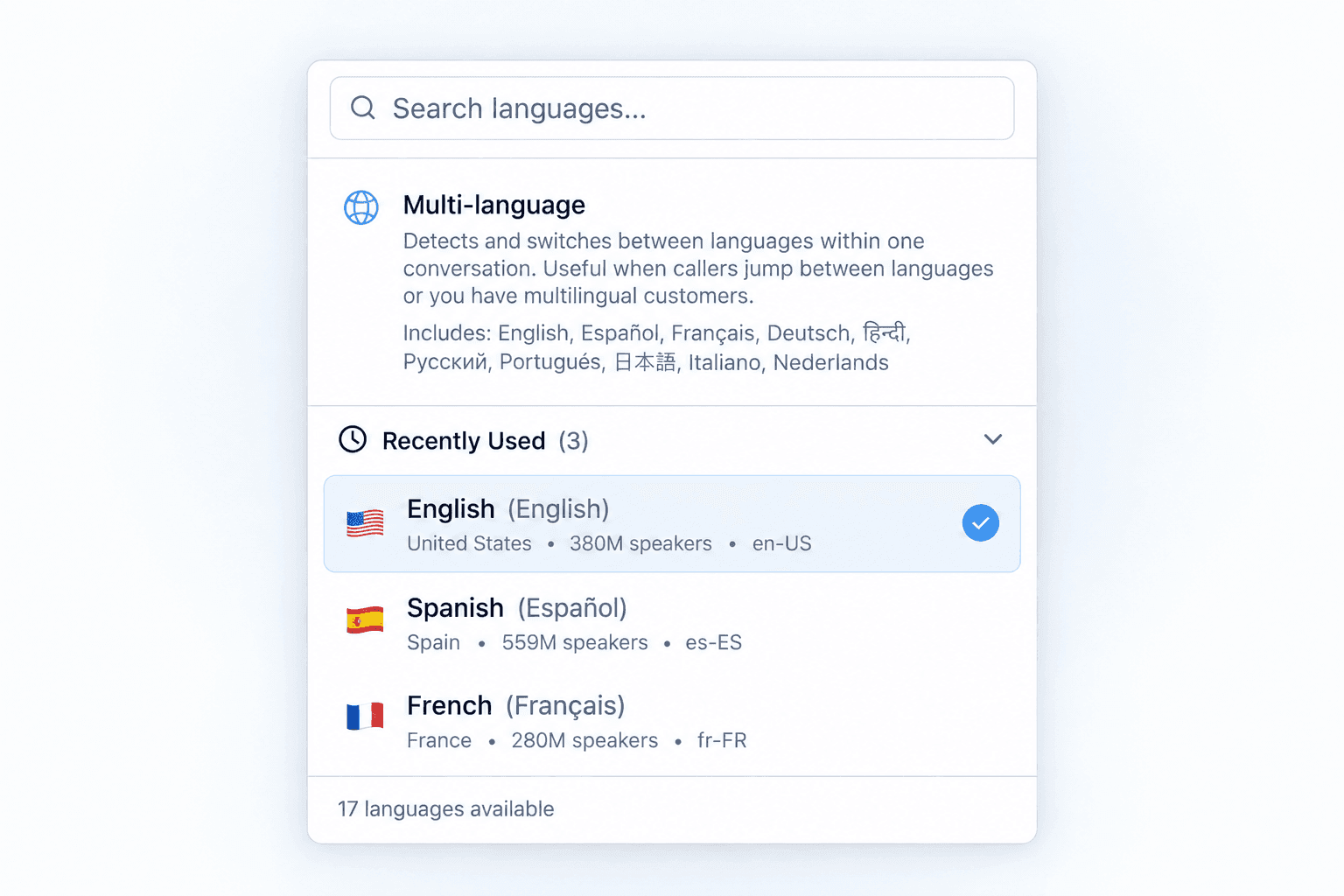
The 17 count refers to selectable locale entries, not 17 entirely distinct language families. English, Spanish, Portuguese, and Chinese each include regional or script variants.
- English: US, UK, Australia, India, New Zealand
- Spanish: Spain, Mexico
- Portuguese: Portugal, Brazil
- Chinese: Simplified, Traditional
- French
- German
- Italian
- Dutch
- Japanese
- Korean
Multilingual mode separately listed English, Spanish, French, German, Hindi, Russian, Portuguese, Japanese, Italian, and Dutch. Votel's language documentation describes broader language coverage and directs users to the current agent-builder dropdown for the full live list.
Spoken language
What the agent says during a voice call
Text language
What the agent uses in chat and messaging
Interpretation
How incoming speech or messages are understood
Language support, multilingual switching, speech recognition, and available text-to-speech voices are related but not interchangeable measurements. A language appearing in documentation does not establish that every provider or every voice supports it. The documentation page still describes an English and Spanish dual-language mode plus single-language agents for other languages, while the reviewed interface exposed the ten-language multilingual list above. The dated live interface is therefore reported separately from the documentation.
Voice selection is more than choosing a provider
Votel's documentation says users can preview voices, filter them by accent, age, and gender, and then fine-tune supported voice behavior. The available controls depend on the selected provider and voice.
Speed
Faster or more deliberate delivery
Stability
Consistency of tone and pitch
Clarity + similarity
Naturalness and fidelity to the sample
Style exaggeration
More expressive or more neutral delivery
Visible model names
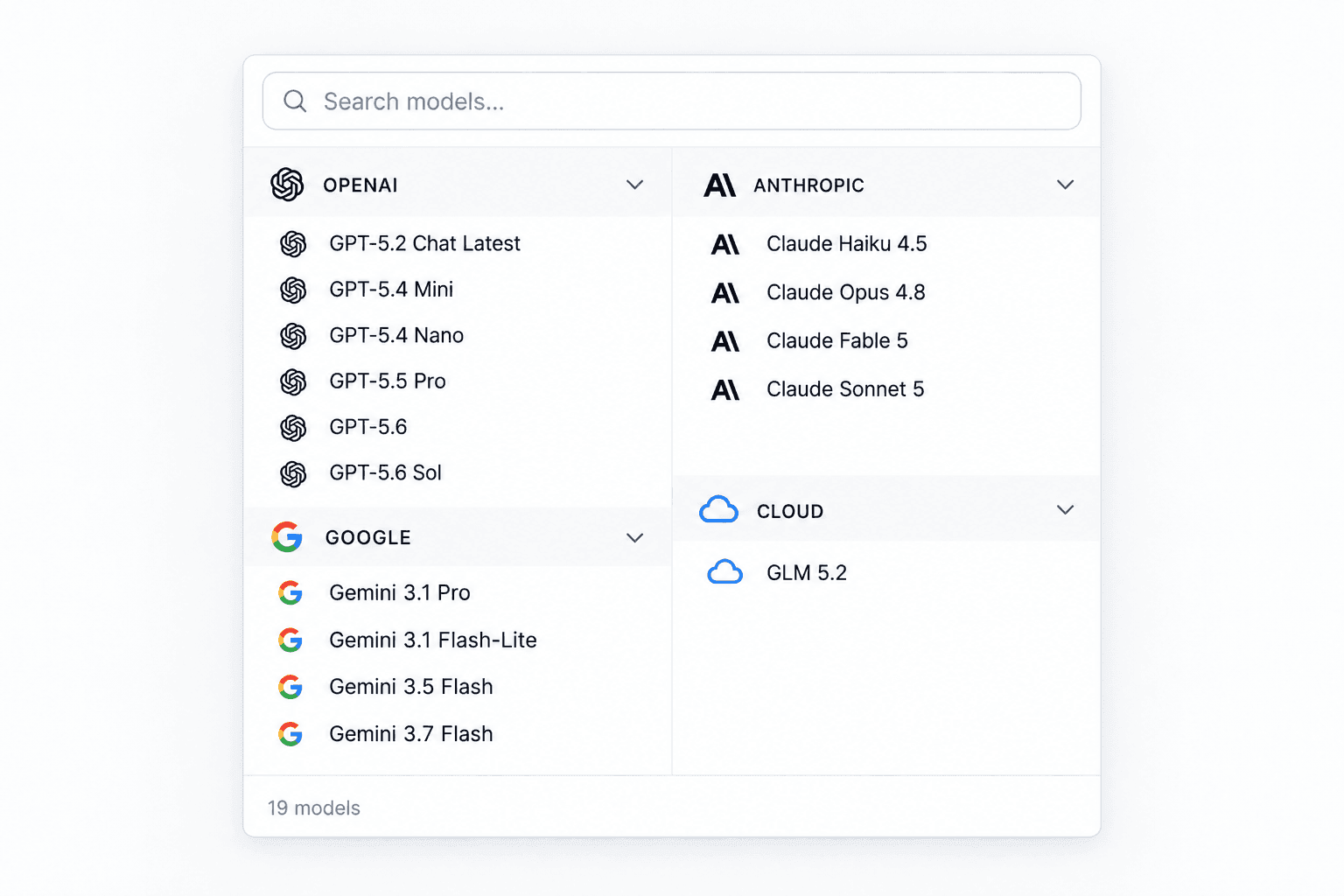
OpenAI: GPT-5.2 Chat Latest, GPT-5.4 Mini, GPT-5.4 Nano, GPT-5.5 Pro, GPT-5.6, GPT-5.6 Sol
Google: Gemini 3.1 Pro, Gemini 3.1 Flash-Lite, Gemini 3.5 Flash, Gemini 3.7 Flash
Anthropic: Claude Haiku 4.5, Claude Opus 4.8, Claude Fable 5, Claude Sonnet 5
Cloud: GLM 5.2
Email Agent makes follow-up feel intelligent and controllable
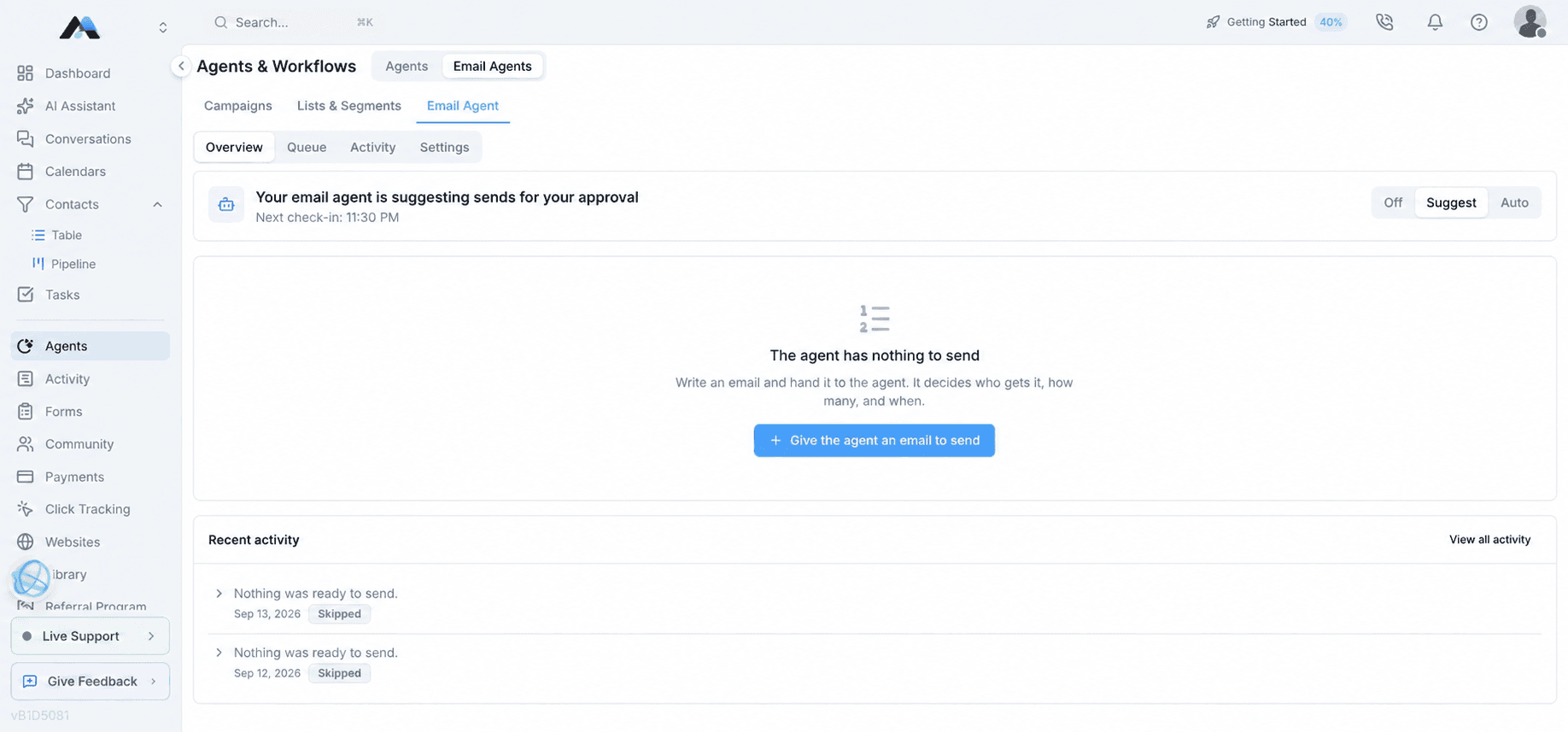
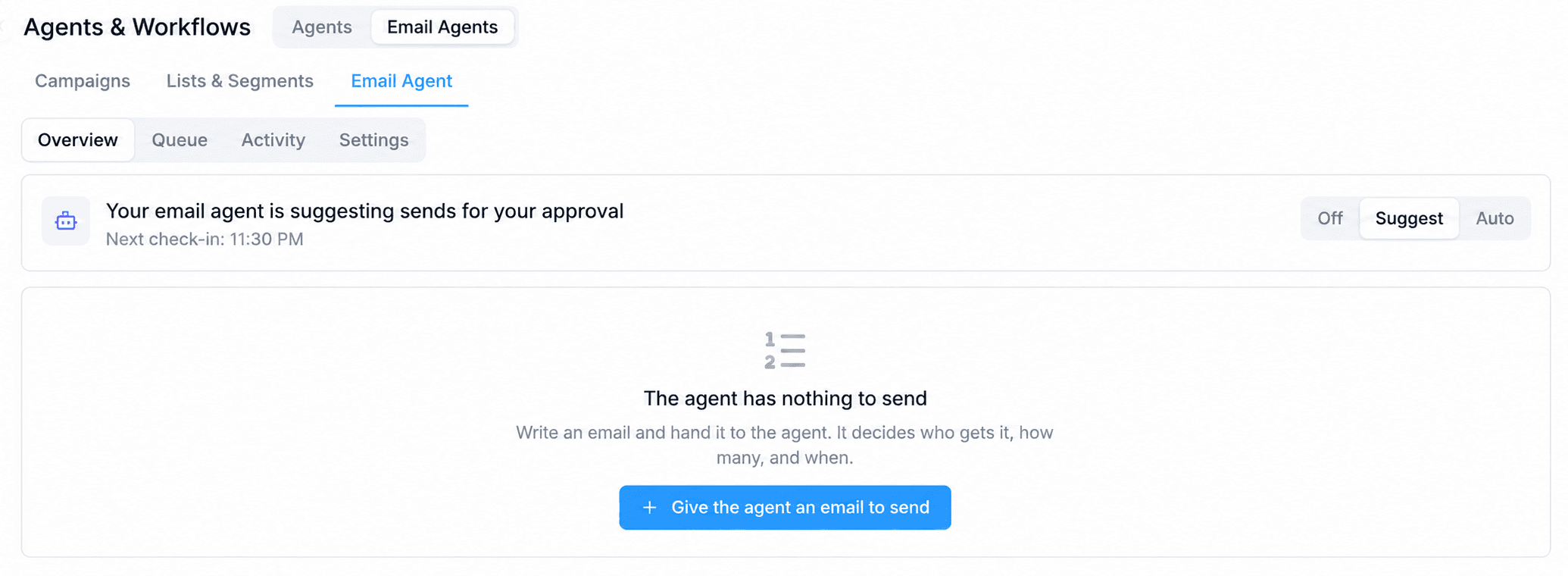
We populated a controlled demonstration campaign to show more than an empty interface. Email Agent can prepare sends for approval, classify incoming replies, and connect each classification to the next action while the operator chooses how much autonomy to allow. It works from the lists and campaign content the user supplies. It does not invent an audience or silently replace the campaign strategy.
Audience and queue
Chooses who, how many, and when
The user selects one or more lists or segments. The agent then chooses eligible contacts inside those audiences, applies the daily volume, and works through queued campaigns across multiple days without sending the same campaign twice to one contact.
Waves and deliverability
Starts with the most engaged contacts
Hot contacts can lead the send before later engagement tiers. Warmup logic reviews bounce, complaint, and open-rate gates, while send-time optimization can hold later copies for a contact's stronger engagement window.
Win-back
Reuses proven evergreen emails
The agent does not write a new win-back campaign. It selects eligible evergreen emails that have already earned engagement, applies cooldowns and attempt limits, and keeps dormant contacts within a controlled portion of the daily volume.
Control
Choose the autonomy
Decide whether the agent stays off, prepares work for review, or handles approved workflows automatically.
- Off for manual control
- Suggest with an approval queue
- Auto for approved handling
Understand
Classify the reply
Interpret what came back before deciding what the campaign should do next.
- Positive intent or a question
- Unsubscribe request
- Auto-reply or out of office
Act
Votel-specificRoute the next step
Connect the classification to an operational response instead of leaving the reply isolated.
- Hand off to an AI agent or email reply
- Apply tags or update contact fields
- Unsubscribe when requested
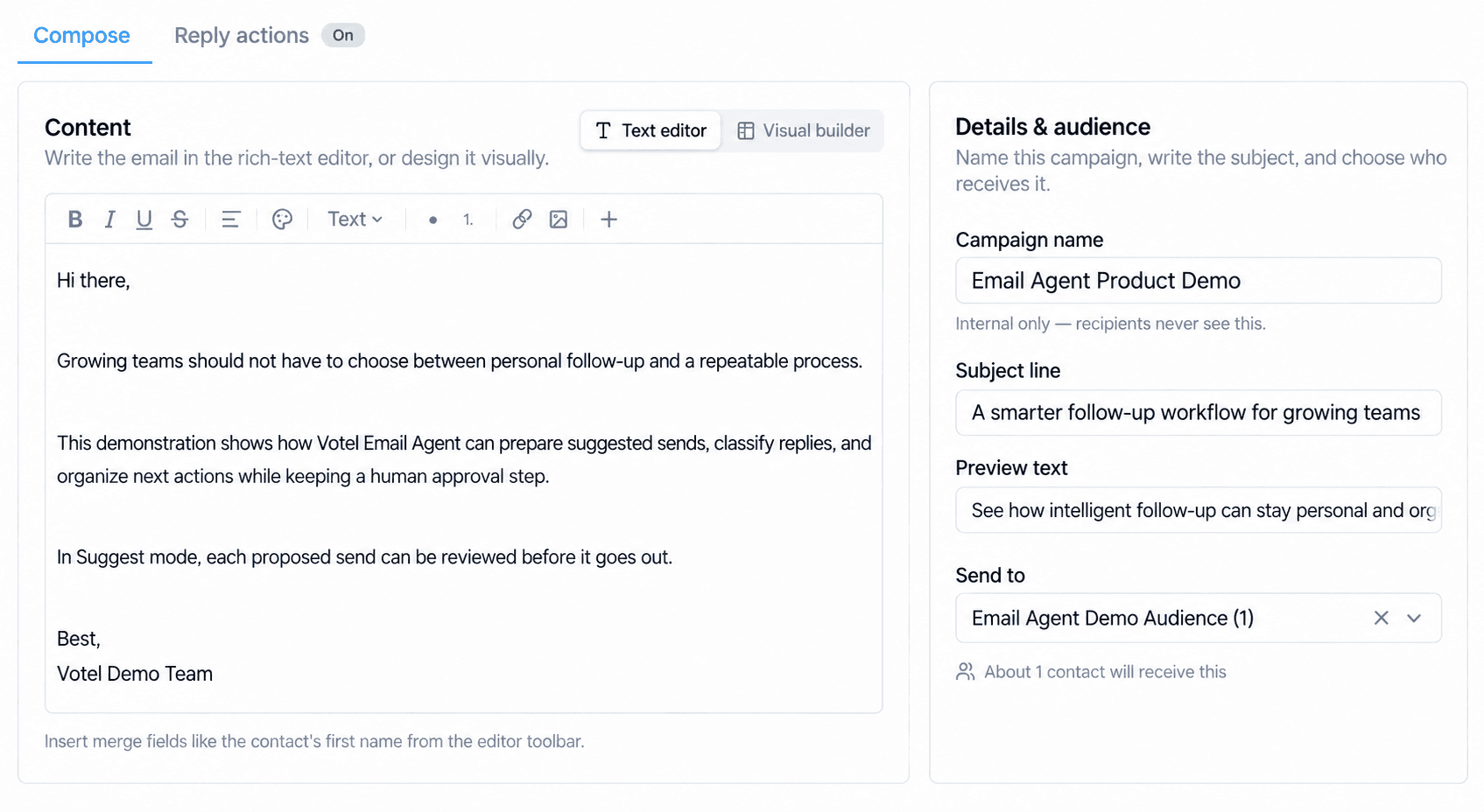
Built-in sender requirement
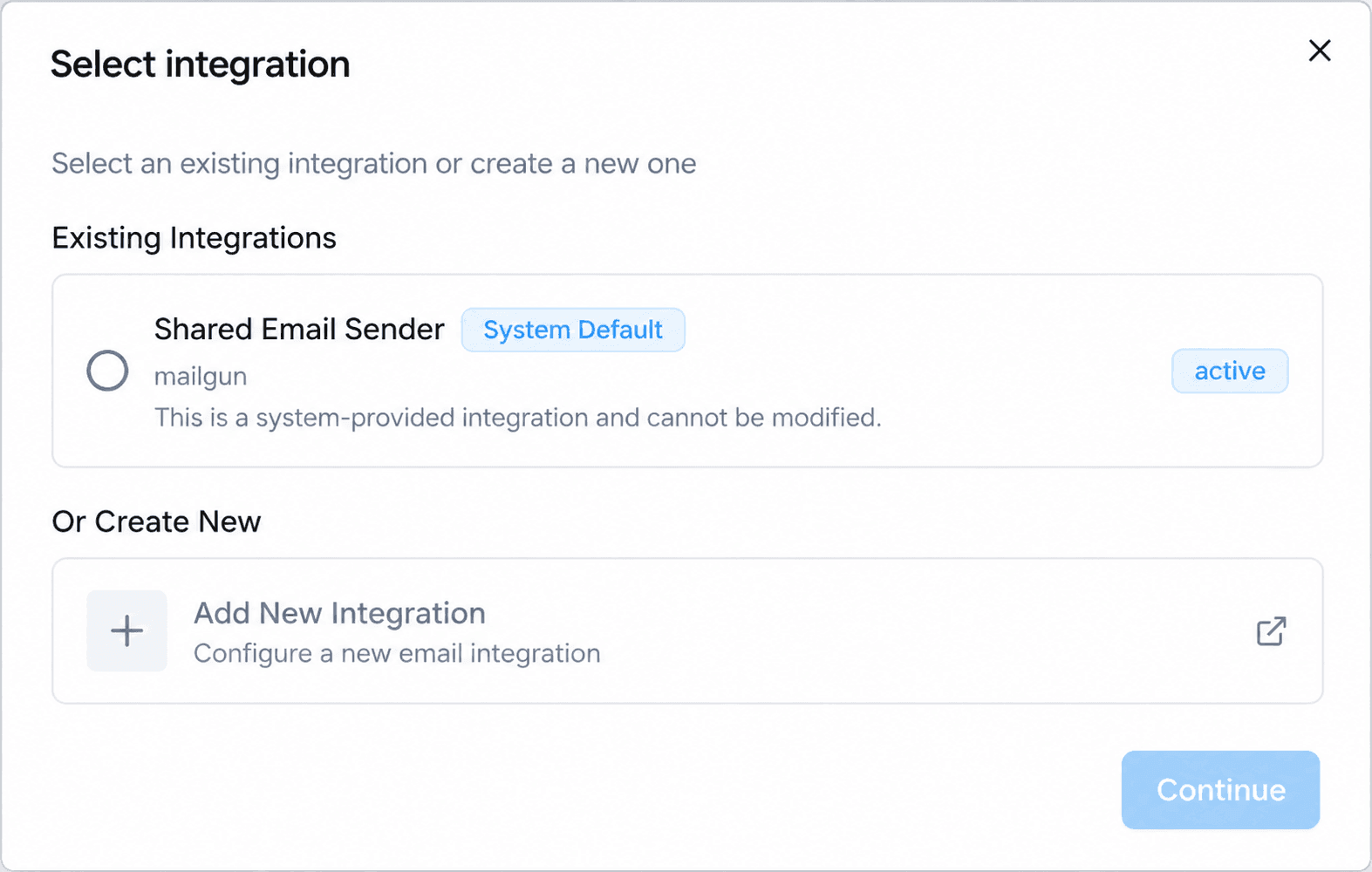
Email Agent delivery controls require Votel's built-in sender
Votel's documentation says Email Agent timing, warmup, and per-contact send-time behavior do not operate through a user-connected SendGrid or Amazon SES sender. The campaign composer blocks that unsupported combination.
Reply routing requirement
Replies must actually arrive in the Votel workspace
Outbound domain verification alone is not enough for Reply Actions. The reply address must be a workspace address, use verified inbound MX routing, or forward incoming mail to the workspace so the agent can receive and classify it.
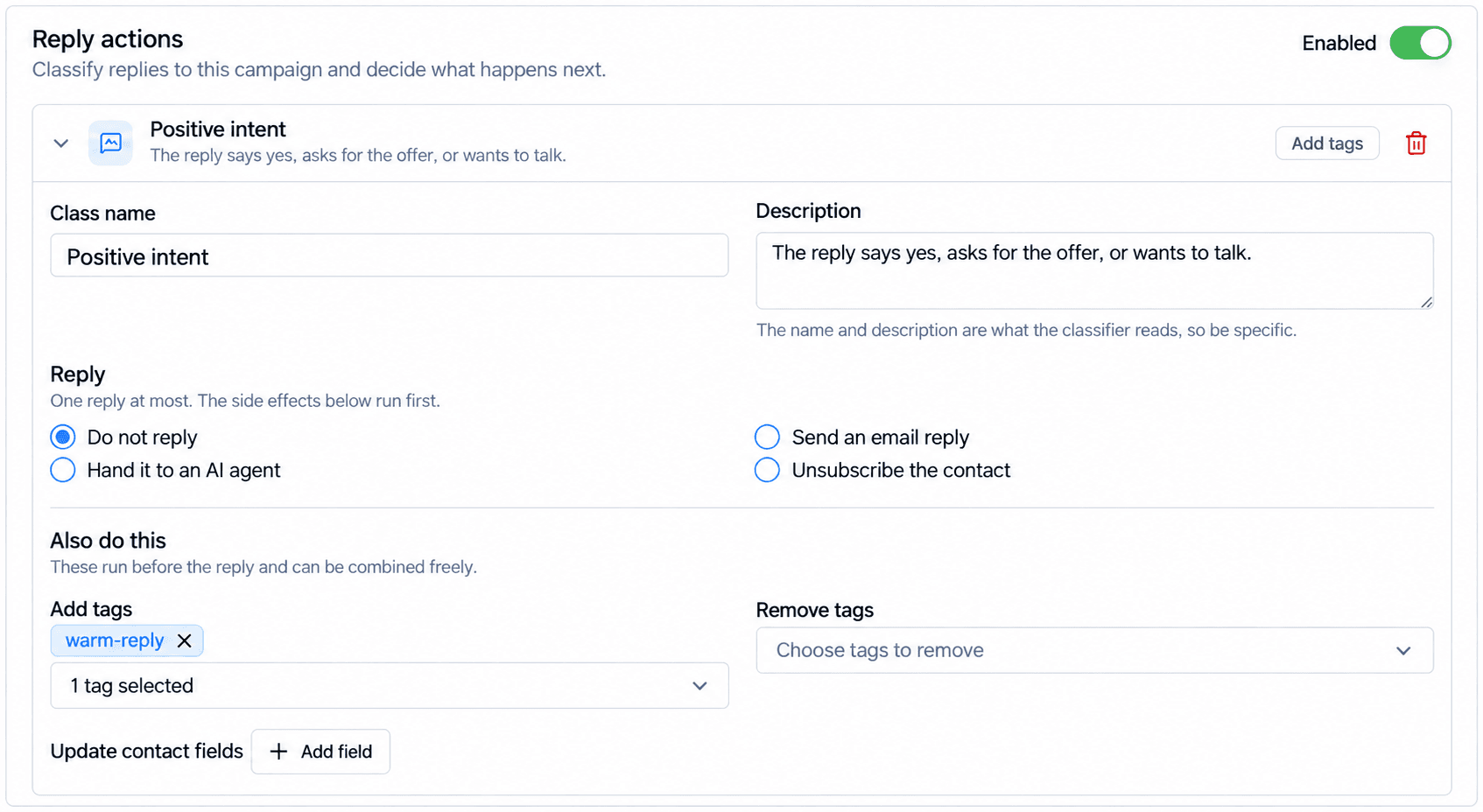
Reply Actions have a deliberate boundary
A reply classification can run side effects such as adding or removing tags and updating contact fields, followed by at most one response action. If a reply is handed to an AI agent, that agent answers the individual message in the same thread. Votel's documentation explicitly says this does not permanently hand the entire conversation to the AI agent.
Creation tools
Websites, reusable assets, and AI media
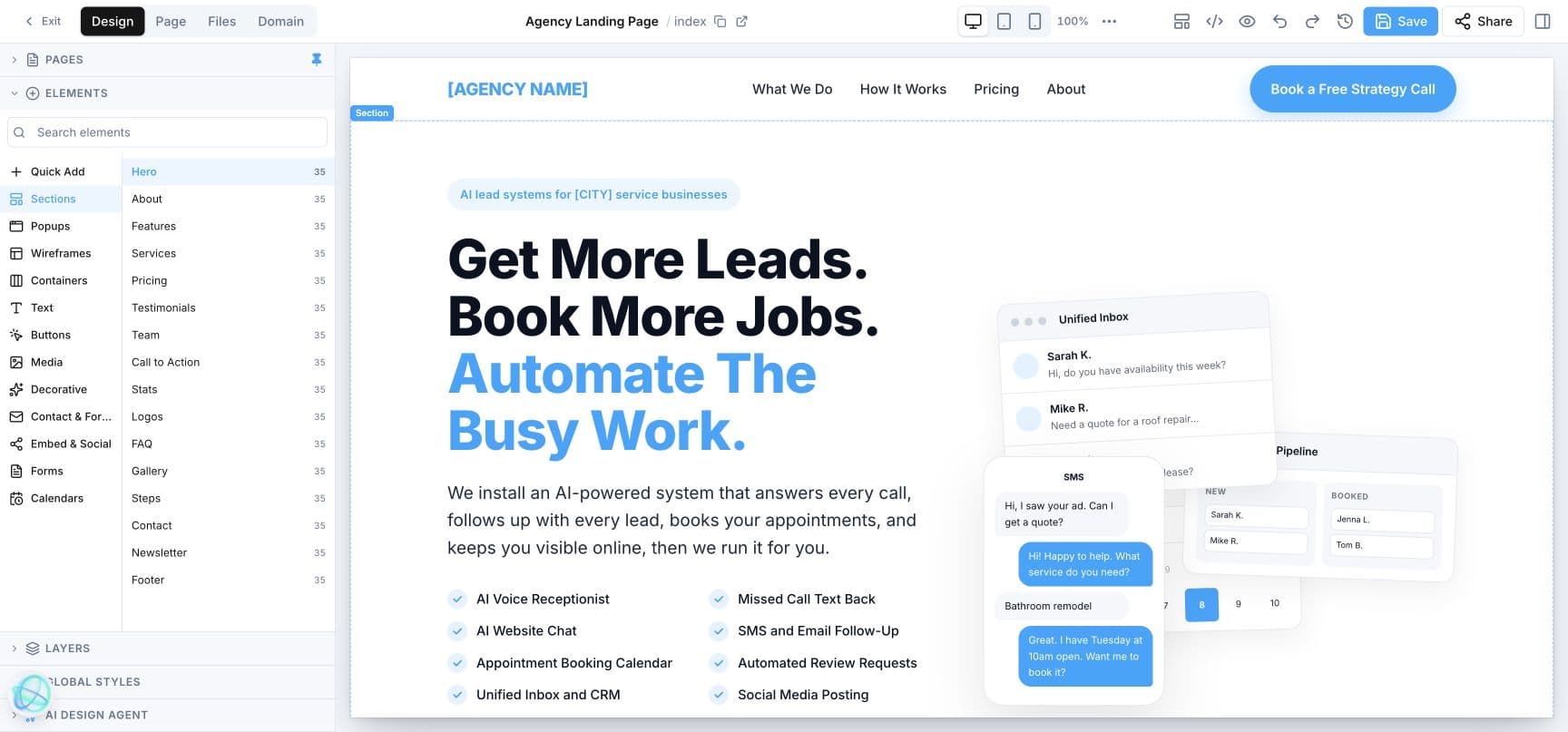
The website builder includes visual editing, pages, files, domains, responsive previews, code, history, reusable sections, and an AI Design Agent. Library is the companion production hub: it keeps brand rules, source images, generated visuals, templates, and reusable assets in the same workspace instead of scattering creation across disconnected tools.
Library, in practice
From brand context to a reusable campaign asset
The useful distinction is not merely that Votel has image and video generators. Its Library connects them. A team can set the brand's voice, visual direction, logo, and palette in AI Brand Kit; use that context while generating an image; turn that image into motion or a presenter-led video; then keep the finished asset alongside files, website templates, snapshots, and email designs for reuse.
01
Set the source of truth
AI Brand Kit holds the logo, site-derived images, voice and tone, color palette, typography, visual style, audiences, boilerplate, and do/don't guidance.
02
Create the visual
AI Image Gen offers Nano Banana, OpenAI, and Ideogram, seven aspect ratios, reference images, a selectable Brand Kit, automatic logo inclusion, and generation history.
03
Add motion or a presenter
AI Video supports text-to-video, image-to-video, talking-avatar, and script-to-video workflows with Kling, Runway, HeyGen, and Hedra options.
04
Reuse the work
Finished work remains in Recent Videos and Library, next to file storage, snapshots, website templates, and the email-template gallery.
AI Video is the standout
Four ways to make the same campaign move
Each entry point matches a different creative starting point. Text-to-video can establish a scene; image-to-video can animate an approved creative; Talking Avatar can put a face to an announcement; Script-to-Video can turn a short brief into a complete narrated piece.
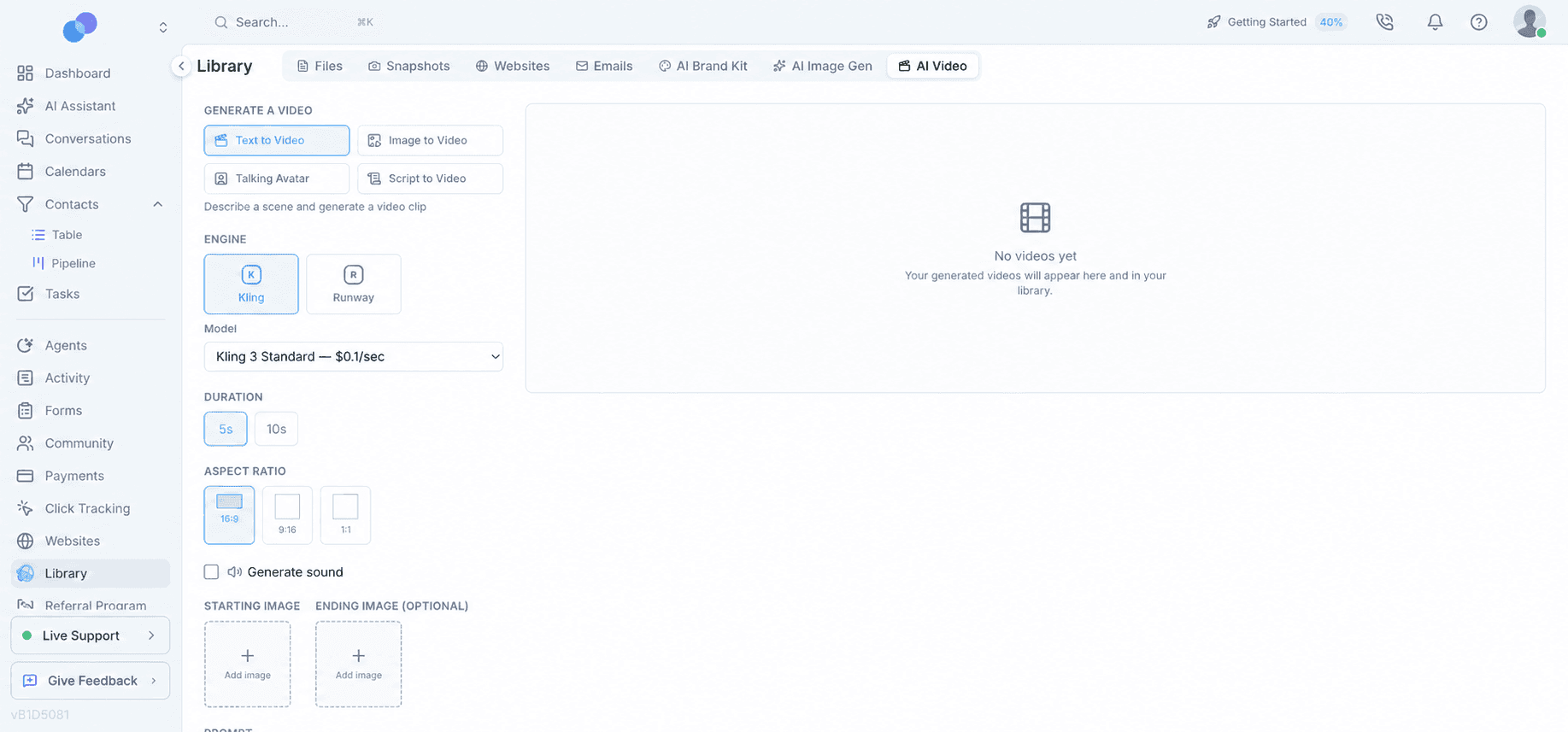
- Text to Video: Kling 3 Standard/Pro or Runway Gen-4 Turbo/Gen-4.5, 5- or 10-second clips, landscape, vertical, or square framing, optional sound, a starting image, an optional ending image, and a negative prompt.
- Image to Video: give a winning still image motion while retaining the same engine, format, length, audio, and prompting controls.
- Talking Avatar: use a presenter photo and a script with HeyGen or Hedra; the visible controls included 15-, 30-, and 60-second choices plus 720p or 1080p resolution.
- Script to Video: provide a brief or exact script to HeyGen, choose the format and duration, and generate a narrated video.
Votel makes the production trade-off legible before generation: model tiers show per-second pricing, and the interface presents an estimated cost and expected render time. For example, the observed 5-second Kling Standard setup estimated about $0.50 and 2–7 minutes; the comparable Runway setup showed roughly 1–2 minutes.
Concrete starting prompts
Examples a Votel team can make this week
Vertical social teaser · Image to Video
Animate this branded product dashboard into a 7-second vertical teaser. Start with a slow camera push toward the campaign metric, add a subtle amber highlight around the result, then end on the logo lockup. Clean SaaS motion, no extra text, no warped interface elements.
Launch announcement · Talking Avatar
New feature: our client portal now gives every customer one place to see projects, messages, and next steps. Log in, choose your workspace, and see what needs attention today. We'll keep the work moving so nothing falls through the cracks.
Website hero loop · Text to Video
A polished, light-filled agency workspace with floating white product cards over a subtle cream-to-sky-to-mint gradient. One card resolves from scattered campaign assets into an organized Library. Slow elegant camera drift, premium SaaS aesthetic, 16:9, no readable text.
Client education · Script to Video
Brief: explain in 30 seconds how a local service business can turn one customer success story into an image post, short video, email header, and website section while preserving the same brand look. Tone: direct, practical, and encouraging. End with a clear invitation to open Library.
Files and reusable starting points
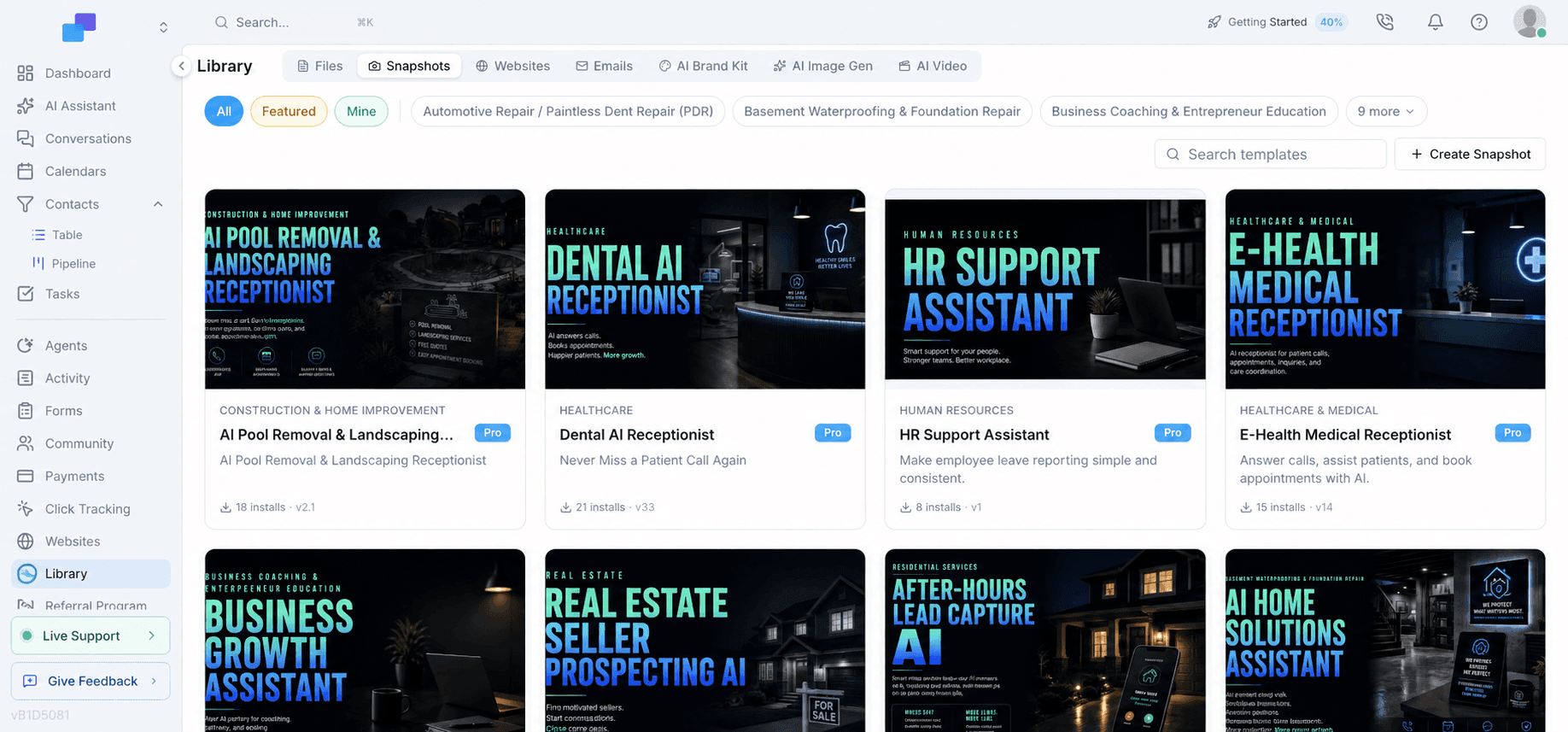
Files supports folders, uploads, stock-image search, bulk download, sort, and grid or list views. Snapshots add a searchable, reusable workspace starting point; the website-template area adds All, Featured, Mine, and search filters.
Brand Kit and Image Gen
The Brand Kit keeps creative decisions explicit. Image Gen can apply that context while producing campaign visuals at 1:1, 16:9, 9:16, 4:5, 3:2, 3:4, or 4:3—useful for creating variants that actually fit their destination.
Email templates that do not start blank
Start from a blank email, import a design, generate one with AI, or browse personal, system, and gallery templates. Industry and holiday filters make the gallery a practical campaign shortcut rather than a generic template dump.
Live catalog check
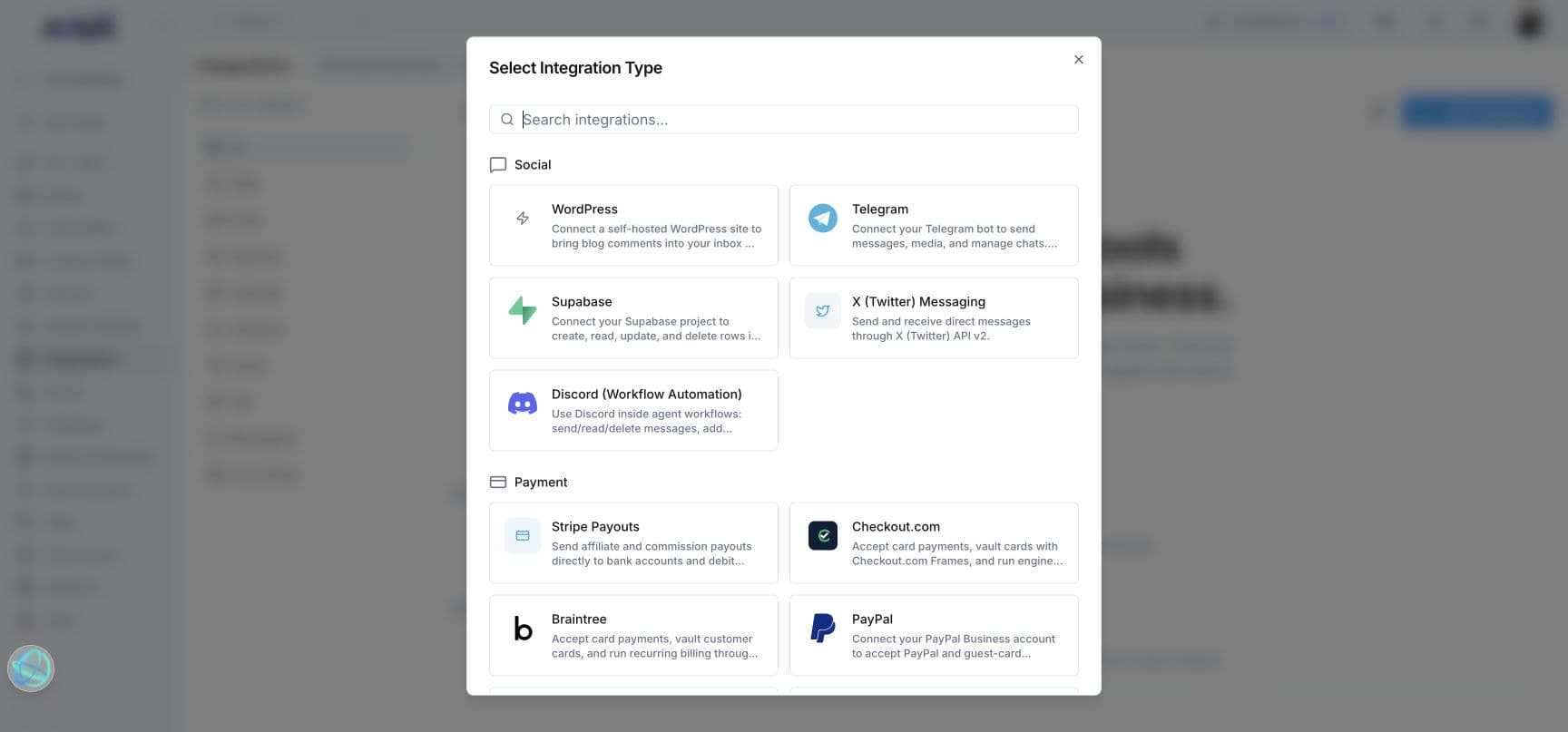
27 catalog integrations plus 6 ad connections
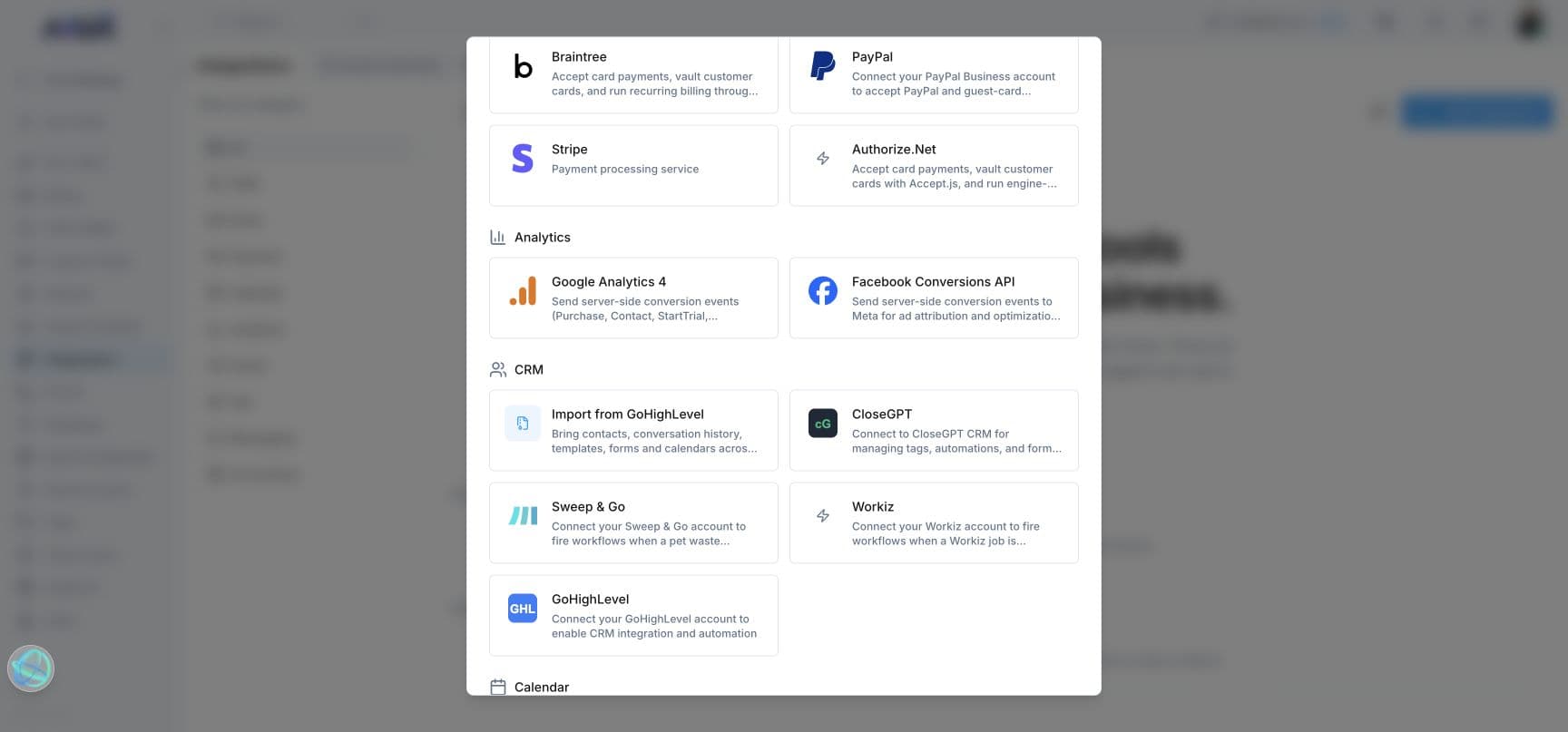
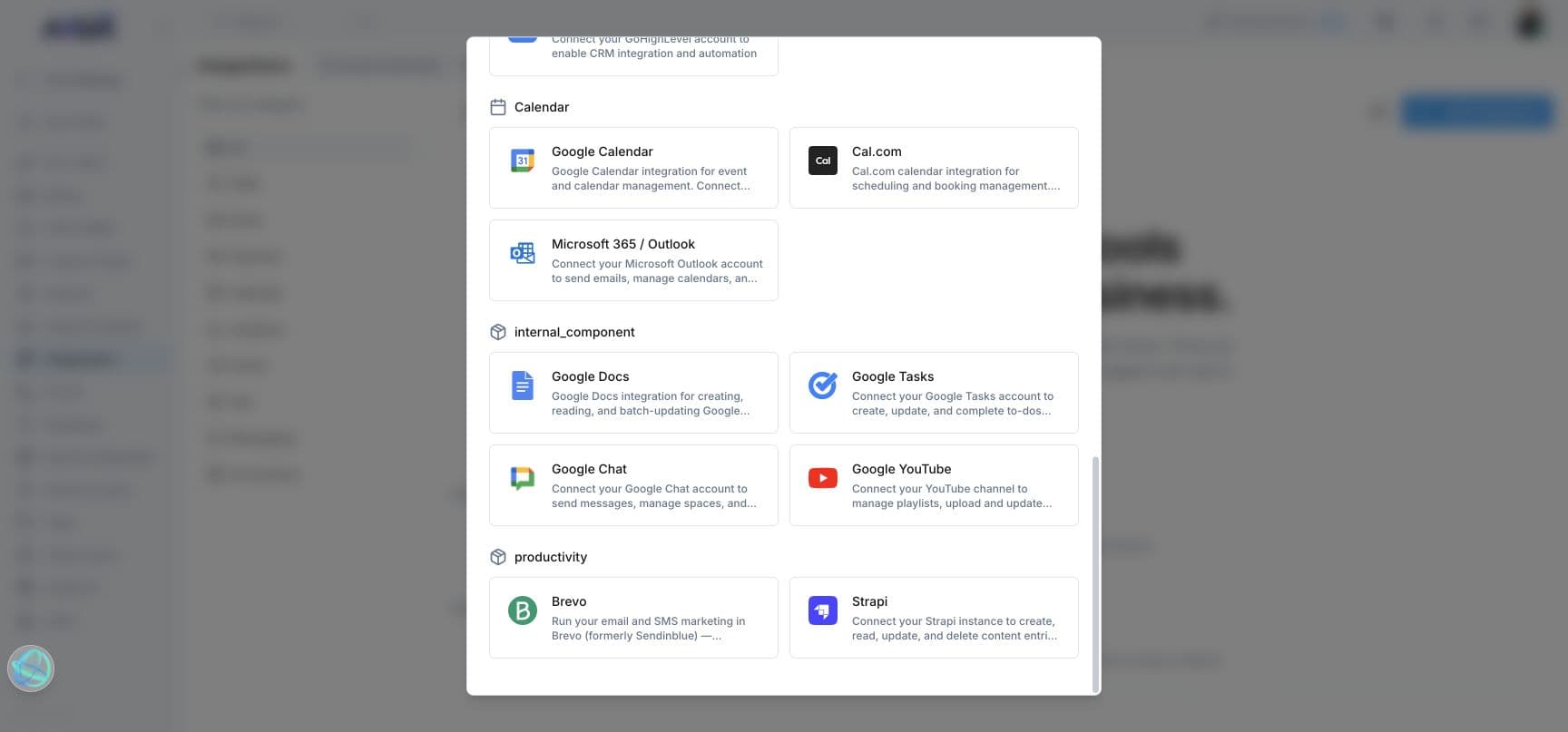
The catalog checked on September 13, 2026 contained 27 integration entries across social and messaging, payments, analytics, CRM and field services, calendars, Google tools, and productivity. Six separate advertising sign-ins were also visible for Meta, Google Ads, TikTok, LinkedIn, Pinterest, and X. Integration catalogs change, so this is a dated inventory rather than a permanent total.
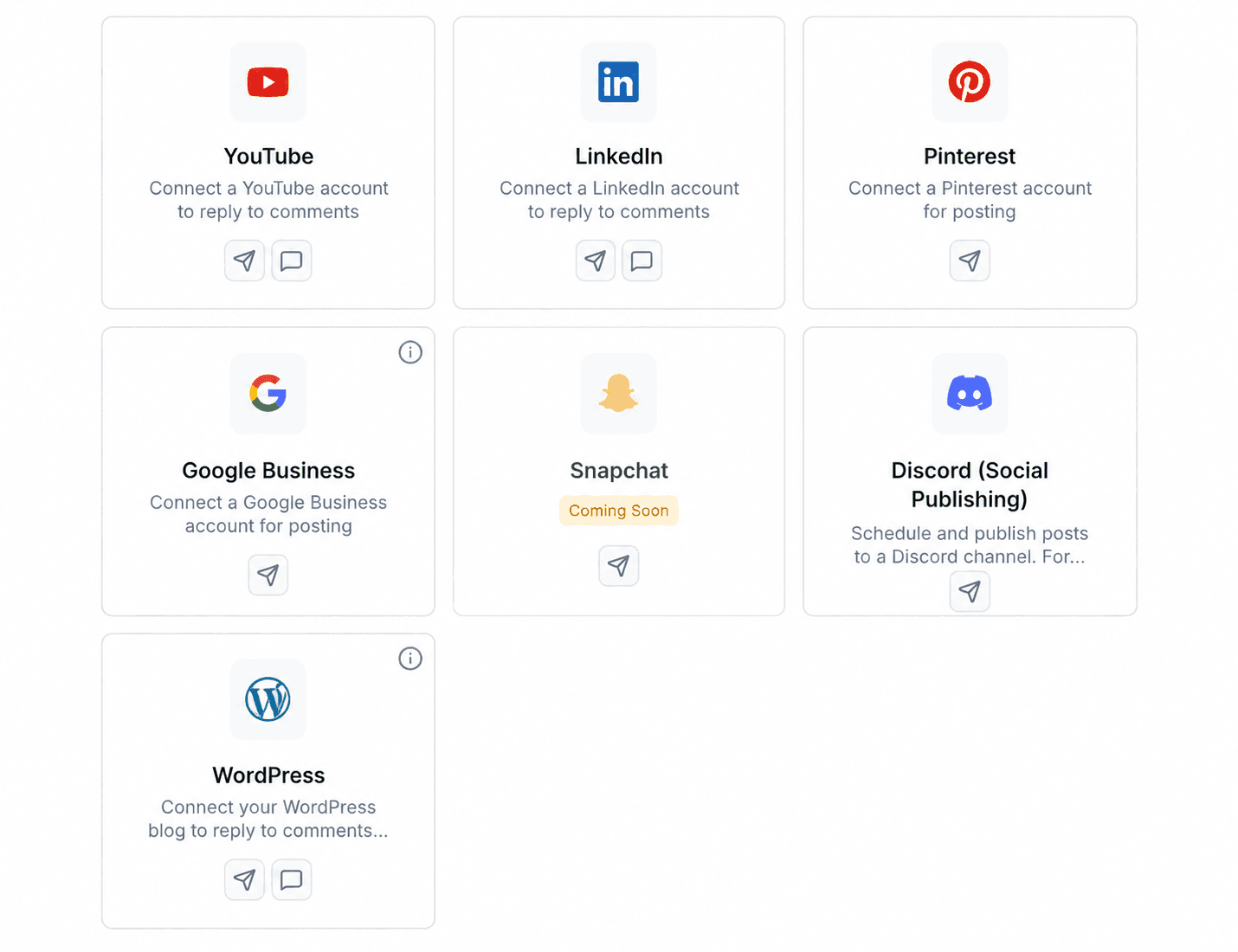
Social account connections
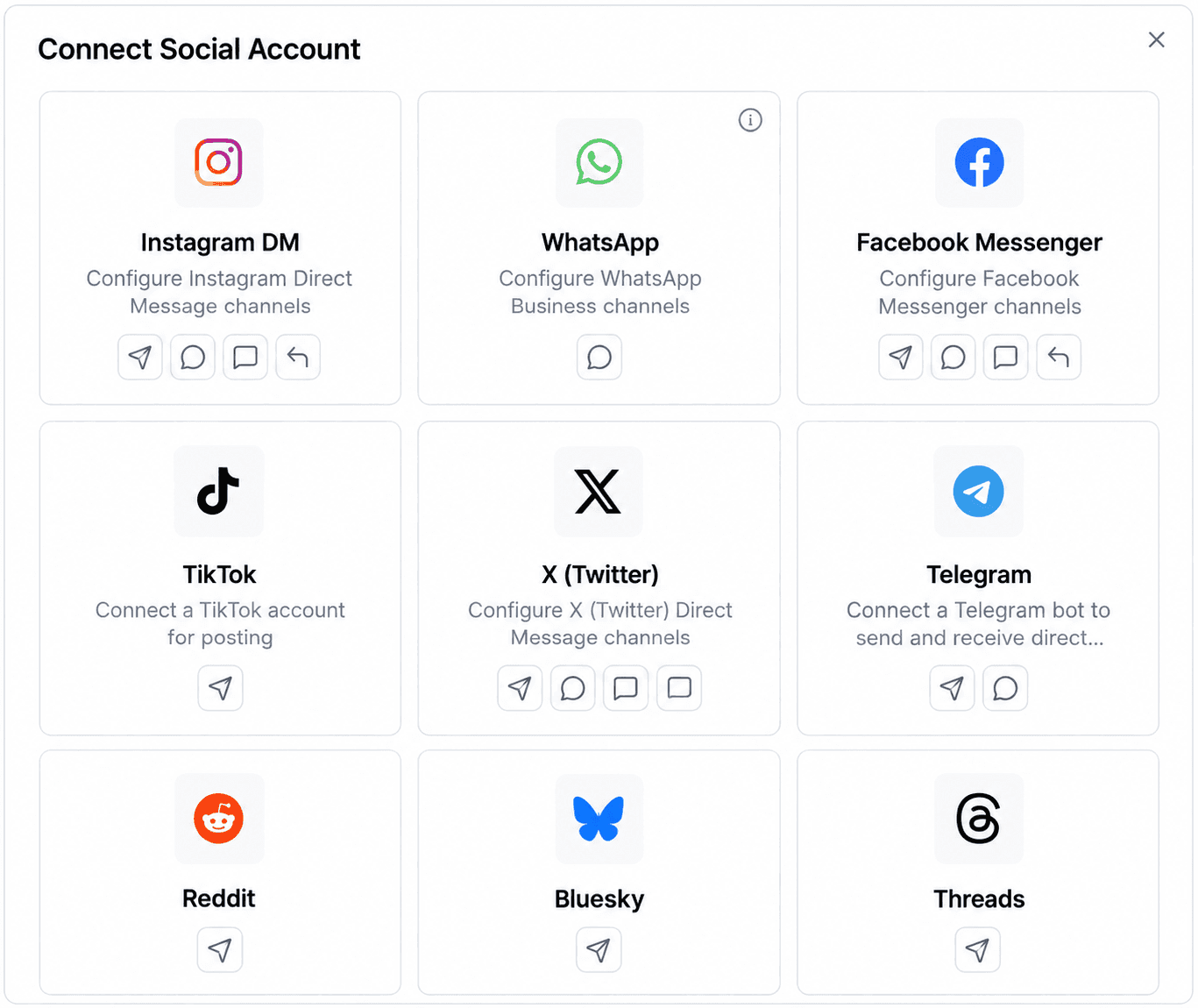
A dedicated Social Media flow connects accounts for supported publishing, messaging, comment, and comment-to-DM workflows.
- Instagram DM
- Facebook Messenger
- TikTok
- X
- Telegram
- Bluesky
- Threads
- YouTube
- Google Business
- Discord Social Publishing
- WordPress
Social connection capabilities
Capabilities vary by platform and are shown on each connection card rather than implied across every network.
- Publishing
- Messaging
- Comments
- Comment to DM
Snapchat
Shown in the Social Media connection gallery with a Coming Soon label during the September 13, 2026 review.
Other social and messaging integrations
The main integration catalog separately includes database and workflow-oriented connections.
- WordPress
- Telegram
- Supabase
- X Messaging
- Discord workflow automation
Payments
Connect payment processing and payout services.
- Stripe Payouts
- Checkout.com
- Braintree
- PayPal
- Stripe
- Authorize.Net
Analytics
Connect analytics and conversion reporting.
- Google Analytics 4
- Facebook Conversions API
CRM and field services
Connect migration, CRM, and field-service workflows.
- Import from GoHighLevel
- CloseGPT
- Sweep & Go
- Workiz
- GoHighLevel
Calendars
Connect external calendar providers.
- Google Calendar
- Cal.com
- Microsoft 365
- Outlook
Google and internal tools
Connect Google productivity and media tools.
- Google Docs
- Google Tasks
- Google Chat
- Google YouTube
Productivity
Connect additional content and communications tools.
- Brevo
- Strapi
Advertising connections
Use separate sign-ins for supported advertising networks.
- Meta
- Google Ads
- TikTok
- X
Email delivery options
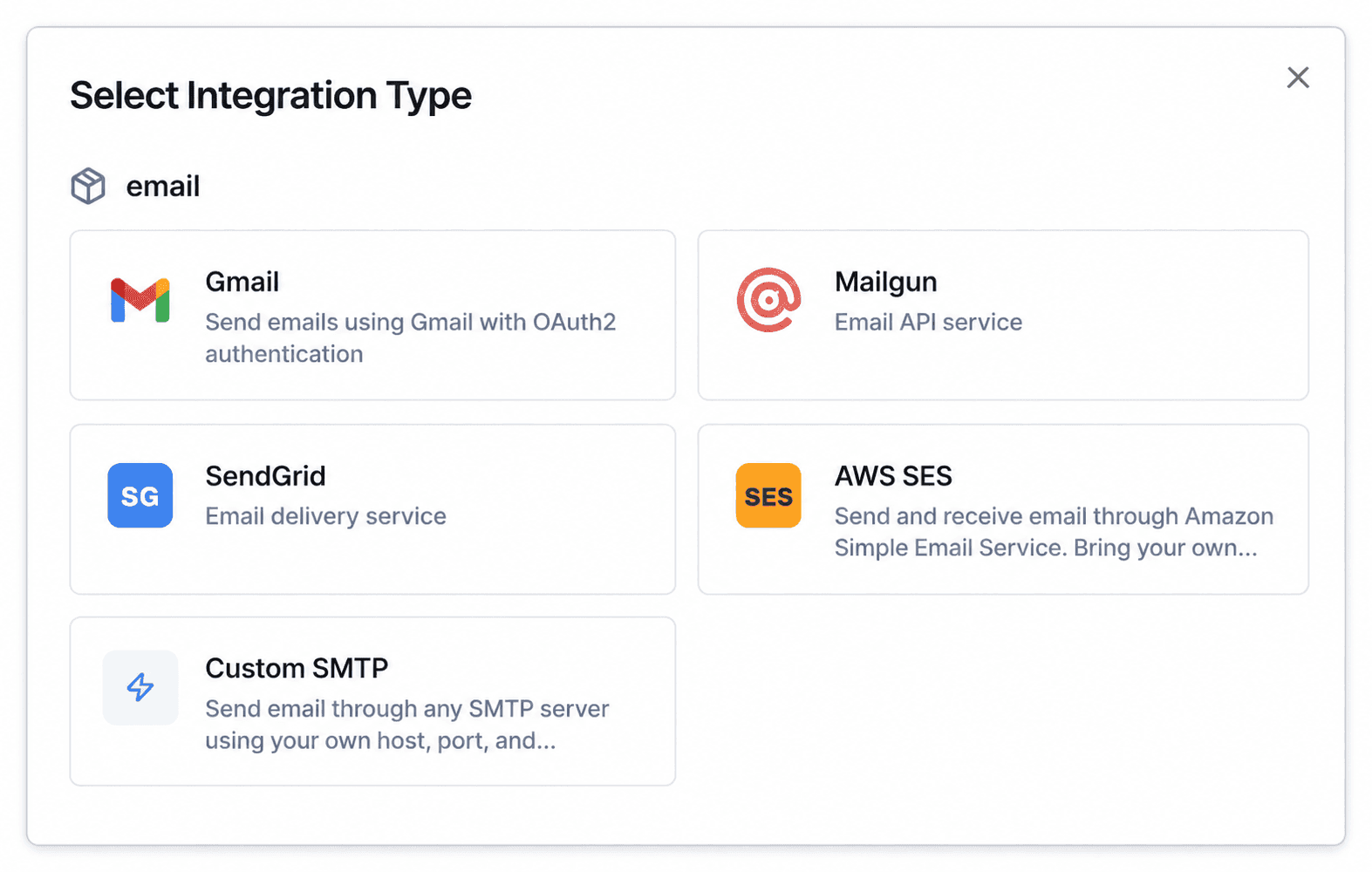
Choose Votel's system-provided Mailgun integration or connect your own email delivery service through the Sender Identity flow.
- Built-in Mailgun
- Gmail
- Mailgun
- SendGrid
- AWS SES
- Custom SMTP
Dedicated social connection gallery
Social publishing, messaging, comments, and comment-to-DM
Votel manages social accounts in a separate connection flow from the main integration catalog. The live gallery showed 15 available social connections, with capabilities displayed per platform. Snapchat was present but clearly marked Coming Soon, so it is not counted as active.
- Instagram DM
- Facebook Messenger
- TikTok
- X
- Telegram
- Bluesky
- Threads
- YouTube
- Google Business
- Discord
- WordPress
- Snapchat: Coming Soon
Operations and controls
Attribution, deliverability, permissions, phone, and visitor identification
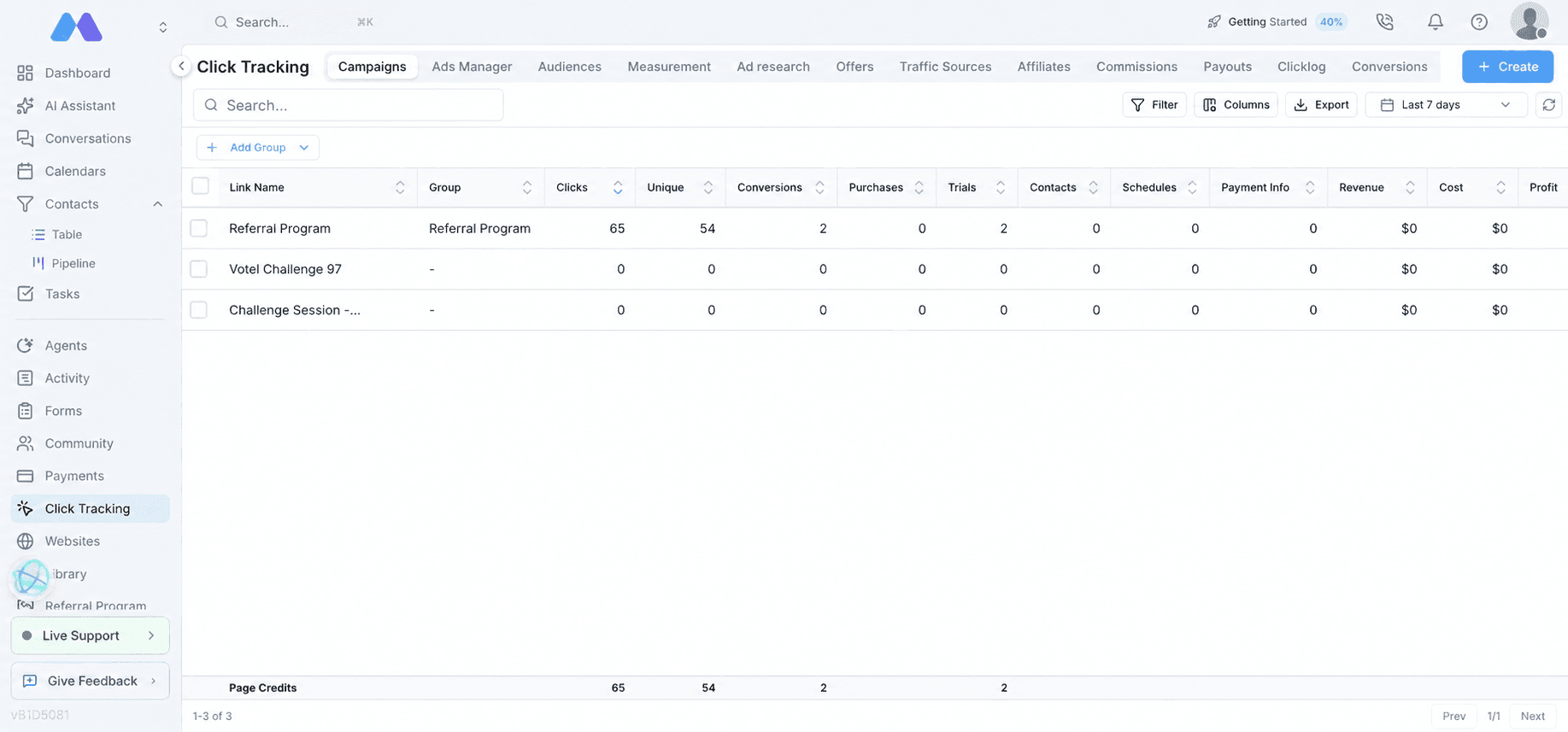
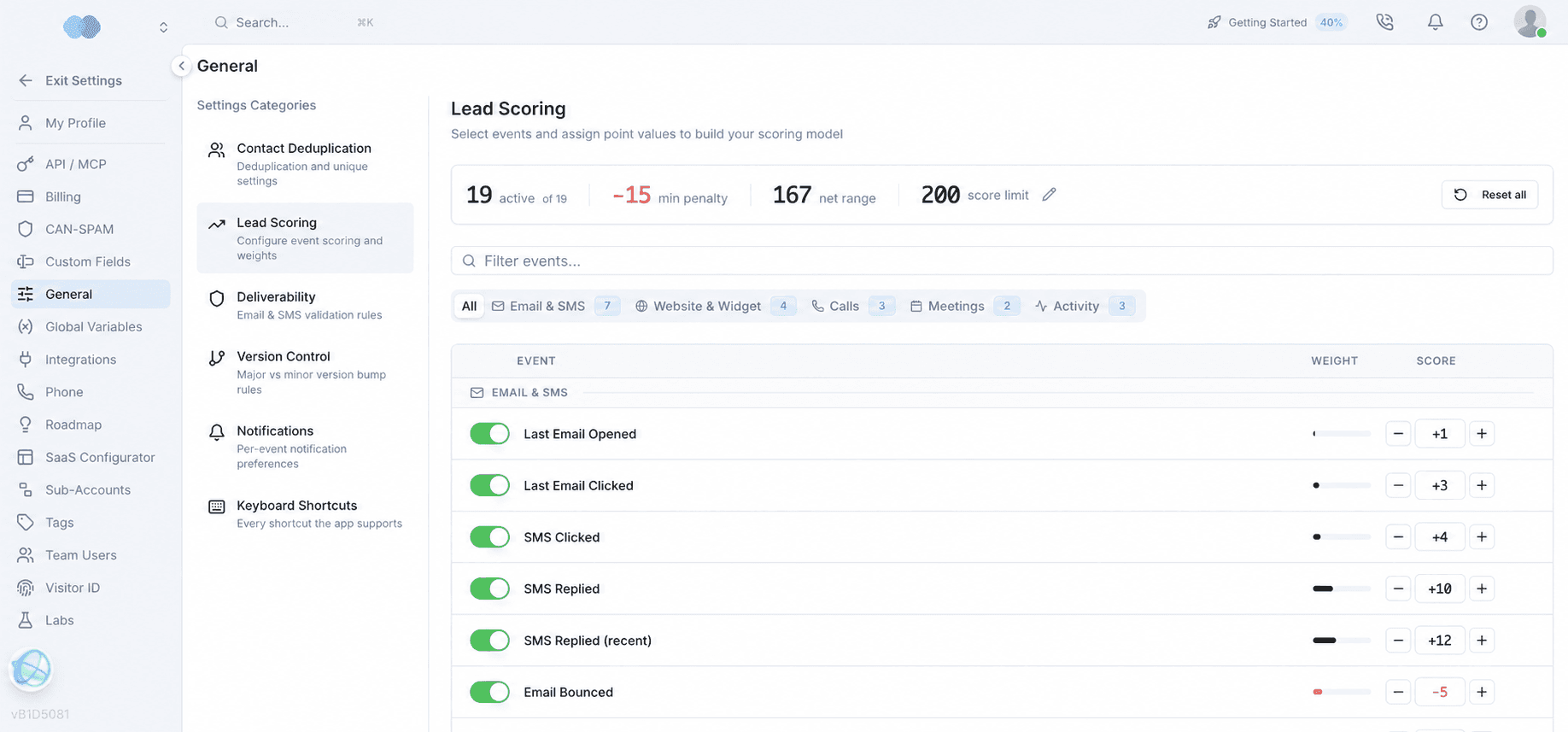
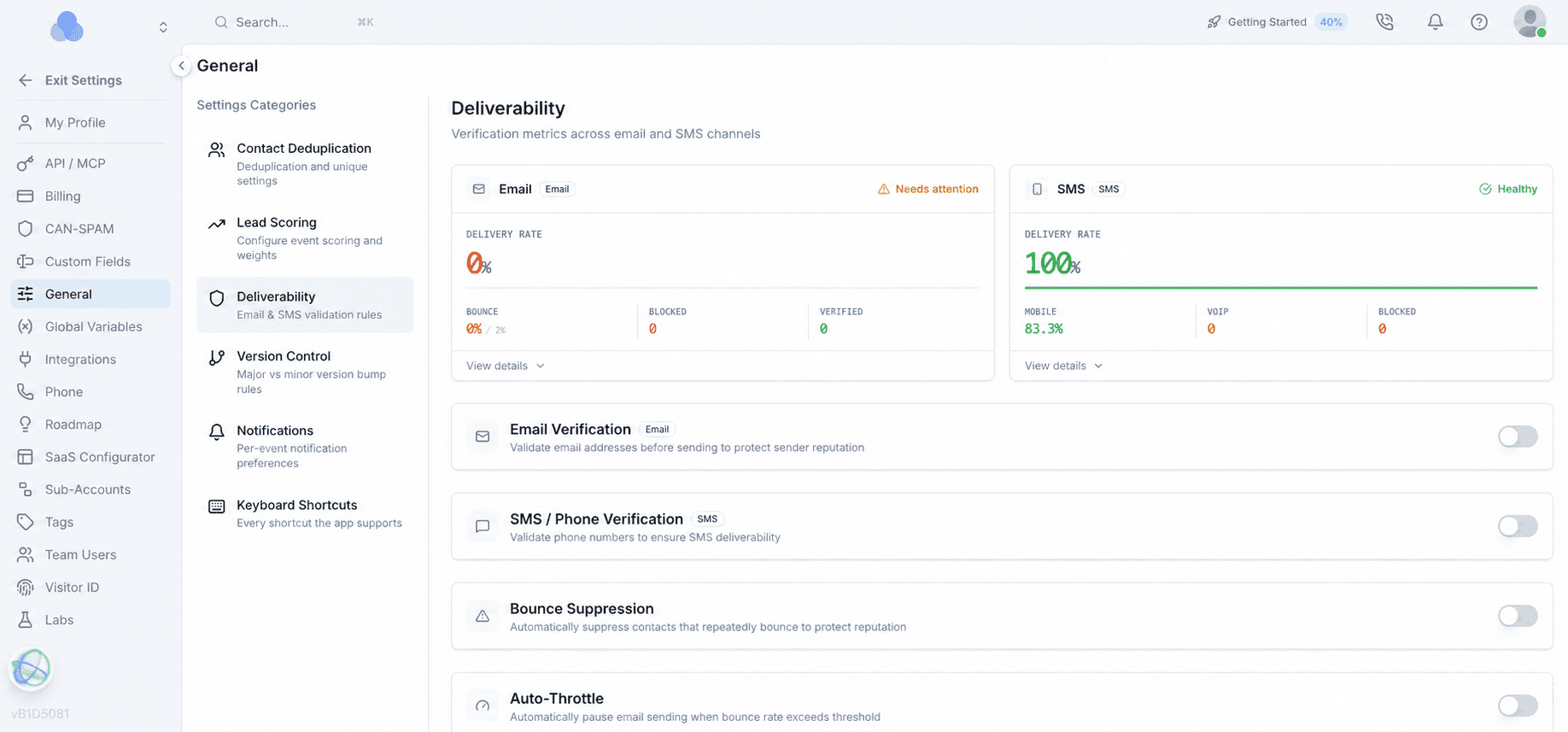
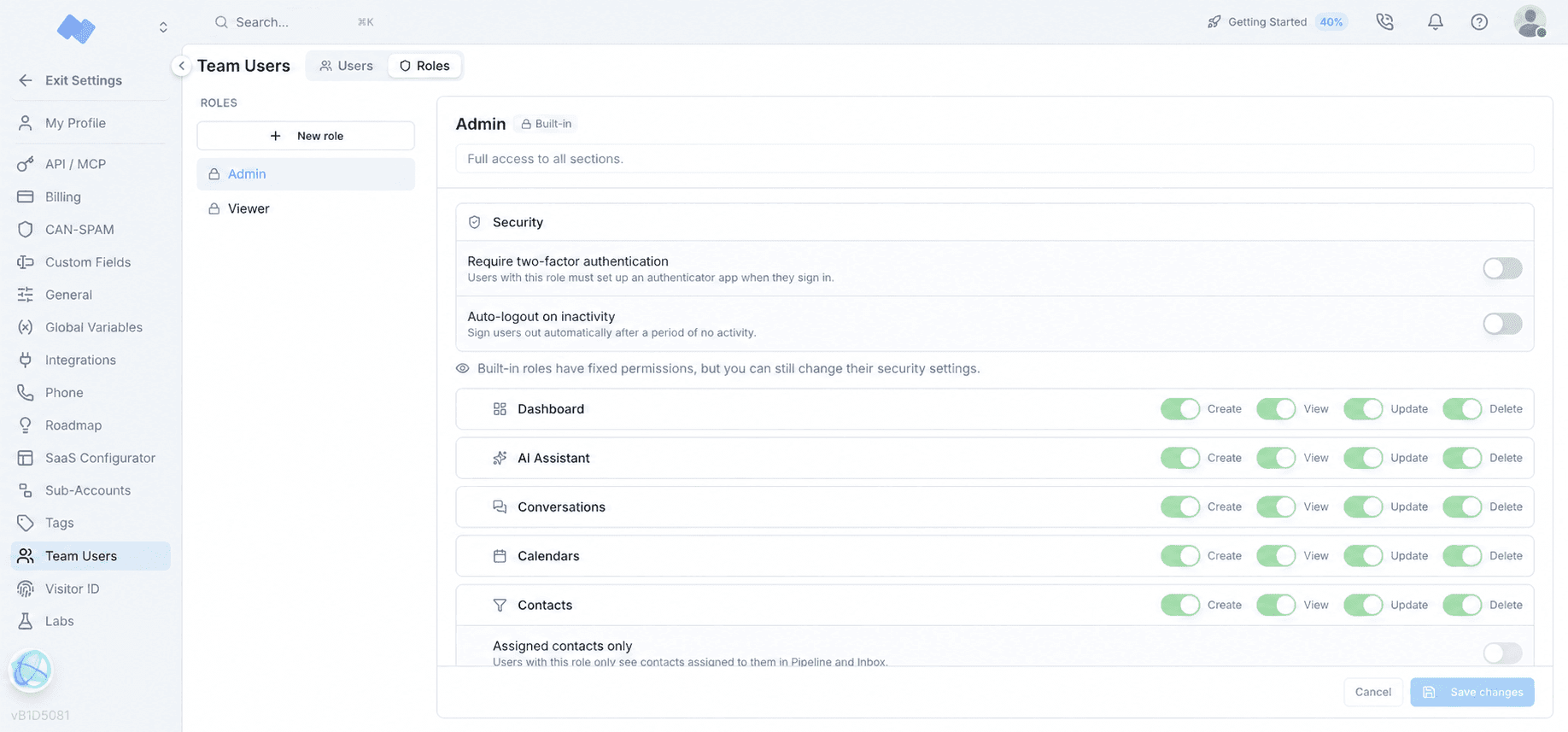
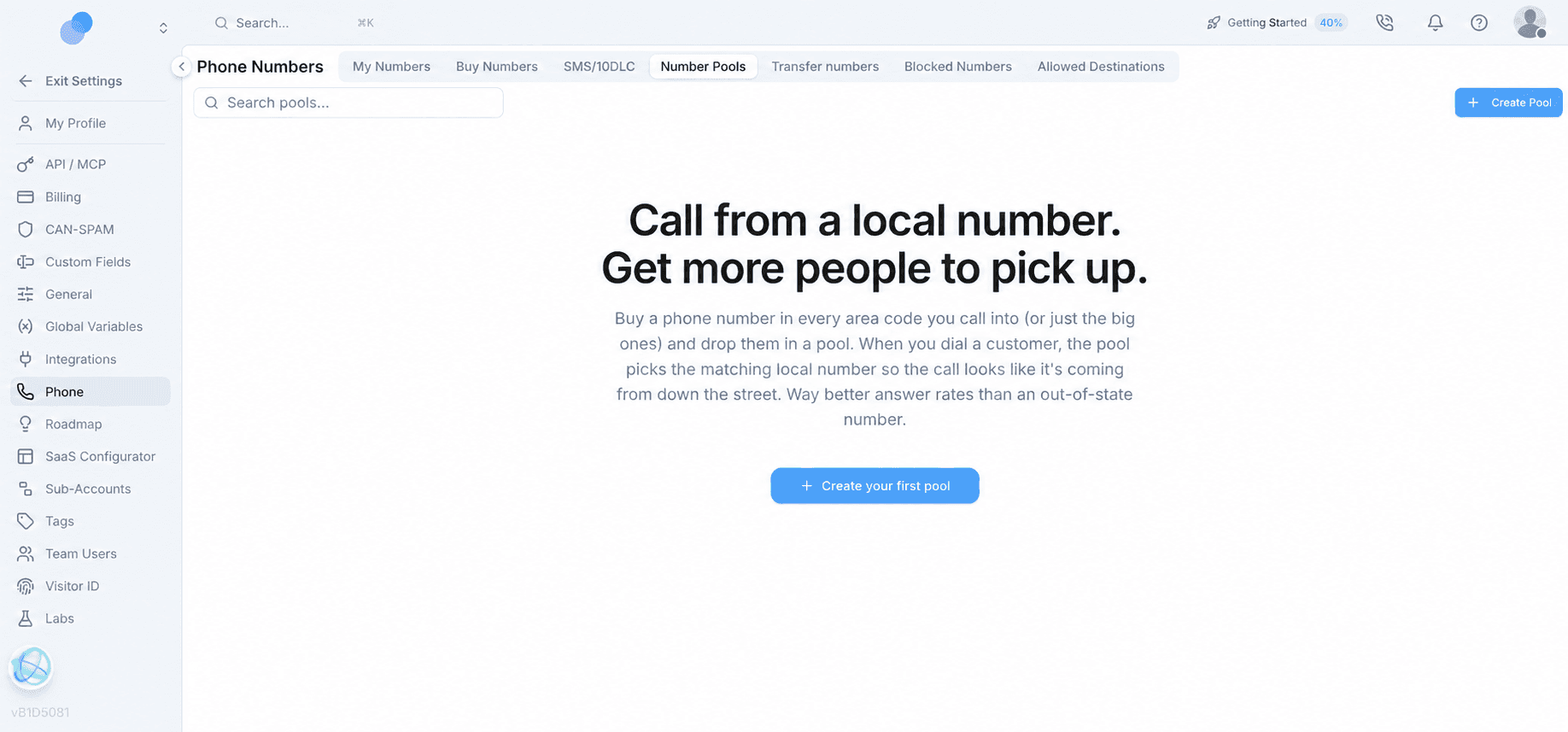
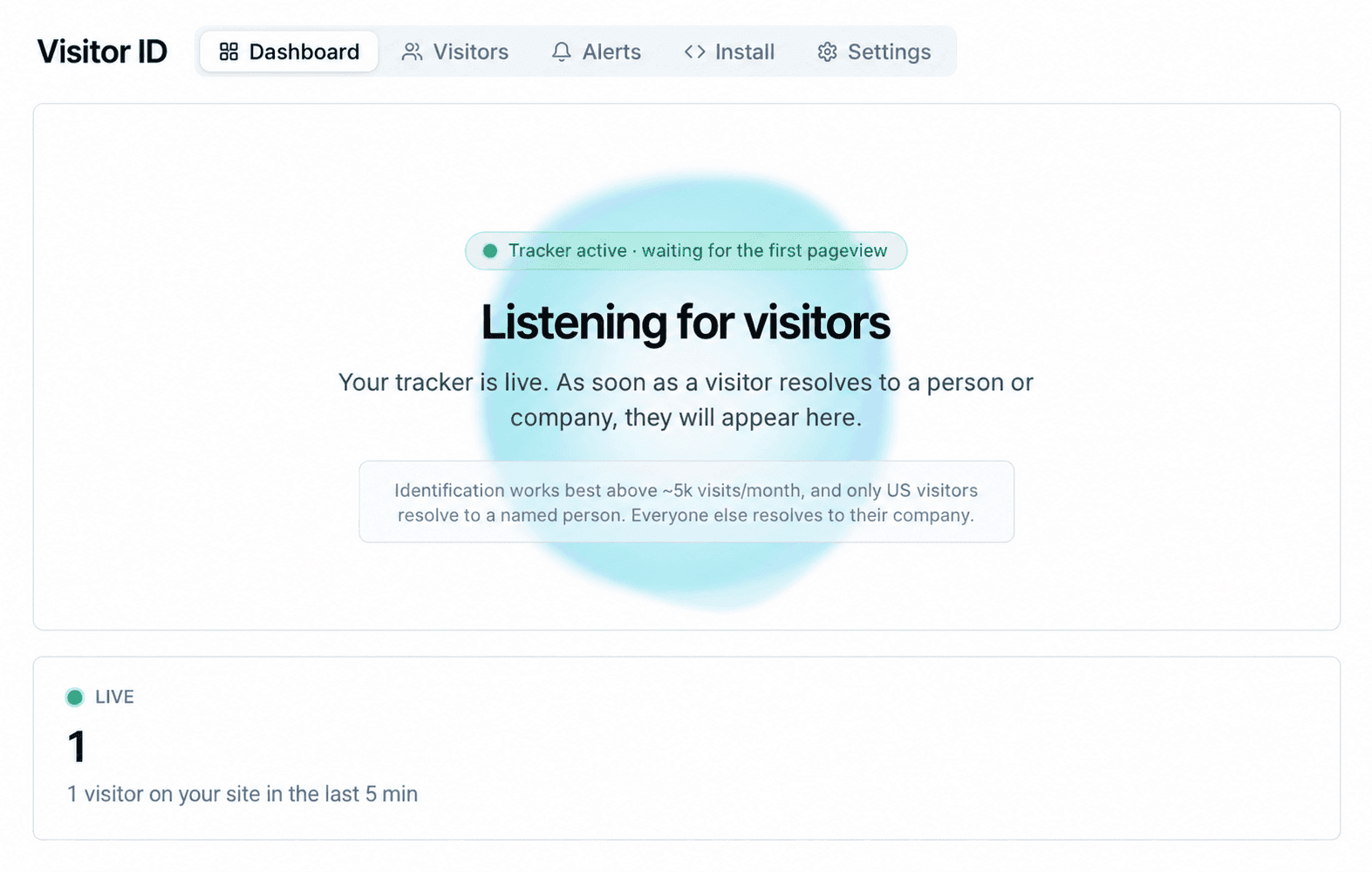
The deeper administrative layer includes click and conversion records, ad and affiliate tools, lead scoring, deliverability controls, team roles, number pools, SaaS configuration, and Visitor ID. These controls matter because an all-in-one platform is only useful if teams can govern access, troubleshoot activity, and understand how records entered the system.
Complete inventory
Every mapped feature, subfeature, and open test
Expand each group to see the full inventory. Status labels distinguish Votel's documentation from our live checks, retained screenshots, qualified findings, and remaining test work. They are evidence labels, not quality scores.
Agency workspace and SaaS Configurator
Agency organization and account structure
Votel's agency level is a working account as well as the control layer for client workspaces.
Agency workspace and SaaS Configurator
Agency organization and account structure
Votel's agency level is a working account as well as the control layer for client workspaces.
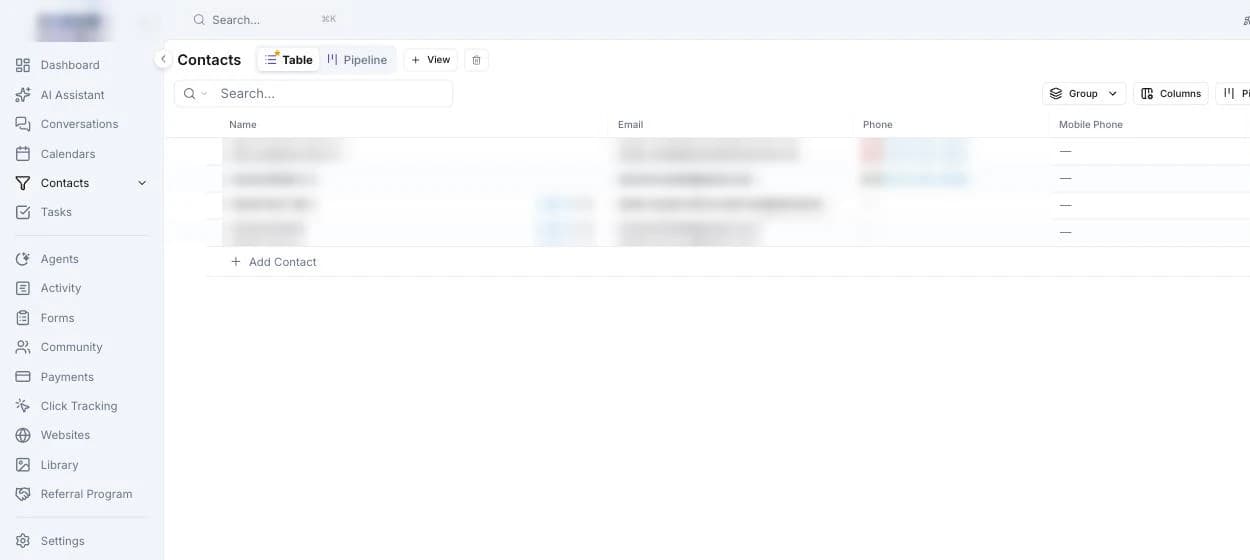
- Checked in live account
Working agency account
Contacts, conversations, calendars, and operating tools are available at the agency level.
- Checked in live account
Sub-account management
Client workspaces can be managed from the agency account.
- Checked in live account
SaaS Configurator
Controls branding, domains, plans, invoices, signup, themes, navigation, login, and onboarding.
- Screenshot documented
AI entry points
Agents and AI Assistant are presented as separate, complementary entry points.
- Documented by Votel
White-label SaaS plans
Create monthly, quarterly, or annual plans and configure each included service as unlimited, pay-per-use, capped with denied overages, or unavailable.
- Monthly
- Quarterly
- Annual
- Unlimited
- Pay-per-use
- Deny overage
- Off
- One-time free credits
- Documented by Votel
White-label signup forms
Publish a branded signup experience after connecting a custom domain and Stripe account.
Votel signup forms documentation ↗ - Documented by Votel
Custom client emails
Edit or disable white-label password-reset, welcome, notification, and other automated client emails through a drag-and-drop editor.
Votel custom emails documentation ↗
Dashboard
Dashboards and reporting
Dashboards combine operating metrics with reusable views, a broad template gallery, and sharing controls.
Dashboard
Dashboards and reporting
Dashboards combine operating metrics with reusable views, a broad template gallery, and sharing controls.
- Checked in live account
Spend and usage metrics
Account-level usage and spend information is visible in dashboard views.
- Checked in live account
Multiple dashboards
Users can maintain more than one dashboard for different reporting needs.
- Checked in live account
Dashboard controls
Edit, share, schedule, duplicate, and delete dashboard views.
- Screenshot documented
Dashboard templates
Choose from 24 purpose-built starting layouts or begin with a blank dashboard.
- AI Agent Performance
- Appointments
- Billing and revenue
- Calls
- Contacts
- Sales
- Tasks
- Website Analytics
AI Assistant
AI Assistant
A workspace-level assistant for prompts, connected services, delegated agents, scheduled work, and generated web apps.
AI Assistant
AI Assistant
A workspace-level assistant for prompts, connected services, delegated agents, scheduled work, and generated web apps.
- Screenshot documented
Prompt library
Start from reusable prompts rather than a blank conversation.
- Screenshot documented
Channels
Configure where the assistant can communicate.
- Telegram
- Slack
- Discord
- Screenshot documented
AI Assistant connectors
Bring supported services, documentation, and remote MCP sources into Votel's AI Assistant. This is distinct from Votel workspace MCP, which lets an outside AI client operate authorized Votel tools.
- Notion
- Linear
- GitHub
- Sentry
- Stripe
- Hugging Face
- Cloudflare Docs
- Custom remote MCP
- Screenshot documented
Assistant settings
Seven settings areas organize how the assistant works and what it can access.
- Channels
- Connectors
- Skills
- Collections
- Subagents
- Memory
- Preferences
- Screenshot documented
Skills and collections
Organize reusable capabilities and reference material.
- Skills
- Collections
- Screenshot documented
Subagents
Delegate specialized work to configured subagents.
- Screenshot documented
Scheduled tasks
Create assistant tasks intended to run on a schedule.
- Screenshot documented
Workers and active runs
Review workers and currently active assistant activity.
- Screenshot documented
Web Apps
Build and manage assistant-created web apps inside the AI Assistant area.
Conversations
Conversations and contact context
The inbox pairs conversations with contact records and operational history.
Conversations
Conversations and contact context
The inbox pairs conversations with contact records and operational history.
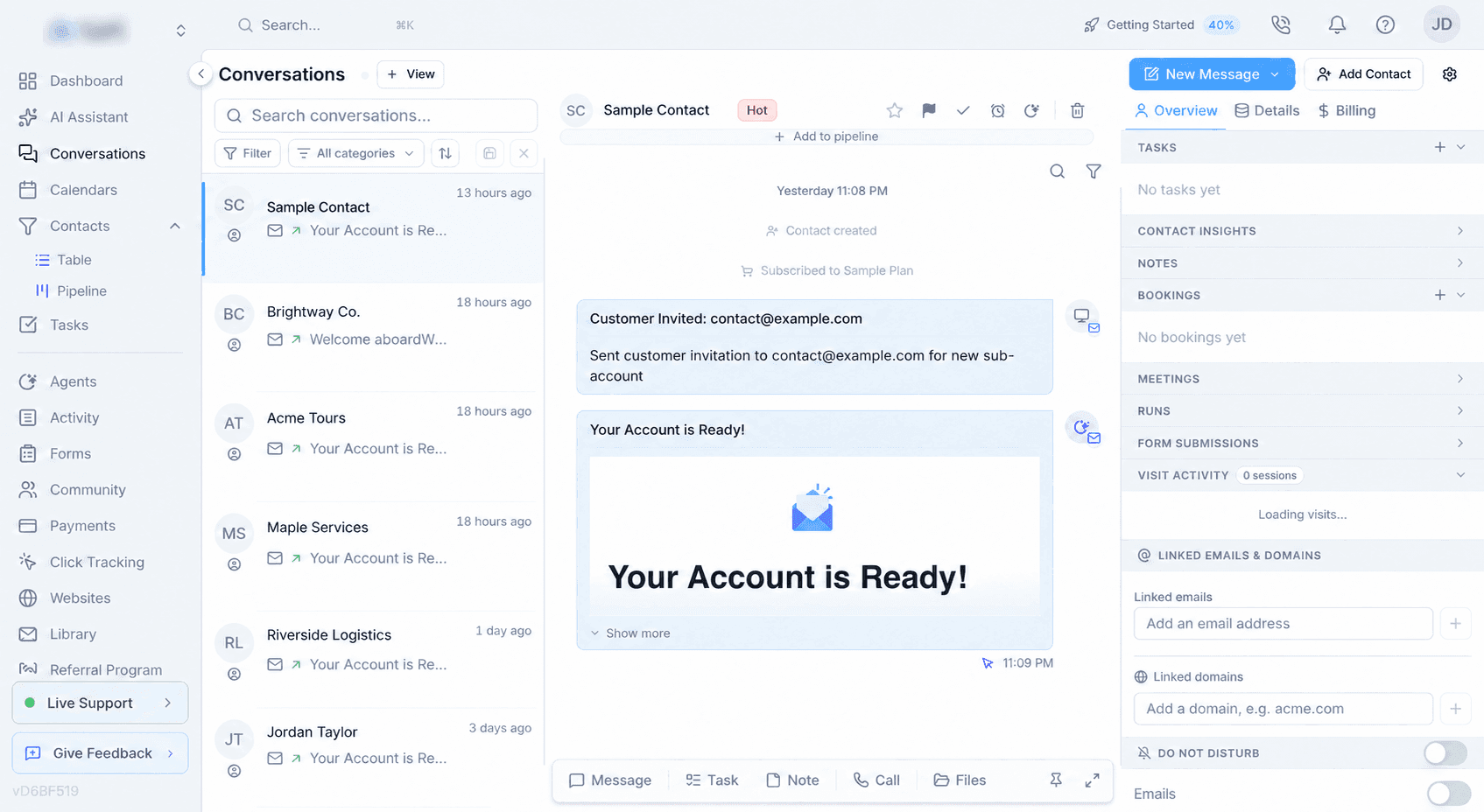
- Checked in live account
Three-panel inbox
Navigation, conversation, and contact context remain visible together.
- Checked in live account
Contact overview and details
Review profile, account, and billing context alongside the conversation.
- Checked in live account
Tasks, notes, and insights
Contact work and summarized context are attached to the record.
- Checked in live account
Bookings and meetings
Appointment activity is available from the contact context.
- Checked in live account
Runs and form submissions
Automation history and submitted forms are visible from the contact record.
- Checked in live account
Visit activity
Website activity can be reviewed alongside the contact.
- Checked in live account
Linked emails and domains
Related email addresses and domains can be connected to the record.
- Checked in live account
Per-channel do-not-disturb
Communication preferences can be controlled by channel.
- Documented by Votel
Conversation actions
Organize inbox work with stars, priority, sticky pinning, snooze-until-reply or a chosen date, AI-agent assignment, and deletion.
- Star
- Priority
- Sticky
- Snooze
- Assign AI agent
- Delete
- Documented by Votel
Quick replies
Create reusable SMS, WhatsApp, and email response templates and insert them from the composer.
- SMS
- Documented by Votel
Saved inbox views and filters
Filter and search conversations, then save useful views for recurring team workflows.
Votel conversation filters documentation ↗
Calendars
Calendars and scheduling
Six scheduling areas cover appointments, rooms, social publishing, bookables, packages, and staff.
Calendars
Calendars and scheduling
Six scheduling areas cover appointments, rooms, social publishing, bookables, packages, and staff.
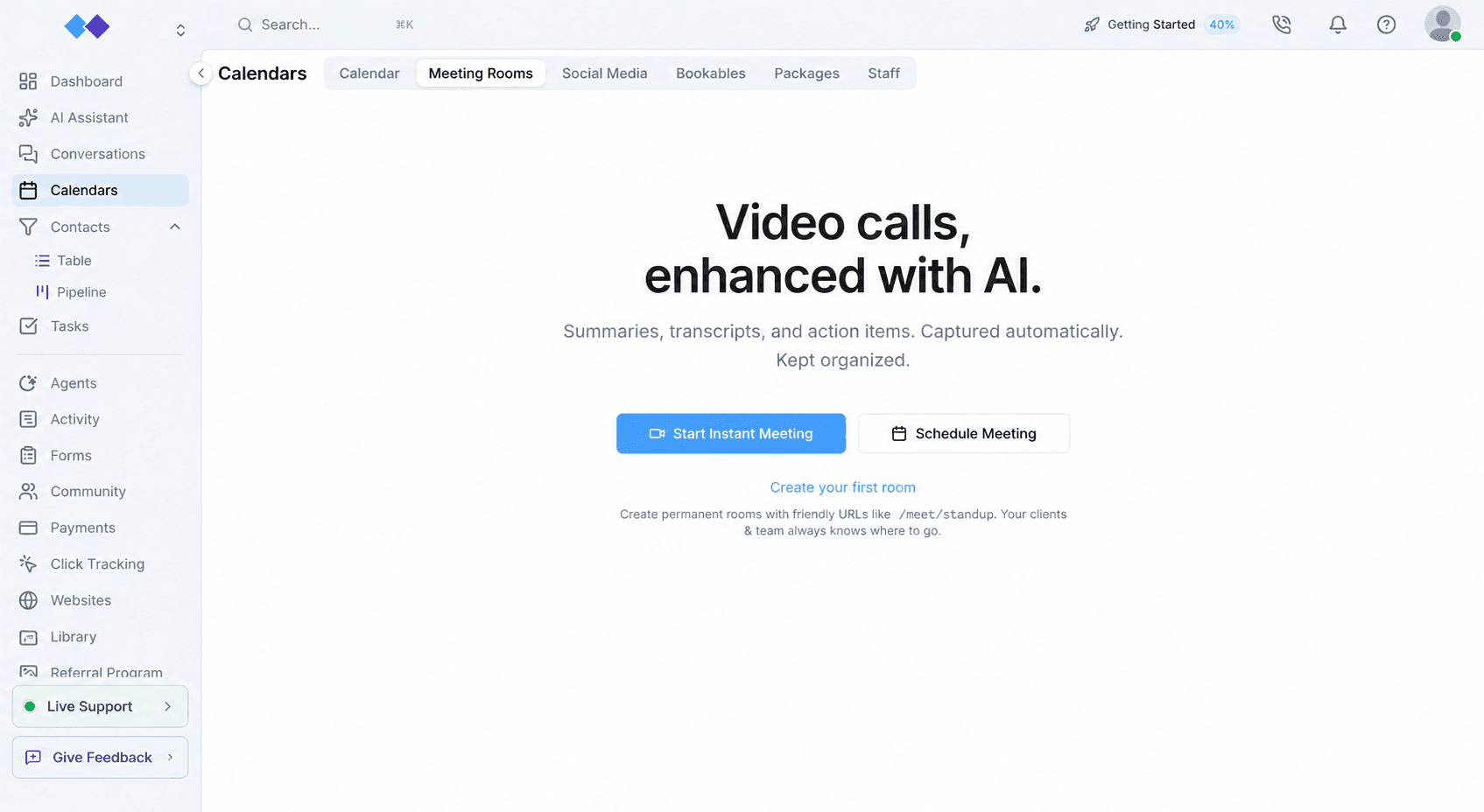
- Checked in live account
Calendar
Core appointment and schedule management across several views.
- Day view
- Week view
- Month view
- Team view
- Checked in live account
Meeting Rooms
Run video meetings inside Votel instead of relying on a separate conferencing product.
- Built-in video
- Instant or scheduled
- Permanent room URLs
- Recording and playback
- AI summaries
- Transcripts
- Action items
Votel-specificNo comparable native HighLevel meeting workspace was found combining built-in video rooms, permanent URLs, recordings, transcripts, summaries, and action items.
- Screenshot documented
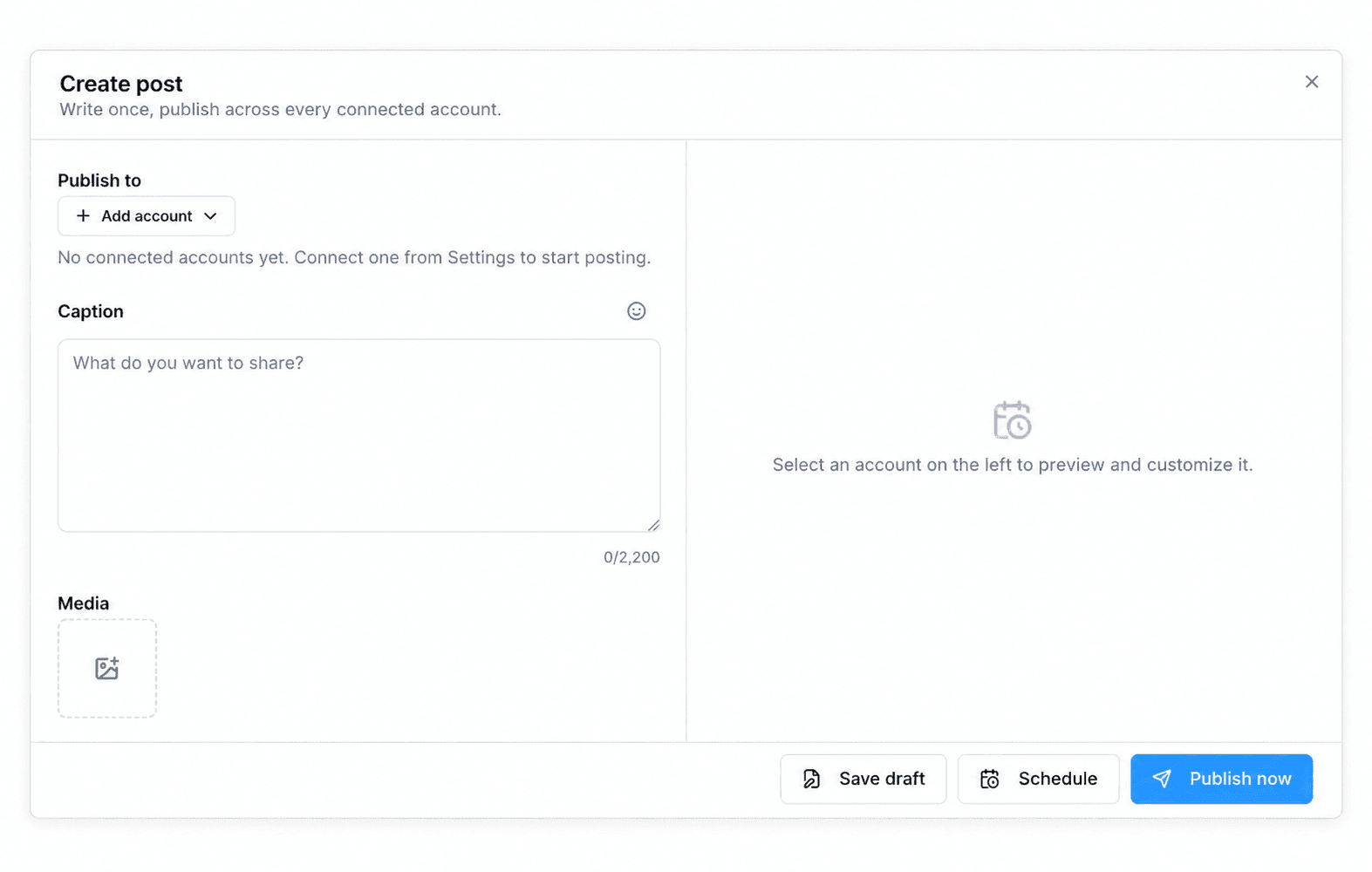
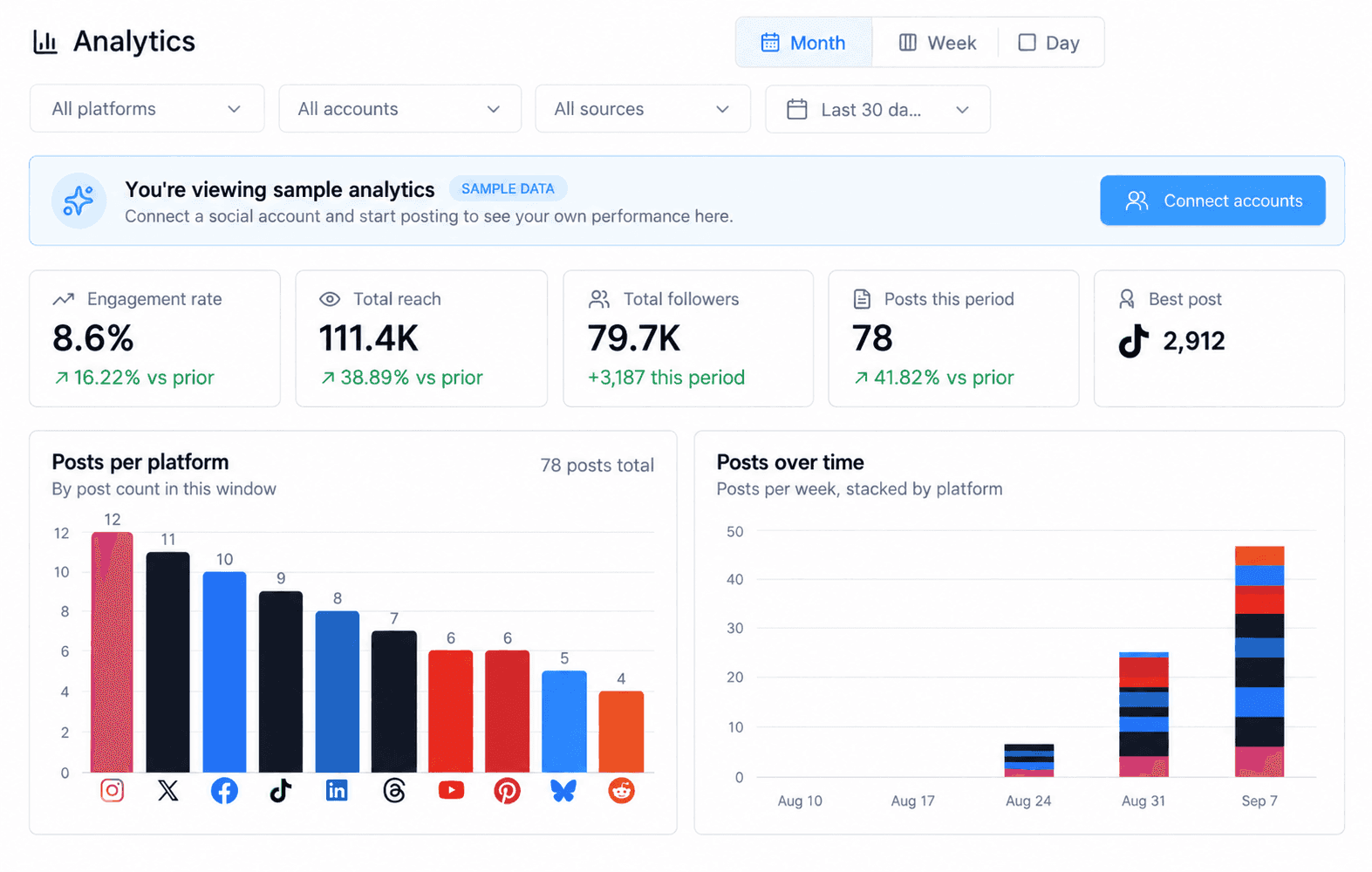
Social Media
Compose, preview, schedule, publish, and review social content from the calendar area.
- Multi-account composer
- Caption and media
- Per-account preview
- Save draft
- Schedule
- Publish now
- Analytics
- Platform and account filters
- Checked in live account
Bookables
Create five purpose-built kinds of customer booking experiences.
- Meeting
- Appointment
- Class / Group
- Rental
- Space / Room
- Checked in live account
Booking Storefront
Present services, team members, class schedules, and packages through one centralized branded booking page.
- Services
- Team
- Classes
- Packages
- Confirmed with limits
Round robin scheduling
Assign two or more staff members and rotate new bookings between them. This is a staffing mode rather than a separate bookable type.
- Checked in live account
Packages
Bundle prepaid bookable services.
- Checked in live account
Staff
Manage staff scheduling and availability.
- Screenshot documented
Calendar theme customizer
Customize the booking experience through a visual editor with live preview.
- 33 themes
- 4 page layouts
- Custom colors
- Logo
- Cover image
- Live preview
Votel-specificNo equivalent native HighLevel calendar editor was found with this breadth of no-code theme, layout, branding, and preview controls.
Contacts and Tasks
Contacts, pipelines, and tasks
Contact records can be viewed as a table or pipeline, with project-oriented task management nearby.
Contacts and Tasks
Contacts, pipelines, and tasks
Contact records can be viewed as a table or pipeline, with project-oriented task management nearby.
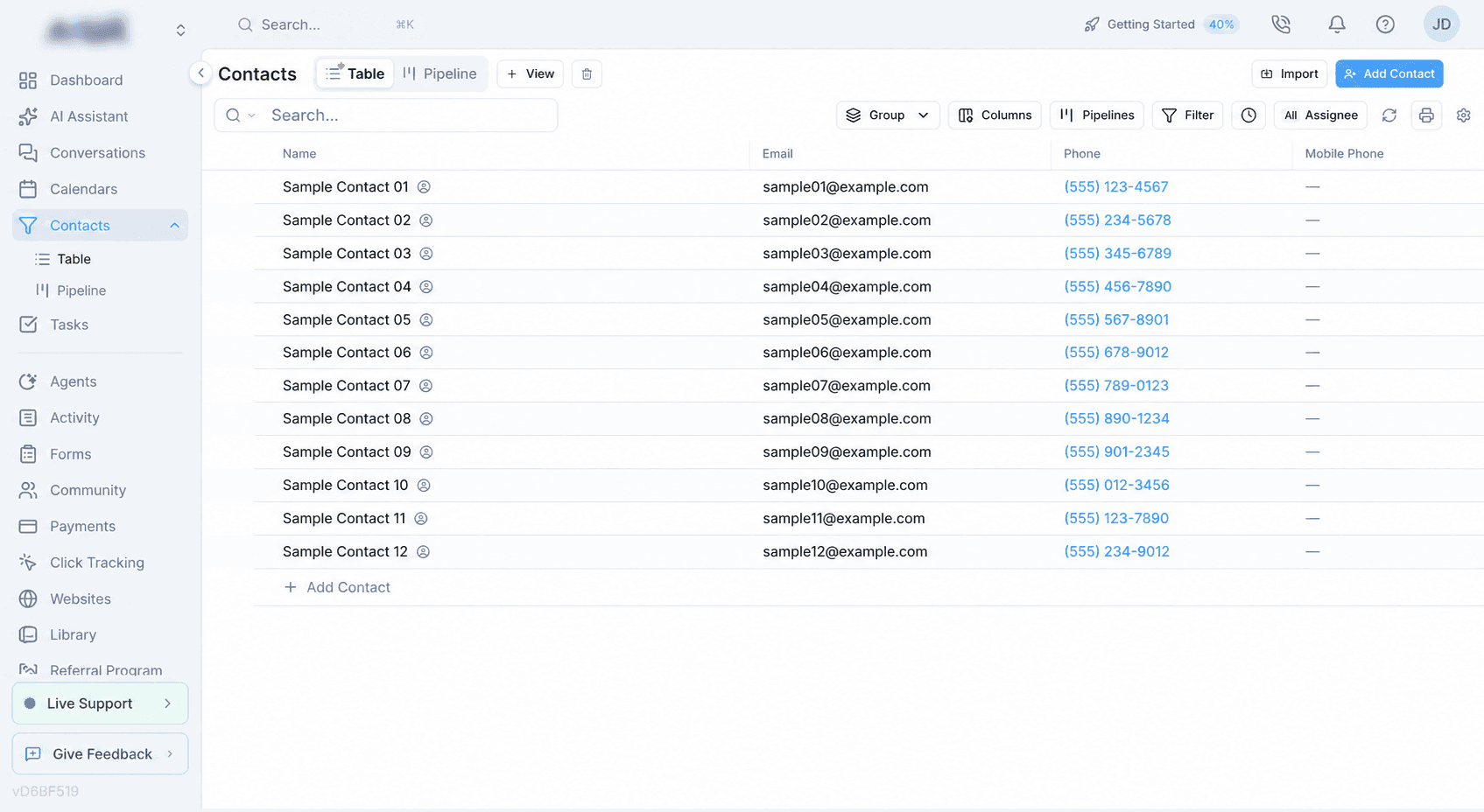
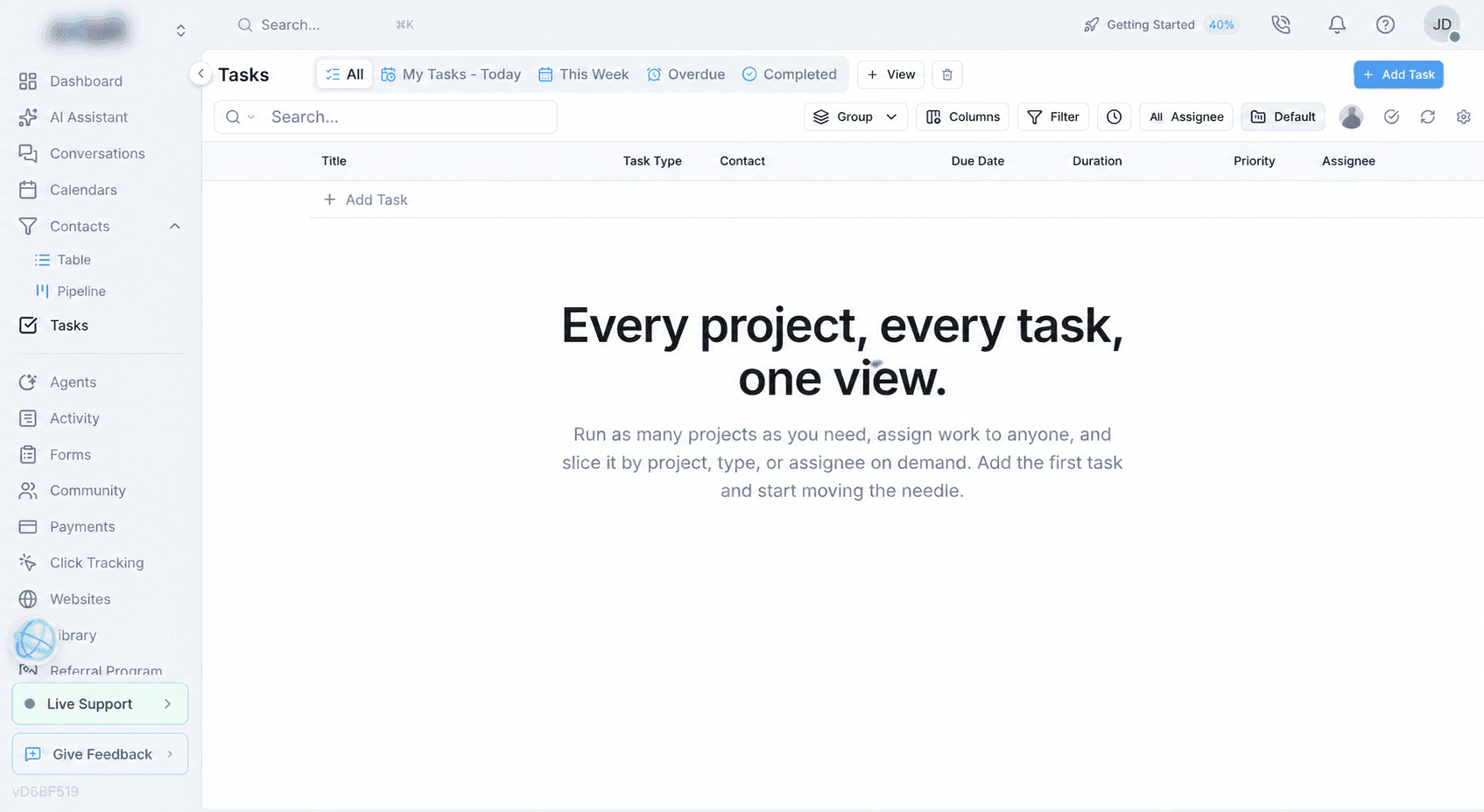
- Checked in live account
Contact table
A conventional searchable contact view.
- Checked in live account
Contact pipeline
Stages include New, Contacted, Qualified, Proposal, Won, and Lost.
- Checked in live account
Projects and assignees
Tasks can be grouped by project and assigned to team members.
- Checked in live account
Task slices
Review work by project, type, or assignee.
- Documented by Votel
Custom contact layouts
Add, remove, rename, icon-label, and reorder contact tabs, sections, headers, and fields with a preview of the resulting record.
Votel custom contact layout documentation ↗ - Documented by Votel
Custom fields across CRM workflows
Use custom fields in contact layouts, pipeline cards, workflow filters, Ask and Save nodes, searches, and saved views.
- Text
- Dropdown
- Checkbox
- Date
- Number
- Documented by Votel
Saved CRM views
Save board or table configurations with chosen fields, columns, filters, sorting, and groupings.
Votel CRM views documentation ↗ - Documented by Votel
Contact deduplication
Detect duplicates using email, phone, name, or combinations and choose whether imported data keeps or replaces existing values.
Votel deduplication documentation ↗ - Documented by Votel
Lead scoring rules
Increase or decrease scores for engagement events and use the resulting score for prioritization, filtering, and workflow decisions.
Votel lead scoring documentation ↗ - Documented by Votel
Email and SMS deliverability controls
Verify email addresses and phone numbers, block disposable or high-risk emails, and configure bounce suppression behavior.
- Email verification
- Disposable-email blocking
- High-risk blocking
- SMS phone verification
- Bounce suppression
- Documented by Votel
Task creation paths
Create tasks manually, from a conversation, or from an automated workflow, then assign owners, statuses, and due dates.
- Manual
- From Conversations
- From Workflows
- Open
- In progress
- Completed
Agents and Workflows
Agents, workflows, and Email Agents
Votel combines voice, chat, SMS, workflow automation, and email follow-up controls.
Agents and Workflows
Agents, workflows, and Email Agents
Votel combines voice, chat, SMS, workflow automation, and email follow-up controls.
- Screenshot documented
Voice, chat, and SMS agents
Create channel-specific agents from one agent area.
- Screenshot documented
AI voice-agent catalog
The live picker contained 2,162 public catalog entries in the reviewed account on September 13, 2026, plus account-specific custom voices under My Voices. The count represents catalog entries, not unique human speakers.
- 955 Cartesia
- 1,201 ElevenLabs
- 6 OpenAI
- My Voices for custom voices
- Confirmed with limits
Voice filters and tuning
Votel documents voice previewing, filters, and provider-dependent fine-tuning controls.
- Accent
- Age
- Gender
- Speed
- Stability
- Clarity + similarity
- Style exaggeration
- Screenshot documented
Language and locale choices
The live agent builder explicitly reported 17 selectable language and locale entries. This is not a claim that every provider or voice supports every listed language.
- English: US, UK, Australia, India, New Zealand
- Spanish: Spain, Mexico
- Portuguese: Portugal, Brazil
- Chinese: Simplified, Traditional
- French
- German
- Italian
- Dutch
- Japanese
- Korean
- Screenshot documented
Multilingual conversation mode
A separate mode can detect and switch languages within one conversation.
- English
- Spanish
- French
- German
- Hindi
- Russian
- Portuguese
- Japanese
- Italian
- Dutch
- Confirmed with limits
AI model selection
The live picker reported 19 models. Fifteen names were visible in the reviewed catalog, so the four unexposed names are not inferred here.
- GPT-5.2 Chat Latest
- GPT-5.4 Mini
- GPT-5.4 Nano
- GPT-5.5 Pro
- GPT-5.6
- GPT-5.6 Sol
- Gemini 3.1 Pro
- Gemini 3.1 Flash-Lite
- Gemini 3.5 Flash
- Gemini 3.7 Flash
- Claude Haiku 4.5
- Claude Opus 4.8
- Claude Fable 5
- Claude Sonnet 5
- GLM 5.2
- Documented by Votel
Agent system prompt
Define identity, style, operating guidelines, and FAQs for an agent, with templates available as starting points.
- Identity
- Style
- Guidelines
- FAQs
- Templates
- Documented by Votel
Knowledge base with RAG
Ground an agent in uploaded files and website URLs, test retrieval accuracy, and update sources as business information changes.
- File uploads
- Website URLs
- Retrieval testing
- Secure workspace storage
- Documented by Votel
Agent test modes
Test voice and chat interactions before publishing while watching function calls, variables, decision paths, and errors in real time.
- Voice test
- Chat test
- Function-call logs
- Variables
- Decision paths
- Error logs
- Screenshot documented
Adversarial workflow simulator
The live simulator generated a form-workflow test case, offered cooperative and edge-case customer behaviors, and ran the real workflow engine with side effects recorded instead of executed. Our cooperative test completed all four configured stages and scored 100.
- Generated test cases
- Coverage check
- Cooperative
- Ignores options
- Rushed
- Rambling
- Unexpected answers
- Changes their mind
- Side effects recorded
- Run history
- Checked in live account
Conversation rewind during live testing
During a live test call, we could change an agent after an unsatisfactory response, rewind one step, and continue the flow from that point using the revised message or configuration instead of restarting the call.
Votel agent testing documentation ↗ - Documented by Votel
Agent activity monitoring
Inspect ordered actions, workflow transitions, function calls, timing, variables, decision paths, call recordings, and transcripts after an interaction.
- Run logs
- Node transitions
- Function calls
- Timing
- Variables
- Recordings
- Transcripts
- Documented by Votel
Website agent widgets
Embed an agent as Chat + Voice, Button Only, or Orb, customize its presentation, and connect it to a Conversation Started workflow.
- Chat + Voice
- Button Only
- Orb
- Colors
- Position
- Branding
- One-line embed
- Documented by Votel
Agent channels
Assign phone, SMS, and email channels to agents, including more than one channel where the workflow requires it.
- Phone
- SMS
- Multiple channels
- Documented by Votel
Agent tools and integrations
Votel documents a separate integration layer for customer-facing agents, distinct from AI Assistant connectors and workspace MCP access.
- Facebook Messenger
- Facebook Lead Ads
- Google Calendar
- GHL Business Location
- Zapier
- Make
- HubSpot
- Salesforce
- Shopify
- GoHighLevel
- Documented by Votel
Visual workflow canvas
Build multi-step automation by dragging nodes onto a canvas, connecting branches, rearranging logic, and applying automatic layout.
Votel workflows documentation ↗ - Documented by Votel
Workflow triggers
Start workflows manually, from channel activity, schedules, application events, record changes, appointments, call outcomes, or other workflows.
- Manual
- Conversation started
- Inbound call
- Inbound SMS
- Inbound email
- Schedule
- App event
- Lead-field condition
- Webhook
- Pipeline-column change
- Another workflow
- Active tag
- Appointment scheduled
- Call disposition
- Call ended
- Documented by Votel
Workflow node catalog
Votel documents 31 purpose-built workflow nodes for conversation logic, communications, CRM updates, scheduling, integrations, and reusable automation.
- Add Note
- API Lookup
- Ask and Save
- Availability Check
- Calendar Booking
- Call Forwarding
- Classifier
- Contact Lookup
- Conversation
- Create Task
- Deactivate Workflow
- Decision
- DND / Opt-Out
- Execute Workflow
- Extract Variables
- Forward to Agent
- Generate Content
- Global
- Go To
- Hang Up
- Manual Tool Call
- Outbound Call
- Search Knowledge Base
- Set Pipeline
- SMS
- SMS Notification
- Sub Agent
- Tag Lead
- Update Contact
- Wait
- Checked in live account
Expanded MCP workflow capability catalog
The authenticated workflow builder exposed a core menu of 84 triggers and steps, extending beyond the 31-node public overview. The tool explicitly described this as a core menu with additional long-tail capabilities discoverable by search, so 84 is presented as a dated minimum rather than a permanent total.
- At least 84 capabilities
- Form and appointment triggers
- Generate Content
- Execute Code
- Split Test
- Google Sheets
- Klaviyo
- Slack
- Create Agent
- Create Website
- Web research tools
- Screenshot documented
Programmatic workflow building through MCP
We created a new draft agent and a form-triggered workflow through Votel MCP, read the stored graph back, passed Votel's static configuration audit, and completed a safe simulator run. The workflow resolved the existing form, generated an intake summary, logged a contact activity note, and created a review task. It remains inactive and cannot contact customers.
- Draft agent created
- Existing form resolved
- Generate Content
- Add Note
- Create Task
- Stored graph read back
- Configuration audit passed
- Simulator score 100
- Not activated
- Documented by Votel
Bulk outbound campaigns
Enroll selected contacts immediately or as a paced drip, then route answered, unanswered, voicemail, and failed calls through separate workflow branches.
- Quick enrollment
- Drip pacing
- Number pools
- Answer
- No answer
- Voicemail
- Failed
- Activity monitoring
- Screenshot documented
Campaigns
Create and manage outbound email campaigns.
- Screenshot documented
Lists and segments
Choose audiences for campaigns and agent follow-up.
- Screenshot documented
Email Agent
Choose eligible recipients, daily volume, send timing, and reply handling within the lists and campaign content supplied by the user.
Votel-specificNo equivalent HighLevel feature was found that combines these campaign, classification, response-action, autonomy, wave, win-back, and cooldown controls in one Email Agent.
- Screenshot documented
Delivery choices
Send now, schedule delivery, or route through Email Agent.
- Screenshot documented
Evergreen and expiration controls
Control whether a campaign continues and when it should stop.
- Screenshot documented
Automatic resend
Configure resend behavior for campaign delivery.
- Screenshot documented
Reply classification
Classify incoming campaign replies before deciding what happens next.
- Positive intent
- Question
- Unsubscribe
- Auto-reply
- Out of office
- Screenshot documented
Reply actions
Run side effects after classification, followed by at most one response action. An AI handoff answers that individual message rather than permanently taking over the conversation.
- No action
- AI agent
- Email reply
- Unsubscribe
- Tags
- Contact fields
- Custom classifications
- Screenshot documented
Off, Suggest, and Auto modes
Choose the degree of Email Agent autonomy.
- Off
- Suggest
- Auto
- Confirmed with limits
Engagement tiers
Organize contacts into sending waves by engagement. Votel says bot and security-scanner activity does not change a contact's tier.
- Hot
- Engaged
- New
- Cooling
- Dormant
- Sunset
- Unrated
- Confirmed with limits
Waves and warmup
Prioritize highly engaged contacts, monitor deliverability gates, and adjust daily volume while a sending domain builds history.
- Bounce rate
- Complaint rate
- Open rate
- Send-time optimization
- Confirmed with limits
Win-back and cooldown controls
Reserve win-back capacity, cap dormant contacts, and reuse proven evergreen campaigns subject to cooldowns and attempt limits. The agent does not write new win-back content.
- Confirmed with limits
Email Agent sender requirement
Agent-controlled timing, warmup, and per-contact send times require Votel's built-in sender rather than a user-connected SendGrid or Amazon SES sender.
- Confirmed with limits
Inbound reply routing
Reply Actions require incoming replies to reach the Votel workspace through a workspace address, verified inbound MX configuration, or forwarding.
Activity
Activity and audit history
Twelve activity views separate operational history by event type.
Activity
Activity and audit history
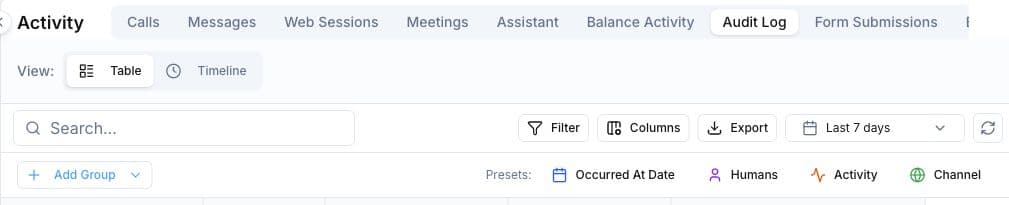
Twelve activity views separate operational history by event type.
- Checked in live account
Calls
Review call activity.
- Checked in live account
Messages
Review messaging activity.
- Checked in live account
Web Sessions
Review tracked browsing sessions.
- Checked in live account
Meetings
Review recorded video meetings and open their playback records.
- Duration
- Participants
- Host
- Playback link
- Checked in live account
Assistant
Review AI Assistant activity.
- Checked in live account
Balance Activity
Review account balance events.
- Checked in live account
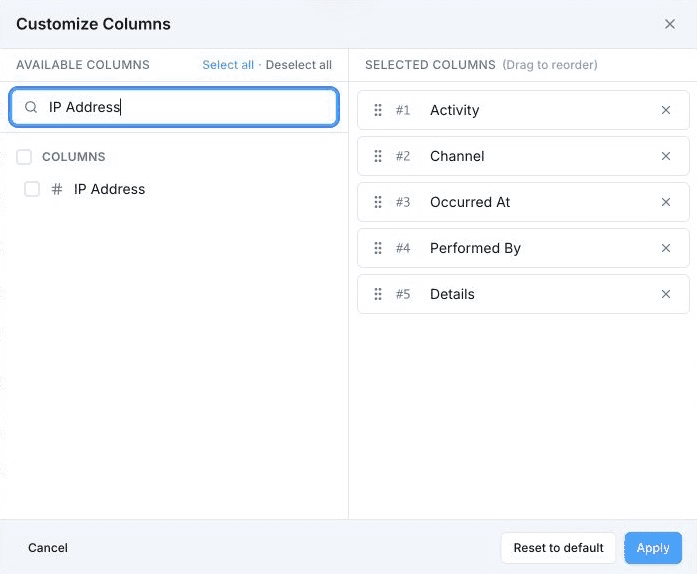
Audit Log
Review granular account changes and available event details.
- Checked in live account
Form Submissions
Review submitted form activity.
- Checked in live account
Bulk Actions
Review bulk operations.
- Checked in live account
Runs
Review completed or current runs.
- Checked in live account
Upcoming Runs
Review scheduled future runs.
- Checked in live account
Spam
Review activity classified as spam.
Forms and Community
Forms, contracts, and communities
Lead capture, electronic agreements, and paid communities have dedicated areas.
Forms and Community
Forms, contracts, and communities
Lead capture, electronic agreements, and paid communities have dedicated areas.
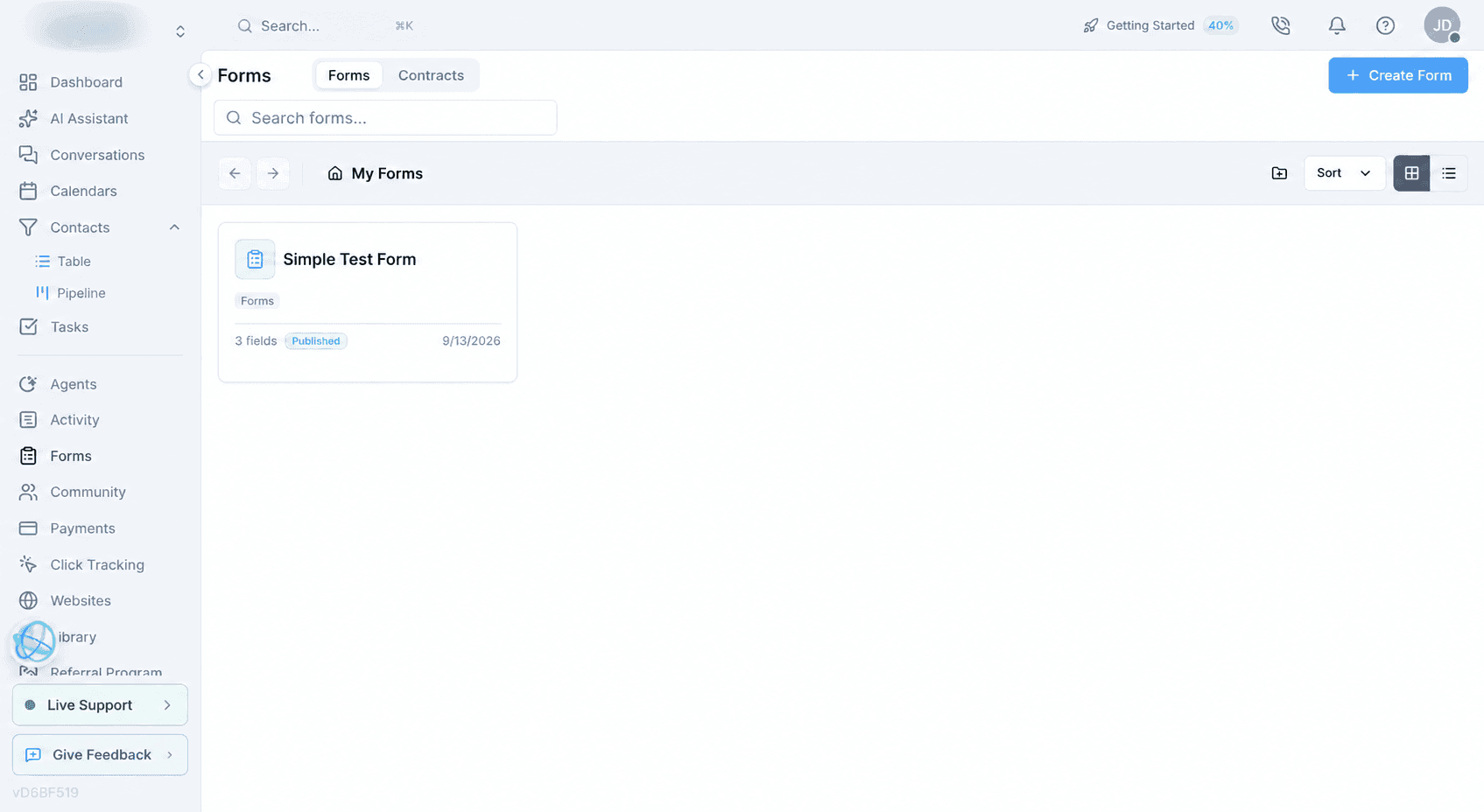
- Checked in live account
AI-native forms
Create forms, surveys, and popups with AI-assisted building tools.
- Confirmed with limits
Three form experiences
The live creation flow offers a standard Form, multi-step Survey, and triggered Popup Form. Votel's documentation uses the corresponding labels Premium, Conversational, and Popup.
- Form
- Survey
- Popup Form
- Documented by Votel
Drag-and-drop form builder
Build on a central canvas from categorized fields, then configure properties, validation, logic, styling, themes, templates, and form-wide settings.
Votel Forms overview ↗ - Documented by Votel
Conditional field logic
Show or hide fields and sections using one or more field, operator, and value conditions while removing validation from hidden inputs.
Votel conditional logic documentation ↗ - Documented by Votel
Conversational screens and branching
Create welcome and ending screens, branch visitors between screens, auto-advance choices, support keyboard navigation, and preserve the actual navigation path when going back.
- Welcome screen
- Branch routes
- Multiple endings
- Auto-advance
- Keyboard navigation
- Save and resume
- Documented by Votel
Form payment fields
Sell configured products, accept donations or user-defined amounts, collect a card without charging it, apply coupons, and collect billing details.
- Products
- One-time payments
- Subscriptions
- Donations
- User-defined amount
- Card capture
- Coupons
- Documented by Votel
Form publishing and embeds
Publish a hosted form or embed it as a standard block, full page, popup, slider, popover, or side tab.
- Hosted URL
- Standard embed
- Full page
- Popup
- Slider
- Popover
- Side tab
- Documented by Votel
Form-to-CRM and workflow connections
Map submission fields to contacts, apply deduplication, trigger one or more workflows, preserve attribution, and connect Stripe where payment fields are used.
Votel form integration documentation ↗ - Documented by Votel
UTM and URL-parameter capture
Capture first-touch UTMs across hosted or embedded forms and pass custom, affiliate, or prefilling values into visible and hidden fields.
Votel form attribution documentation ↗ - Checked in live account
Contracts
Prepare reusable contract templates and collect electronic signatures.
- Checked in live account
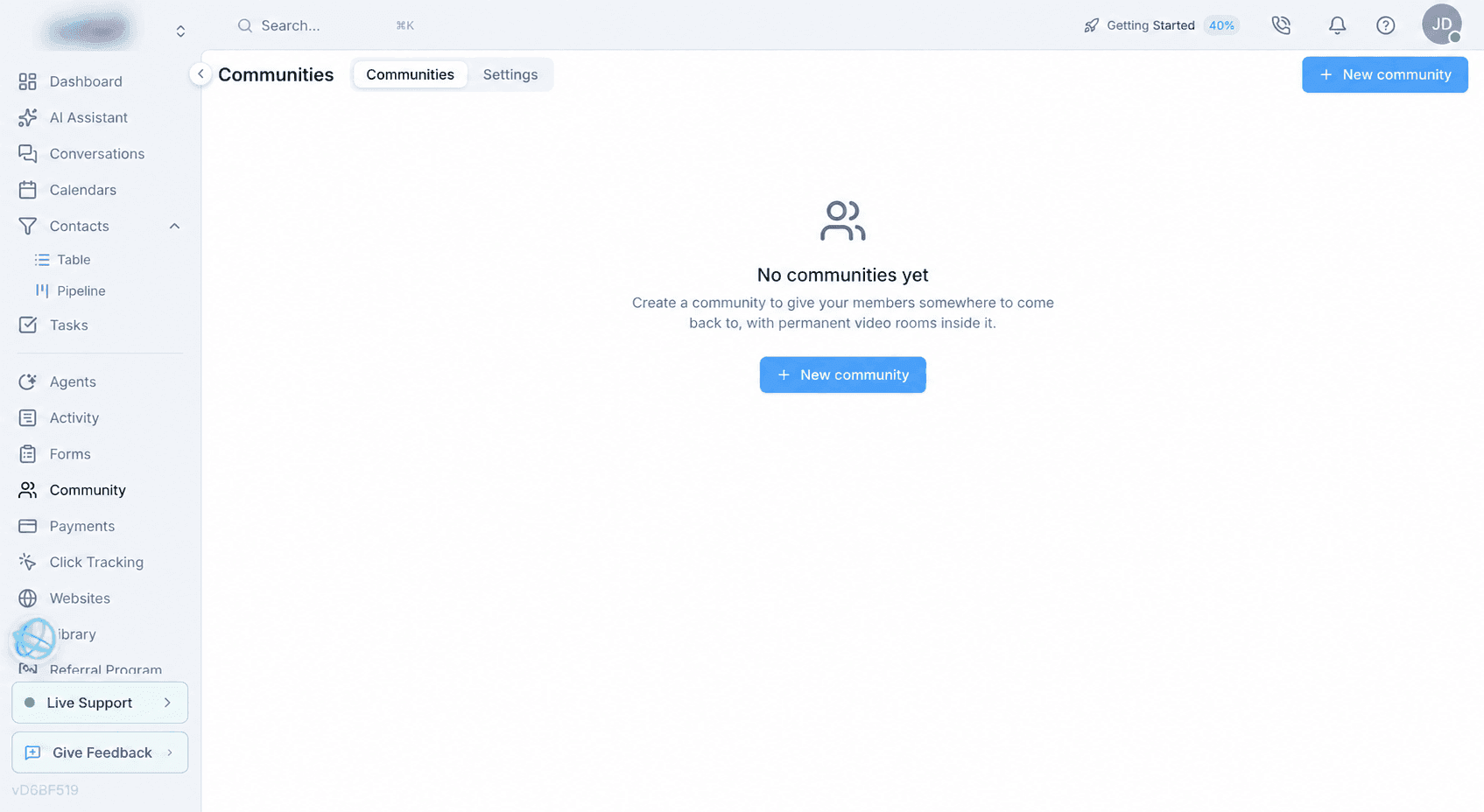
Communities
Create and operate member communities.
- Checked in live account
Community settings
Configure payment routing and plans intended for resale.
Payments
Payments
Billing records and commerce objects are grouped under one payments area.
Payments
Payments
Billing records and commerce objects are grouped under one payments area.
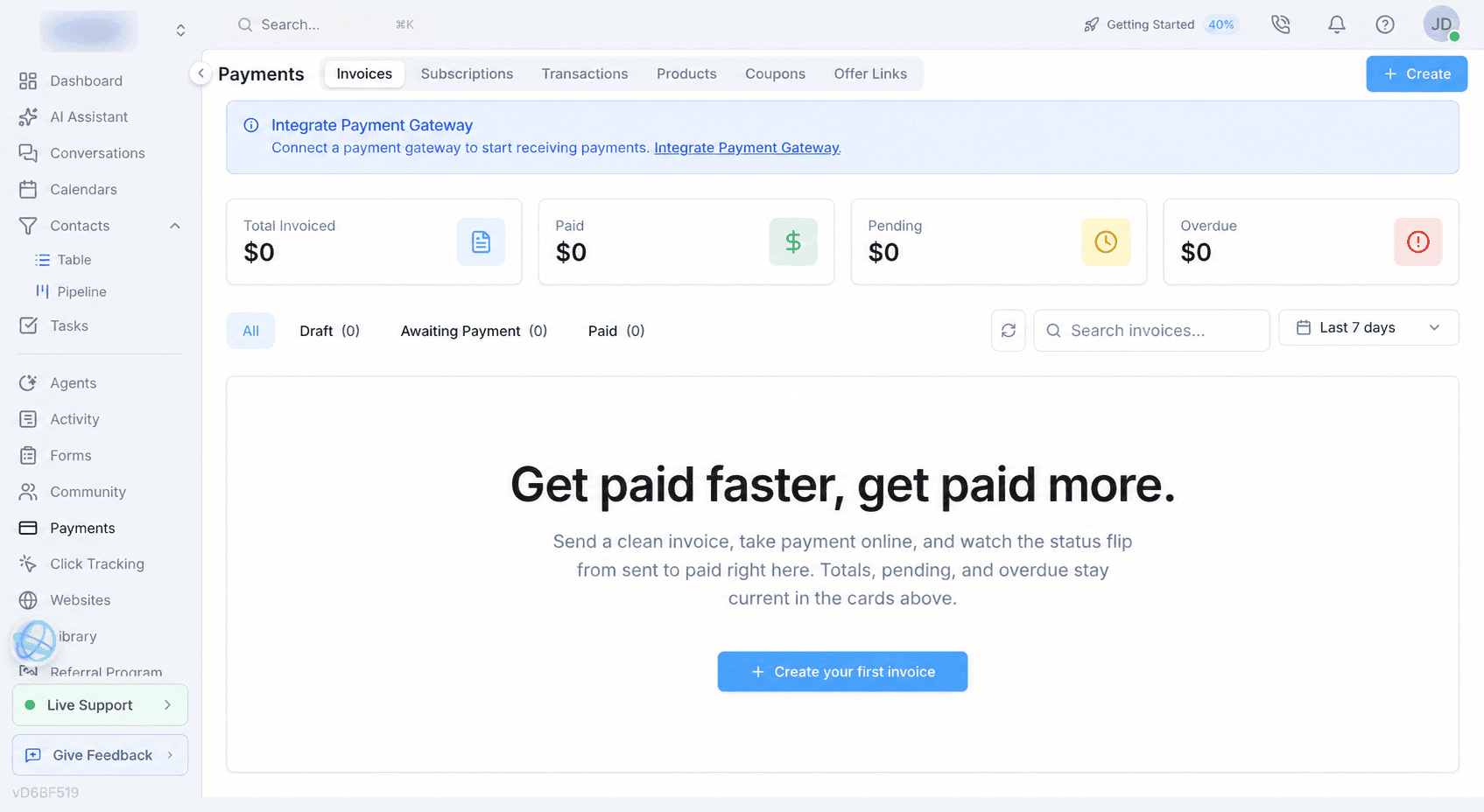
- Checked in live account
Invoices
Create and manage invoices.
- Checked in live account
Subscriptions
Manage recurring customer billing.
- Checked in live account
Transactions
Review payment activity.
- Checked in live account
Products
Maintain items for sale.
- Checked in live account
Coupons
Create and manage discounts.
- Documented by Votel
Product billing configuration
Configure product descriptions, prices, one-time, recurring, or usage-based billing, billing cycles, and active status.
Votel products documentation ↗ - Documented by Votel
Subscription operations
Filter customer subscriptions and manage supported actions such as pausing, resuming, or adjusting an existing subscription.
Votel subscriptions documentation ↗ - Documented by Votel
Transaction reporting
Review revenue and payment status, filter by date or customer, refresh gateway data, and access export, receipt, refund, or dispute actions where supported by the connected gateway.
Votel transaction documentation ↗
Click Tracking
Click tracking, offers, and affiliates
Thirteen areas cover campaigns, paid media, attribution, offers, affiliate operations, and conversion records.
Click Tracking
Click tracking, offers, and affiliates
Thirteen areas cover campaigns, paid media, attribution, offers, affiliate operations, and conversion records.
- Screenshot documented
Campaigns
Organize tracked campaigns.
- Screenshot documented
Ads Manager
Manage connected advertising activity.
- Screenshot documented
Audiences
Maintain marketing audiences.
- Screenshot documented
Measurement
Configure and review measurement.
- Screenshot documented
Ad research
Research advertising activity.
- Screenshot documented
Offers
Manage offers connected to tracked activity.
- Screenshot documented
Traffic Sources
Define the sources that drive tracked visits.
- Screenshot documented
Affiliates
Operate a user-run affiliate program.
- Screenshot documented
Commissions
Review commission records.
- Screenshot documented
Payouts
Manage affiliate payouts.
- Screenshot documented
Clicklog
Inspect individual click records.
- Screenshot documented
Conversions
Review attributed conversions.
- Screenshot documented
Domains
Manage domains used for tracking.
- Documented by Votel
Four-part tracking model
Connect tracking links, landers and offers, traffic sources, and an on-page tracking pixel into one attribution path.
- Links
- Landers
- Offers
- Sources
- Tracking pixel
- Documented by Votel
Weighted paths and traffic rules
Split traffic across weighted paths or destinations and route visitors using geography, device, network, bot, language, UTM, referrer, custom-variable, or time criteria.
- A/B routing
- Path weights
- URL weights
- Geo
- Device
- Bot detection
- UTMs
- Referrer
- Time rules
- Documented by Votel
Engagement-aware click records
Use tracking-pixel signals such as time on page, scroll depth, and AIDA-tier flags alongside individual click records.
Votel click tracking overview ↗ - Documented by Votel
Attribution and performance reports
Aggregate clicks, conversions, revenue, ROI, CTR, EPC, and ROAS by dimensions such as link, source, country, or device.
- Clicks
- Conversions
- Revenue
- ROI
- CTR
- EPC
- ROAS
- Documented by Votel
Dynamic URL tokens
Forward click identity, time, UTMs, platform click IDs, channel, geography, device, network, language, custom variables, cost, revenue, or affiliate data into lander, offer, and postback URLs.
Votel URL token reference ↗
Websites
Websites and funnels
Votel includes website and funnel builders with responsive preview, reusable sections, code access, and an AI design agent.
Websites
Websites and funnels
Votel includes website and funnel builders with responsive preview, reusable sections, code access, and an AI design agent.
- Screenshot documented
My Websites
Create and manage full websites.
- Checked in live account
Funnels
Create and manage funnel experiences.
- Screenshot documented
Design, Page, Files, and Domain
Builder areas separate appearance, page structure, source files, and publishing settings.
- Design
- Page
- Files
- Domain
- Screenshot documented
Responsive preview
Preview layouts across desktop and smaller viewports.
- Screenshot documented
Code and history
Work with code and review prior changes.
- Screenshot documented
Save and Share
Save progress and share the result.
- Screenshot documented
Sections and elements
The builder exposes reusable page-building parts.
- 16 section categories
- Elements
- Popups
- Wireframes
- Containers
- Screenshot documented
AI Design Agent
Generate or revise site designs with an embedded AI tool.
- Checked in live account
Website source export
Source export was verified from the Files area for websites.
- Checked in live account
Funnel source export
Funnel source export is available and was confirmed in the reviewed workflow.
- Documented by Votel
AI Website publishing infrastructure
Create AI-managed websites with a CDN hostname, custom domains, SSL status, direct publishing credentials, cache controls, and traffic analytics.
- CDN hostname
- Custom domains
- SSL status
- Publishing credentials
- Cache purge
- Traffic analytics
- Documented by Votel
AI Website MCP publishing
Connect a compatible external AI client to list, create, publish, manage domains, purge cache, and inspect analytics for AI Websites.
- Claude Code
- Claude Desktop
- Cursor
- API-key roles
- Revocable keys
- Expiring keys
Library
Library and AI media
Library is Votel's connected content-production hub: brand rules, generated visuals, reusable templates, and finished assets live in the same workspace.
Library
Library and AI media
Library is Votel's connected content-production hub: brand rules, generated visuals, reusable templates, and finished assets live in the same workspace.
- Checked in live account
Files
A central asset area with folders, uploads, stock-image search, download-all, sort controls, and grid or list views.
- Folders
- Upload
- Stock image search
- Download all
- Sort
- Grid and list views
- Screenshot documented
Snapshots
Browse, search, filter, and create reusable workspace snapshots from one Library area.
- Mine filter
- Search templates
- Create Snapshot
- Checked in live account
Website templates
Browse reusable website assets by All, Featured, or Mine, then search the available template catalog.
- All
- Featured
- Mine
- Template search
- Checked in live account
Email templates
Start blank, import a design, generate an email with AI, or browse personal, system, and gallery templates by industry or holiday.
- Generate email with AI
- My templates
- System
- Gallery
- Industry filters
- Holiday filters
- Checked in live account
AI Brand Kit
Store the brand source of truth: logo, site-derived imagery, voice and tone, palette, typography, visual direction, audience, boilerplate, and usage rules. Brand images can be saved into the media library.
- Logo
- Images from your site
- Voice and tone
- Color palette
- Typography
- Do's and don'ts
- Checked in live account
AI Image Gen
Generate on-brand visuals using Nano Banana, OpenAI, or Ideogram, with seven aspect ratios, reference images, selectable Brand Kit context, automatic logo inclusion, model selection, and a generation history.
- Nano Banana
- OpenAI
- Ideogram
- 7 aspect ratios
- Reference images
- Brand Kit
- Previous generations
- Checked in live account
AI Video
Create a motion asset from a text scene, still image, presenter photo, or creative brief. Finished videos return to Recent Videos and the Library rather than being stranded in a separate generator.
- Text to video
- Image to video
- Talking avatar
- Script to video
- Kling 3
- Runway Gen-4
- HeyGen
- Hedra
- Duration
- Aspect ratio
- Sound
- Cost estimate
Referral Program
Votel referral program
Votel's platform referral program is separate from the affiliate programs users can operate under Click Tracking.
Referral Program
Votel referral program
Votel's platform referral program is separate from the affiliate programs users can operate under Click Tracking.
- Checked in live account
Platform referrals
A dedicated area covers referrals to Votel itself.
- Confirmed with limits
Separate customer affiliate tools
User-run affiliate programs remain under Click Tracking rather than this referral area.
Settings, Integrations
Integrations and advertising connections
The main catalog, social connection gallery, email delivery options, and advertising sign-ins cover different parts of Votel's integration layer.
Settings, Integrations
Integrations and advertising connections
The main catalog, social connection gallery, email delivery options, and advertising sign-ins cover different parts of Votel's integration layer.
- Screenshot documented
Social account connections
A dedicated Social Media flow connects accounts for supported publishing, messaging, comment, and comment-to-DM workflows.
- Instagram DM
- Facebook Messenger
- TikTok
- X
- Telegram
- Bluesky
- Threads
- YouTube
- Google Business
- Discord Social Publishing
- WordPress
- Screenshot documented
Social connection capabilities
Capabilities vary by platform and are shown on each connection card rather than implied across every network.
- Publishing
- Messaging
- Comments
- Comment to DM
- Confirmed with limits
Snapchat
Shown in the Social Media connection gallery with a Coming Soon label during the September 13, 2026 review.
- Screenshot documented
Other social and messaging integrations
The main integration catalog separately includes database and workflow-oriented connections.
- WordPress
- Telegram
- Supabase
- X Messaging
- Discord workflow automation
- Screenshot documented
Payments
Connect payment processing and payout services.
- Stripe Payouts
- Checkout.com
- Braintree
- PayPal
- Stripe
- Authorize.Net
- Screenshot documented
Analytics
Connect analytics and conversion reporting.
- Google Analytics 4
- Facebook Conversions API
- Screenshot documented
CRM and field services
Connect migration, CRM, and field-service workflows.
- Import from GoHighLevel
- CloseGPT
- Sweep & Go
- Workiz
- GoHighLevel
- Screenshot documented
Calendars
Connect external calendar providers.
- Google Calendar
- Cal.com
- Microsoft 365
- Outlook
- Screenshot documented
Google and internal tools
Connect Google productivity and media tools.
- Google Docs
- Google Tasks
- Google Chat
- Google YouTube
- Screenshot documented
Productivity
Connect additional content and communications tools.
- Brevo
- Strapi
- Checked in live account
Advertising connections
Use separate sign-ins for supported advertising networks.
- Meta
- Google Ads
- TikTok
- X
- Screenshot documented
Email delivery options
Choose Votel's system-provided Mailgun integration or connect your own email delivery service through the Sender Identity flow.
- Built-in Mailgun
- Gmail
- Mailgun
- SendGrid
- AWS SES
- Custom SMTP
Settings
Account settings and administration
Sixteen top-level settings areas cover identity, APIs, billing, data, communications, integrations, SaaS controls, permissions, visitor identification, and labs.
Settings
Account settings and administration
Sixteen top-level settings areas cover identity, APIs, billing, data, communications, integrations, SaaS controls, permissions, visitor identification, and labs.
- Checked in live account
Profile
Manage account identity and profile details.
- Checked in live account
API and MCP access
An authenticated MCP session reported 320 tools across 23 categories and successfully created, read back, and audited a draft agent workflow. API Keys provides one public API key plus user-created secret keys, but the interface did not publish a total API endpoint count.
- 320 MCP tools
- 23 categories
- CRM 64
- Settings 36
- Assistant 36
- Click Tracking 28
- Websites 23
- Scheduling 20
- Agents 19
- Affiliates 14
- Forms 12
- Social 10
- Calls 7
- Email 7
- Images 6
- Library 6
- Messaging 5
- Funnels 5
- Branding 4
- Dashboards 4
- Help & Docs 4
- Activity 3
- Web 3
- Analytics 2
- Sub-Accounts 2
- Checked in live account
Billing
Manage account billing from its dedicated settings area.
- Checked in live account
CAN-SPAM, Custom Fields, and Global Variables
Configure compliance details and reusable account data.
- Screenshot documented
General
Control core data, quality, and workspace behavior.
- Contact deduplication
- Lead scoring
- Deliverability
- Version control
- Notifications
- Keyboard shortcuts
- Screenshot documented
Integrations
The main catalog contained 27 integration entries during the September 13, 2026 live review.
- WordPress
- Telegram
- Supabase
- X (Twitter) Messaging
- Discord workflow automation
- Stripe Payouts
- Checkout.com
- Braintree
- PayPal
- Stripe
- Authorize.Net
- Google Analytics 4
- Facebook Conversions API
- Import from GoHighLevel
- CloseGPT
- Sweep & Go
- Workiz
- GoHighLevel
- Google Calendar
- Cal.com
- Microsoft 365 / Outlook
- Google Docs
- Google Tasks
- Google Chat
- Google YouTube
- Brevo
- Strapi
- Screenshot documented
Sender identities and email domains
Configure from-addresses, verify sending domains, use Votel's system-provided Mailgun integration, or connect your own email provider.
- Built-in Mailgun
- Gmail
- Mailgun
- SendGrid
- AWS SES
- Custom SMTP
- Domain verification
- Screenshot documented
Phone
Seven areas cover number acquisition, compliance, routing, and restrictions.
- My Numbers
- Buy Numbers
- SMS/10DLC
- Number Pools
- Transfer Numbers
- Blocked Numbers
- Allowed Destinations
- Documented by Votel
Built-in web phone
Make and receive calls in the browser, choose a default outbound caller ID, configure call notifications, select or upload a ringtone, and manage voicemail behavior.
- Browser calling
- Default caller ID
- Call notifications
- Custom ringtone
- Voicemail
- Documented by Votel
Inbound call routing
Route a phone number to the built-in web phone, an AI agent, or an external forwarding number.
- Web Phone
- AI Agent
- External forwarding
- Documented by Votel
Phone-number controls
Configure outbound caller ID name, call destination, and HD Voice where the carrier supports it.
- Caller ID / CNAM
- Call destination
- HD Voice
- Documented by Votel
Voicemail drop and Power Dialer support
Prepare reusable voicemail-drop recordings for power-dialer sessions and manage the regular web-phone voicemail greeting separately.
Votel voicemail documentation ↗ - Checked in live account
Roadmap
Feedback, Roadmap, Changelog, and My Tickets are available together.
- Checked in live account
SaaS Configurator
Ten tabs organize the branded client experience and SaaS setup.
- Branding
- Custom Domain
- SaaS Plans
- Invoices
- Signup Form
- Themes
- Sidebar
- Topbar
- Login Page
- Getting Started
- Checked in live account
Dashboard theme customizer
Create and apply dashboard themes through a native visual editor.
Votel-specificNo comparable native HighLevel dashboard theme editor was found. HighLevel dashboard restyling generally relies on narrower branding controls or custom CSS.
- Checked in live account
Sidebar menu customizer
Customize the client-facing sidebar through a dedicated visual editor with live preview.
Votel-specificHighLevel supports custom menu links and visibility controls, but no equivalent native visual sidebar editor was found.
- Screenshot documented
Topbar menu customizer
Customize the client-facing top navigation through a visual editor with live preview and dedicated button, background, layout, bar-style, and logo controls.
- Reorder
- Hide
- Rename
- Add buttons
- Background
- Layout
- Bar style
- Logo
Votel-specificNo equivalent native HighLevel topbar visual editor was found in the reviewed account.
- Checked in live account
Sub-Accounts, Tags, and Team Users
Manage workspaces, classification, users, and roles.
- Screenshot documented
Roles and security
Role-based CRUD permissions, two-factor authentication, auto-logout, and an Assigned contacts only setting.
- Confirmed with limits
Assigned contacts only
Verified for contact access. Full record scoping across every object was not established.
- Screenshot documented
Visitor ID
Run the website tracker, review recent activity, identify visitors when enrichment resolves, configure alerts, and manage installation.
- Live tracker status
- Recent visitor count
- Dashboard
- Visitors
- Alerts
- Install
- Settings
Votel-specificNo comparable native HighLevel workspace was found that combines visitor identification, visitor records, alerts, installation, and identification settings in this form.
- Confirmed with limits
Visitor ID limitations
The interface notes traffic-volume guidance, US individual identification, company-level results elsewhere, and third-party enrichment or consent considerations.
- Confirmed with limits
Reputation Management
Shown as Coming Soon during the September 13, 2026 review, so it is not counted as a currently available capability.
- Checked in live account
Labs
Number Port-In was the current item visible during the review.
Verification queue
Open verification items
These items should not be treated as confirmed platform-wide capabilities until they receive a fresh live test.
Verification queue
Open verification items
These items should not be treated as confirmed platform-wide capabilities until they receive a fresh live test.
- Needs a fresh check
AI Assistant web-app export
The reviewed account showed New web app and Import from GitHub, but it had no existing web app from which to verify a portable source-export workflow.
- Needs a fresh check
Full cross-object record scoping
Assigned contacts only was verified for contacts, not every object type.
- Needs a fresh check
Email Agent end-to-end campaign
Run a populated campaign through approval, delivery, reply classification, and its configured next action. Capture Queue, Activity, delivery evidence, and the resulting contact update.
- Needs a fresh check
Agent Testing and Rewind screenshot sequence
Recreate a clear live test call where a response needs improvement, capture the original response, edit the agent, rewind one step, and capture the flow continuing from that point with the revised message or configuration. Include function-call or error logs where they help explain the change.
- Needs a fresh check
Knowledge Base retrieval example
Upload a reference file and add a website source, then test a question whose answer can be traced to the indexed material. Capture source setup and the grounded response.
- Needs a fresh check
Website widget example
Publish Chat + Voice, Button Only, and Orb variants on a test page and capture the widget customizer plus at least one live interaction.
- Needs a fresh check
Workflow canvas example
The programmatic build path is now verified with a safe draft form workflow. Next, capture its full visual canvas and focused node settings, then extend a separate test with branching, a calendar or CRM action, a follow-up message, and an error path.
- Needs a fresh check
Outbound campaign and Power Dialer example
Test quick enrollment and drip pacing with safe internal contacts, then capture answer, no-answer, voicemail, and failed-call handling in Activity.
- Needs a fresh check
Form-to-CRM workflow example
Publish a form with conditional logic and branching, submit it, verify contact creation or matching, confirm UTM capture, and show the triggered workflow result.
- Needs a fresh check
Form payment example
Use a test-mode payment form to verify a product or subscription, coupon behavior, the resulting transaction, and the customer record without exposing financial data.
- Needs a fresh check
CRM customization example
Create a custom contact tab, section, header field, pipeline card, saved view, lead-scoring rule, and deduplication case, then capture before-and-after views.
- Needs a fresh check
Click-to-conversion attribution example
Send test traffic through a tracking link and routing rule, trigger a conversion, and verify the click log, engagement signals, source, tokens, revenue, and aggregate report.
- Needs a fresh check
Phone routing and voicemail example
Use a safe test number to verify web-phone, AI-agent, and external-forwarding destinations plus caller ID, voicemail greeting, and voicemail drop.
- Needs a fresh check
Meeting Rooms continuity example
Complete a recorded meeting and verify the recording, transcript, AI summary, action items, participants, duration, and playback entry in Activity.
- Needs a fresh check
SaaS signup and provisioning example
Create a test plan and branded signup flow, complete signup in test mode, and verify sub-account creation, plan limits, free credits, client emails, and the resulting invoice or subscription.
- Needs a fresh check
AI Website MCP publishing example
Publish a small site through a compatible external AI client, connect a test domain if available, purge a page from cache, and capture the resulting analytics and deployment controls.
- Needs a fresh check
Visitor ID identification and alert example
The tracker itself was observed live, but a safe test should demonstrate a resolved company or person where permitted and verify that a configured alert is delivered.
- Needs a fresh check
Contracts signing lifecycle
Create a reusable template, send it to a safe test recipient, complete or decline signing, and verify reminders, status history, and the signed PDF result.
- Needs a fresh check
Community member experience
Create a test community, configure a plan, join as a member, and capture the member navigation, content access, payments, and permanent Meeting Room experience.
- Needs a fresh check
Reputation Management availability
It was marked Coming Soon during this review. Recheck only after Votel exposes a usable workflow; do not present it as available before then.
Continue the evaluation
Compare the workflows that matter most
A feature inventory tells you what is present. The next step is to compare implementation depth, operating cost, and migration effort against your actual requirements.
Votel AI FAQ
Common questions about Votel.ai
What is Votel AI?
Votel AI is a search phrase for Votel, the AI-powered agency and business platform available at Votel.ai. It combines CRM, AI agents, workflows, conversations, calendars, websites, payments, and other operating tools in one product.
Are Votel AI and Votel.ai the same product?
Yes. Votel is the product name and Votel.ai is its official website domain. On this site, Votel AI and Votel.ai both refer to the Votel platform, not to separate products.
What can Votel AI do?
Votel can build and run AI agents, automate workflows, manage CRM contacts and conversations, book appointments, create websites and media, send email and SMS, process payments, and connect with external business tools. Availability and limits can change, so this review labels what was documented, checked live, or captured in a screenshot.
What is Votel CRM?
Votel CRM is the built-in contact and pipeline layer inside Votel.ai. It includes table and board views, customizable records and pipelines, saved views, bulk actions, deduplication, and lead scoring, with connections to AI agents, conversations, workflows, calendars, forms, websites, payments, and reporting.